

Wise Memory Optimizer is a free software tool that helps optimize your computer’s memory usage. It can help you improve the performance of your computer by freeing up memory that is being used unnecessarily, and it can also help you reduce the frequency of crashes and other issues caused by low memory. You can also explore Ashampoo WinOptimizer 2022, another great utility that enhances Windows performance by cleaning and optimizing your PC system-wide.
Why Wise Memory Optimizer?
The software is designed to be very user-friendly and easy to use, even for those who are not very tech-savvy. It is available for free download from the WiseCleaner website, and it can be installed on any Windows computer. Alternatively, you can also try Microsoft PC Manager, a lightweight Windows optimization tool that helps improve memory performance and manage system resources.
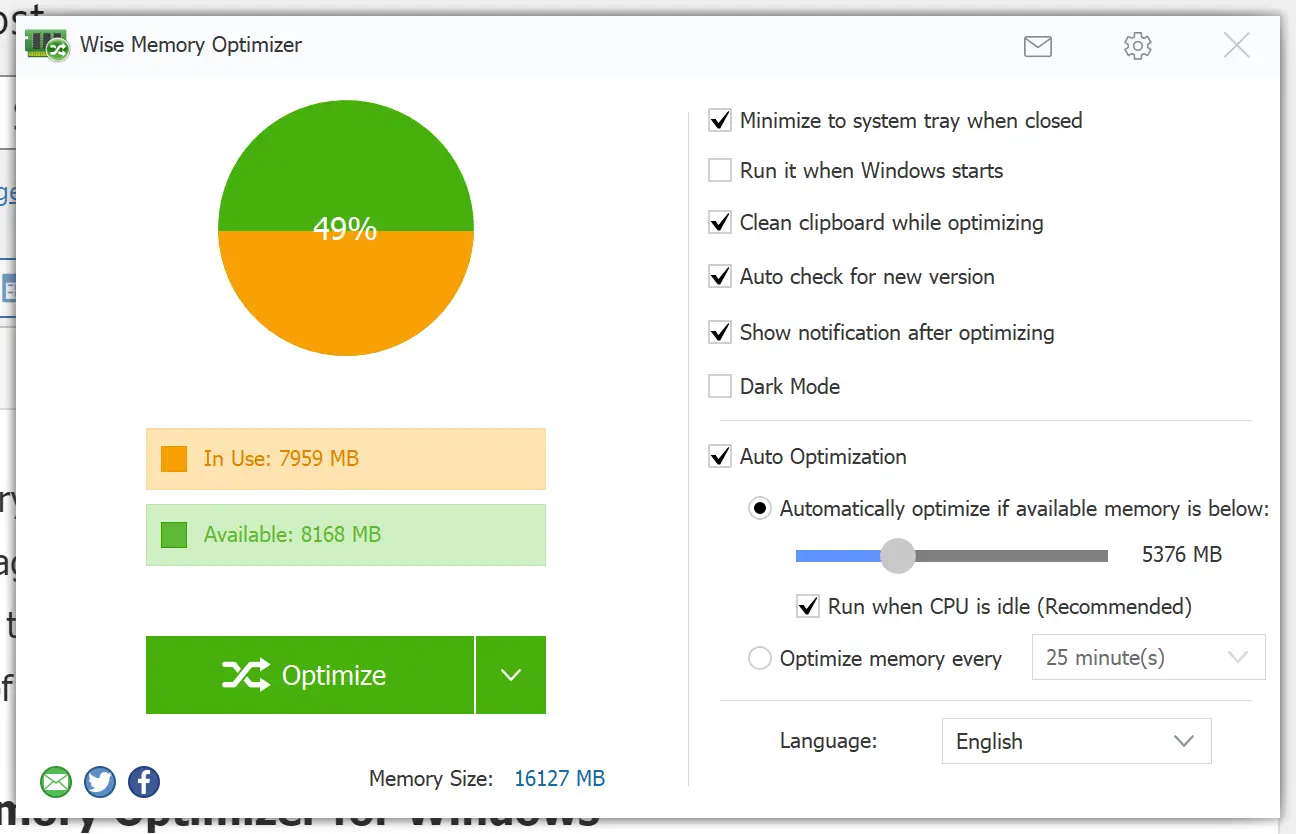
Once you have installed Wise Memory Optimizer on your computer, it will automatically run in the background, monitoring your computer’s memory usage. When it detects that your computer is running low on memory, it will automatically free up some memory by closing unnecessary programs or processes. To ensure your system runs efficiently, it’s also important to check SSD health in Windows 11 and 10 regularly, keeping your storage devices in optimal condition.
You can also use the software to optimize your computer’s memory usage manually. Simply click the “Optimize” button, and Wise Memory Optimizer will close any unnecessary programs or processes and free up as much memory as possible.
One of the great things about Wise Memory Optimizer is that it is completely customizable. You can choose to have it run automatically in the background, or you can choose to optimize your computer’s memory usage manually whenever you want. You might also consider TweakPower – an all-in-one optimization tool if you prefer a broader system tuning experience with more customization options.
In addition to optimizing your computer’s memory usage, Wise Memory Optimizer also includes a number of other useful features. For example, it can help you monitor your computer’s memory usage effectively, giving you real-time feedback on available and used RAM.
Conclusion
Overall, Wise Memory Optimizer is an excellent tool for anyone who wants to optimize their computer’s memory usage and improve its overall performance. It is easy to use, completely customizable, and, best of all, it is entirely free. If you want to improve the performance of your computer and reduce the frequency of crashes and other issues, then Wise Memory Optimizer is definitely worth checking out. You can also try Wise Game Booster to further boost your system’s gaming and performance efficiency.