

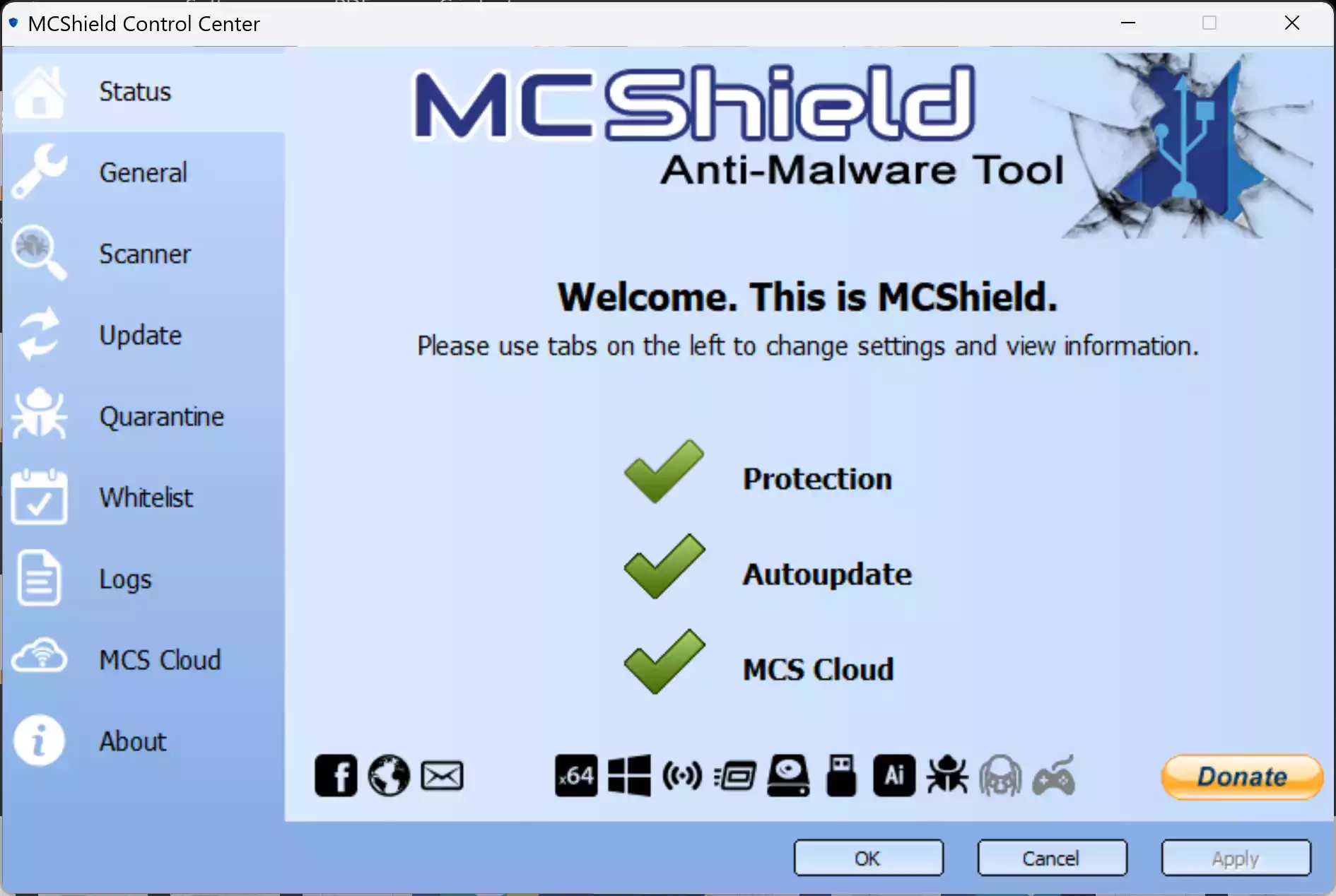
MCShield is a free and lightweight security tool designed specifically to protect your PC from malware spread through USB flash drives and other removable media. Unlike traditional antivirus software, which focuses on general threats, MCShield specializes in detecting and blocking malicious code that automatically runs when you plug in a USB device. This makes it a handy companion for Windows users who regularly transfer files between computers using pen drives or external hard disks.
Why Would a Beginner Use MCShield?
Beginners often rely on USB flash drives to move photos, documents, and software. Unfortunately, these drives are also a common way for malware to spread. Installing a full antivirus suite may feel overwhelming, but MCShield offers a plug-and-play solution with zero configuration. It runs silently in the background, giving beginners automatic protection against USB worms and autorun-based threats without slowing down their system.
Main Features of MCShield
- Real-time USB protection – Instantly scans any USB device the moment it’s plugged in.
- Autorun blocker – Prevents malicious programs from executing automatically via autorun.inf files.
- Heuristic detection – Identifies suspicious behavior beyond just signature-based scanning.
- Automatic cleaning – Infected files are quarantined or disinfected with minimal user input.
- Lightweight performance – Uses very little memory and CPU, making it suitable for older PCs as well.
- Detailed logs – Keep track of every scan and action for transparency and troubleshooting.
How to Use MCShield
Step 1. Download and install MCShield from a trusted freeware source, SoftPedia.
Step 2. Once installed, it runs automatically in the background—no need for manual configuration.
Step 3. Insert a USB flash drive. MCShield will immediately scan it and notify you if malware is detected.
Step 4. If a threat is found, MCShield either removes it automatically or asks you to confirm.
Step 5. You can review the scan log to see details of what was blocked or cleaned.
Safe Use Tips for Beginners
Even with MCShield, you should practice basic USB safety. Avoid plugging unknown flash drives into your computer, and always keep your Windows operating system updated. For an added layer of protection, you can pair MCShield with tools like Panda USB Vaccine or Bitdefender USB Immunizer, both of which are also free and block common USB-based threats.
When MCShield Can Help You
MCShield is especially useful in environments where USB drives are constantly exchanged—such as schools, offices, or internet cafés. If you have friends who often share files using pen drives, or if you use external backup drives, MCShield helps ensure malware doesn’t silently spread between computers.
Download MCShield
You can download the latest version of MCShield from SoftPedia. Always prefer downloading from the official developer page or a trusted freeware hub to avoid tampered versions.
Frequently Asked Questions About MCShield
Is MCShield a replacement for antivirus software?
No. MCShield is designed to complement your antivirus, not replace it. It specializes in USB-based threats, while a full antivirus covers a wider range of malware.
Does MCShield work on Windows 11?
MCShield was originally developed for Windows XP through Windows 10. While some users report success on Windows 11, official compatibility has not been confirmed.
Will MCShield slow down my computer?
No. MCShield is lightweight and optimized to run quietly in the background without hogging system resources.
Do I need to configure MCShield?
No. It is designed to work automatically after installation, which makes it perfect for beginners.
Conclusion
MCShield provides a simple yet powerful way to protect your PC from USB-borne malware. Beginners will appreciate its automatic setup and real-time protection, while advanced users can use it as a secondary shield alongside their main antivirus. If you frequently use USB drives, MCShield is an essential freeware tool to keep your Windows computer safe.