

PDF is a virtually printed document format, and it can not be edited using a text editor such as Notepad or Microsoft Word. If you have a PDF file with some sensitive data, or otherwise you want to delete some text or a page from the PDF, you need to take the help of a PDF editor tool such as PDF Text Deleter. If you wish to modify PDFs instead of deleting text, you can also use the Free PDF Editor to edit and annotate your documents easily.
Why PDF Text Deleter?
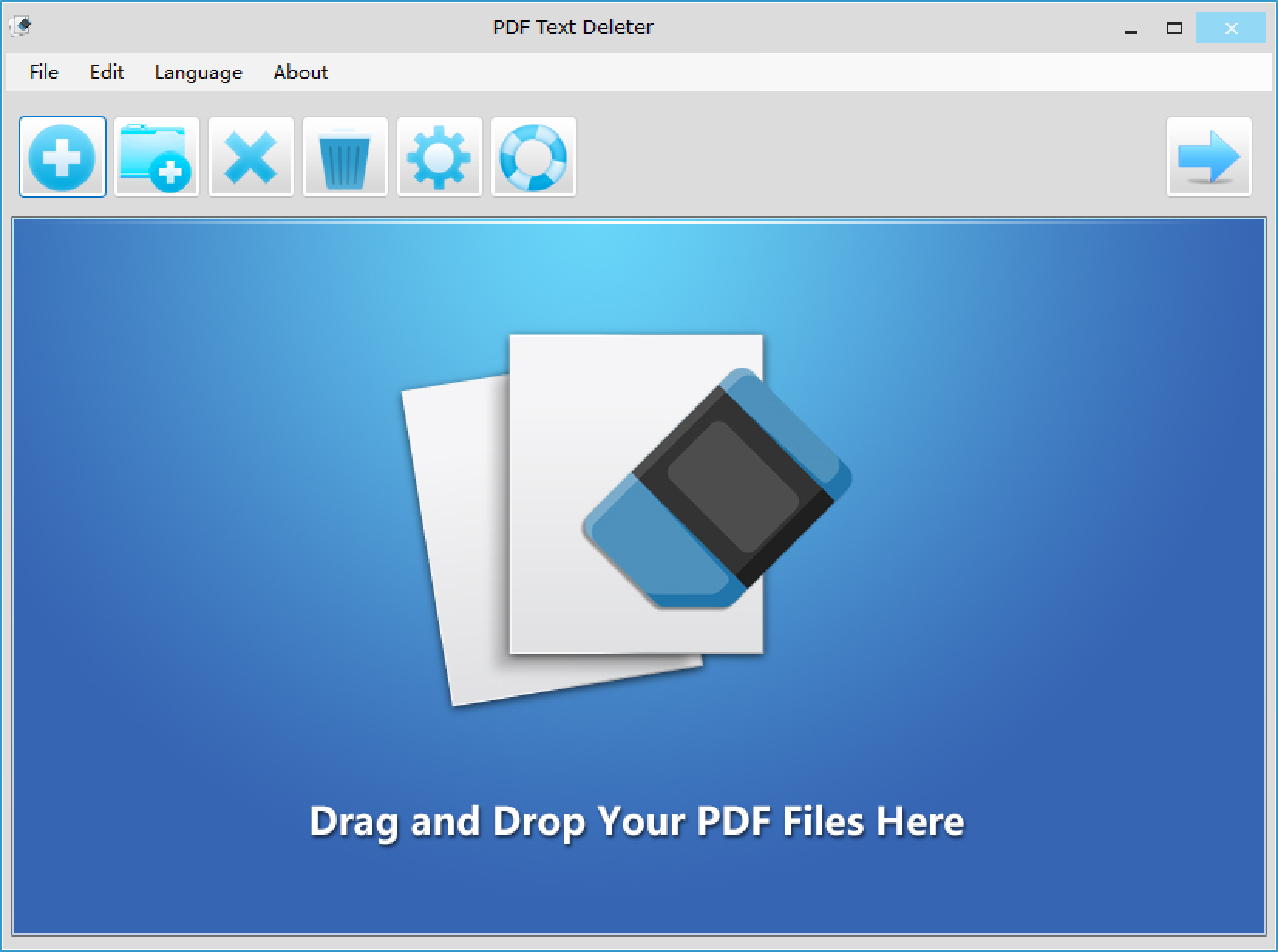
PDF Text Deleter is a freeware application that lets you edit a PDF file quickly. It allows you to edit the PDF easily and delete undesired text permanently from PDF files in bulk. Besides deleting the text, if you want to erase text from multiple PDF files in batches, PDF Text Deleter enables you to set numerous texts or words to be removed at once for various PDFs to perform double batch text deletion. You can also delete the text on specified pages by setting the page range option.
In addition to deleting the text, usually, PDF Text Deleter also allows users to set the number of spaces to fill the space left by the deleted text. And the best part is that it is compatible with both Windows 11 and Windows 10. For users who prefer working online, PDF Redaction Made Easy offers a browser-based way to hide sensitive data securely.
Key Features
- Delete Text in Multiple PDFs.
- Delete Multiple Texts at Once.
- Permanently Delete PDF Text.
- Keep the Original PDF Layout.
- Support Protected PDFs.
- Drag and Drop.
- Customize Page Range.
- Match Case Option.
- Fill Blanks in Spaces.
How to Delete PDF Text in Bulk?
To delete PDF text using PDF Text Deleter, do these steps:-
If you only need to remove pages instead of text, check out Free PDF Page Reorder to quickly rearrange or delete unwanted pages.
Step 1. Download, install, and launch the PDF Text Deleter on your computer.
Step 2. Drag and drop your PDF files onto the software drop area or click the Add (+) button to select the PDF files you want to process.
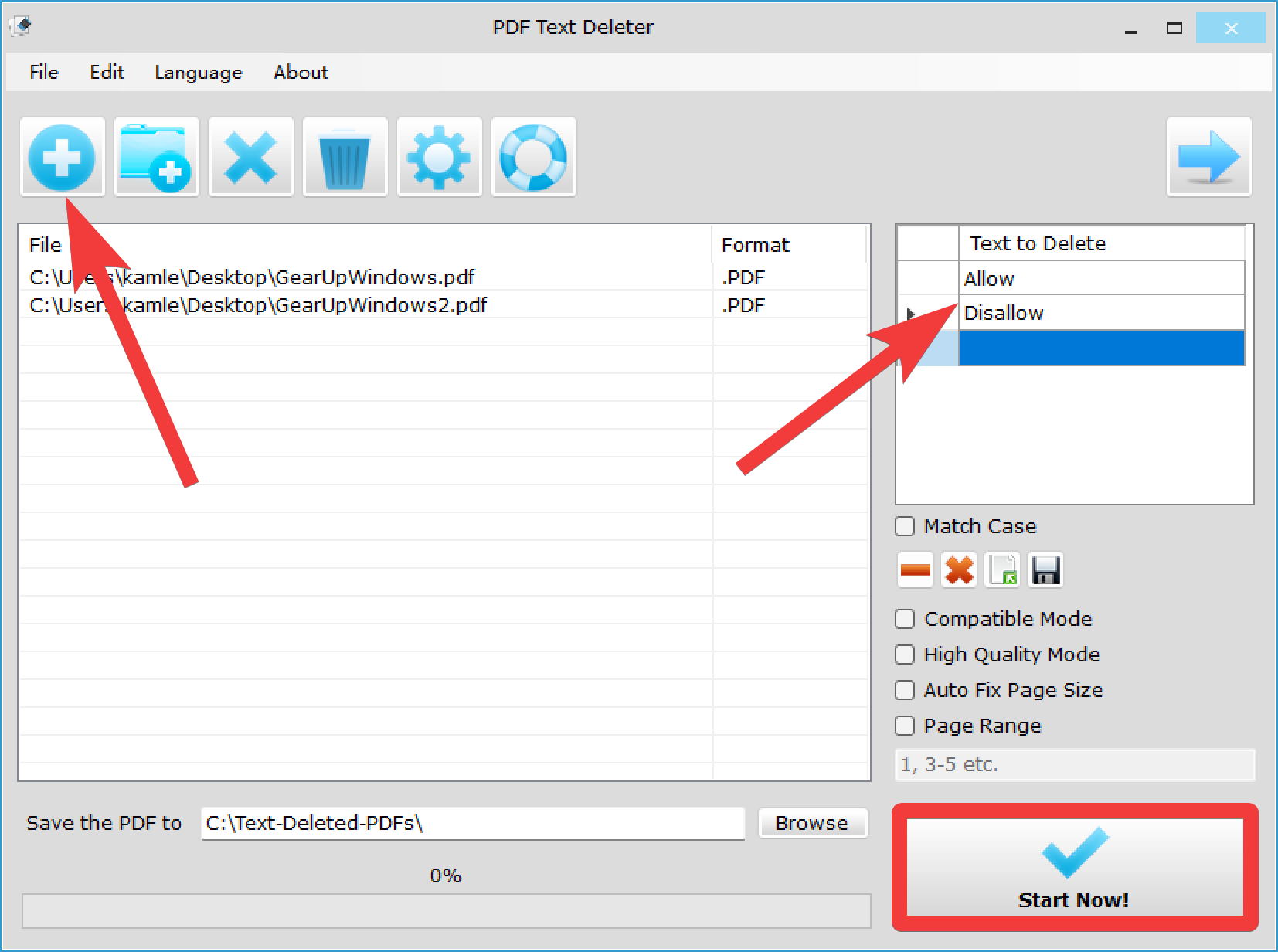
Step 3. Now, type the text under the “Text to Delete” you want to remove.
Step 4. Finally, click on the Start Now button to process the document.
Once done, converted PDFs will be saved to the “C:\Text-Deleted-PDFs” folder by default. If you need, you can set up another folder for the output.
Download PDF Text Deleter
The PDF Text Deleter is compatible with Windows 11, 10, 8/8.1, and 7. The app is 52MB in size, and you can download it from its official website.
Conclusion
In conclusion, PDF Text Deleter is a useful tool for anyone who needs to delete sensitive or undesired text from a PDF file. It offers batch processing, the ability to delete multiple texts at once, and the option to set a custom page range. Furthermore, it can fill in blanks in spaces and supports protected PDFs. The software is easy to use, and its drag-and-drop feature makes it convenient for anyone to use. The PDF Text Deleter is available for Windows 11, 10, 8/8.1, and 7, and it is available for download from its official website.
You can further protect your PDF documents using the Free PDF Encryptor, which allows AES-256 encryption directly in your browser.
For converting scanned documents into editable text before deletion, you can try Free PDF OCR.