

Bulk Crap Uninstaller (BCUninstaller or BCU) is a powerful and free uninstallation tool suitable for both casual and advanced users. It’s a highly automated bulk program uninstaller capable of removing multiple applications with minimal user input.
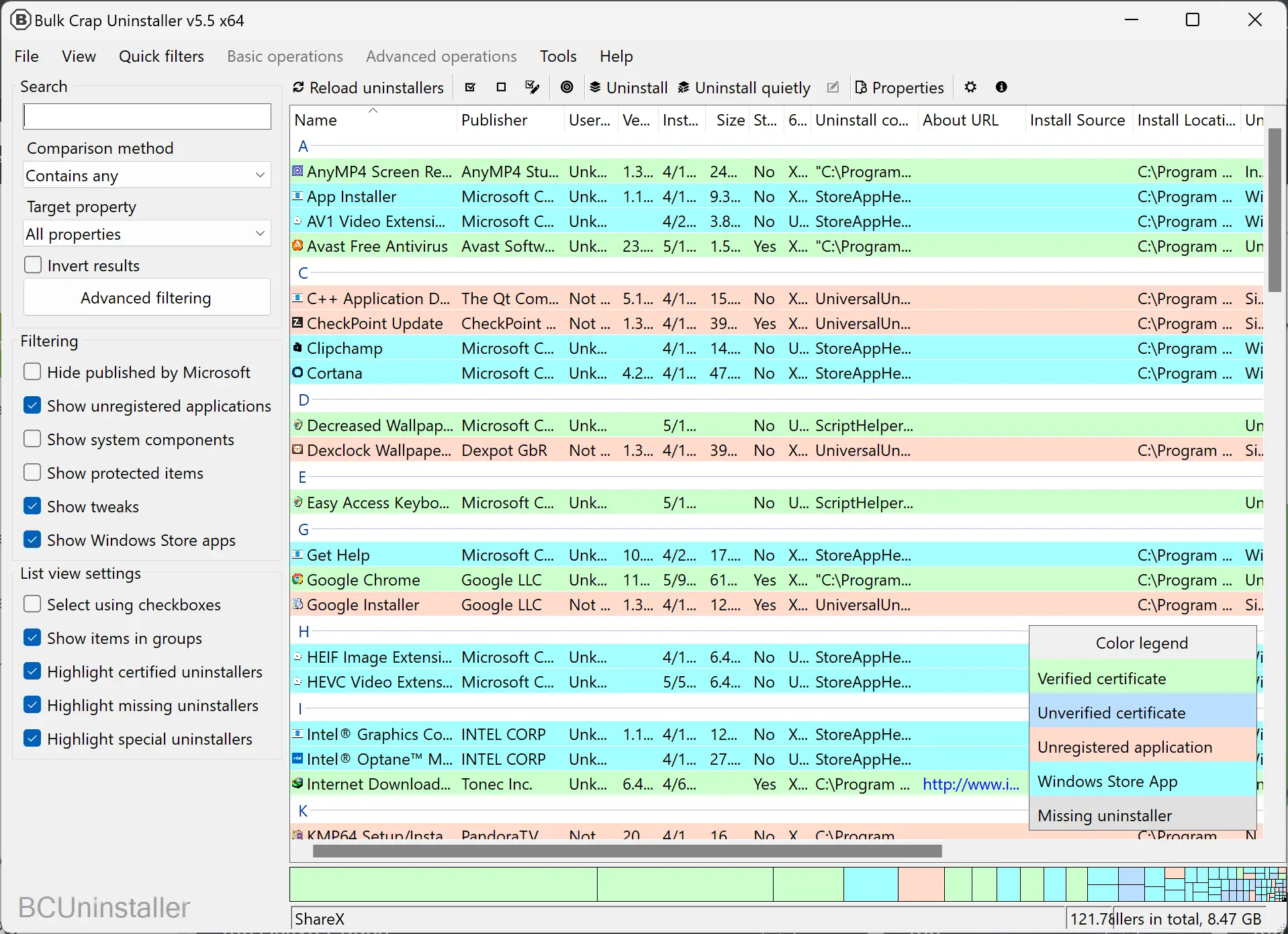
BCUninstaller is built to efficiently detect and uninstall applications. It can identify most programs and games, including portable or unregistered ones. It also performs cleanup of leftovers and offers a force uninstall when necessary. If you often deal with residual data or unwanted duplicates, you can also try Czkawka Free Duplicate File Finder, which complements BCU’s cleanup capabilities perfectly.
One of the standout features of BCUninstaller is its advanced filtering capabilities. You can filter applications by various criteria such as keywords, publisher, size, and installation date. This is especially useful for power users, system administrators, and developers who need to manage large numbers of applications. Those who want finer control over system performance can also explore Process Lasso Free to monitor and manage background processes more efficiently.
Another major advantage of BCUninstaller is its full automation support. You can uninstall multiple applications in one go with little to no user interaction. It relies on the original uninstaller of each app, reducing the risk associated with blindly removing files—an issue found in other uninstall managers. For users who prefer a modern interface and enhanced automation features, Uninstalr is another noteworthy free uninstaller tool.
In addition, BCUninstaller offers several valuable features for managing applications:
- Finds and removes leftover files after uninstallation.
- Cleans up program files directories by deleting unused or empty folders.
- Manually uninstalls any program, even if its uninstaller is missing or broken.
BCUninstaller also includes a startup manager, application ratings, and a vast database of app information that can be browsed, filtered, or exported. It supports uninstaller certificate verification and allows users to execute custom commands before and after uninstallation.
The tool is highly configurable and runs on .NET 4.0 or newer. If .NET 4.0 is not available, it can fall back to .NET 3.5 with limited features. BCUninstaller is fully portable, storing all settings in a single file, and is available in multiple languages.
System Requirements
BCUninstaller is designed to work on almost any PC. It supports:
- Windows Vista or newer (both 32-bit and 64-bit)
- At least 300MB of free RAM
- 50MB or more of available disk space
- A basic CPU – no special requirements
If you want to know alternative manual ways of uninstalling software, check out our guide on how to uninstall programs in Windows 11.
Download BCUninstaller
You can download BCUninstaller from its official website.
Conclusion
BCUninstaller is a powerful and efficient tool for managing application removal on Windows. With its advanced filtering, automation, and detection capabilities, it is an ideal choice for users who need to keep their systems organized and clutter-free. Best of all, it is completely free and open-source, making it accessible for both personal and commercial use without any restrictions. For more options, see our detailed roundup of the best free uninstaller programs for Windows to compare alternatives.