

In this gearupwindows guide, we’ll show you why Uninstalr is one of the best free tools to cleanly uninstall apps from your Windows PC. While most uninstallers leave behind traces, Uninstalr performs deep and accurate cleanups — all with a user-friendly interface.
Whether you’re a beginner or a power user, Uninstalr helps you keep your system fast and clutter-free. Unlike the default Windows uninstaller, it removes every leftover file, folder, and registry entry. That means no more bloated storage or ghost files slowing down your computer.
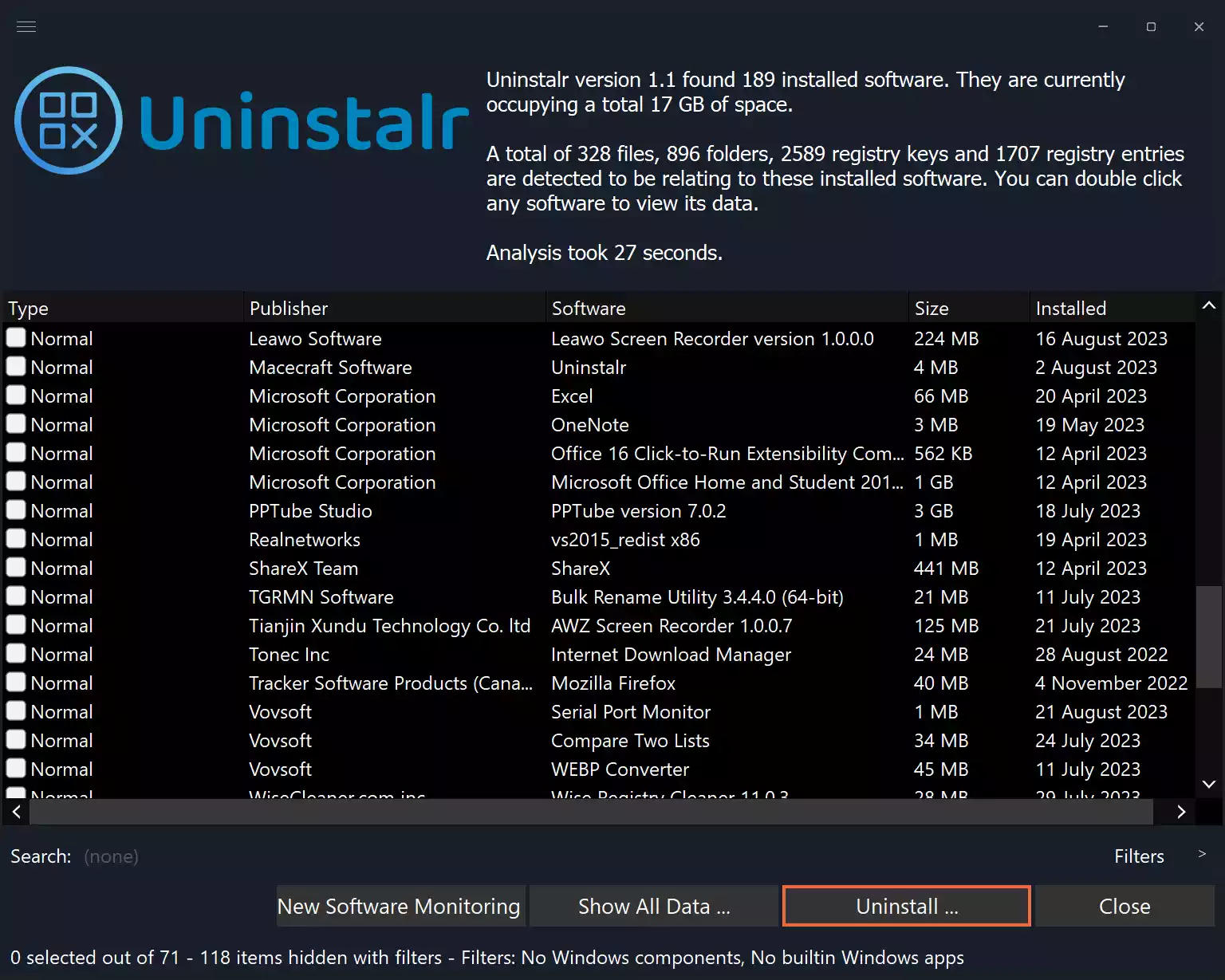
Key Features of Uninstalr
- One-Click Batch Uninstall: Remove multiple apps at once without confirming each step.
- Accurate Cleanup: Deletes all leftover data, including hidden folders, registry entries, and uninstall traces.
- Installation Monitoring: Tracks system changes during software installs for precise removal.
- Cross-Platform Support: Compatible with Microsoft Store, Steam, Chocolatey, and more.
- Dark Mode Ready: Includes a sleek dark theme for comfortable viewing.
- Multilingual Support: Available in multiple languages for global users.
- Portable or Installed: Use the portable version or opt for a full installation setup.
- Benchmark-Proven: Leaves fewer remnants than many competing uninstallers.
Download Uninstalr
You can download the free version of Uninstalr directly from its official website. It’s lightweight, fast, and requires no sign-up.
Conclusion
Don’t let leftover files and registry clutter slow down your PC. With Uninstalr, you get a cleaner, faster system — all without the hassle. Its powerful features, ease of use, and excellent cleanup performance make it a top pick for anyone who wants to uninstall software the right way.
You may also want to try more free uninstallers that ensure complete removal of unwanted software from your Windows 11 and 10 PCs.