

In today’s digital era, having a bootable USB drive is essential for various tasks, from installing operating systems to running system diagnostics and antivirus scanners. If you’re looking for a user-friendly solution to create bootable USB drives, look no further than the Universal USB Installer (UUI). Whether you’re a Linux enthusiast, a Windows user, or in need of versatile system tools, UUI has got you covered. For those who prefer alternative bootable creation methods, tools like Ventoy2Disk also offer reliable solutions.
What is Universal USB Installer?
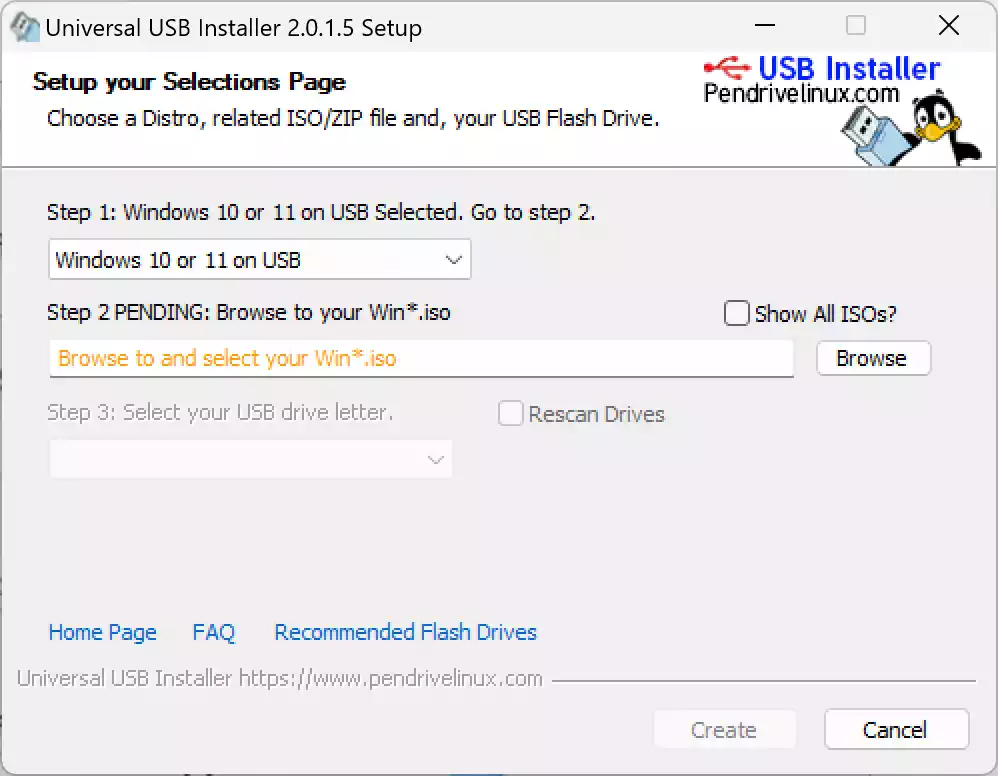
Universal USB Installer (UUI) offers a fast and straightforward way to create bootable USB drives. With an intuitive three-step process, users can quickly select a Linux distribution or utility, load the ISO, choose the USB drive, and create a bootable USB stick. UUI’s flexibility extends beyond Linux, supporting Windows installers, rescue tools, and persistent storage, all while maintaining the USB’s ability to store other files. Ideal for system installations, troubleshooting, and portable OS environments, UUI is a versatile tool for both beginners and advanced users. You can also explore SARDU Multiboot Creator if you want to create multi-boot setups with different operating systems and tools.
Key Features
- Three-Step Creation Process: Select distro/utility, locate ISO, choose USB drive—done.
- Wide Distribution Support: Compatible with dozens of Linux distros and system tools.
- Windows Installer Support: Create bootable USBs for Windows setup or Windows To Go. Alternatively, check out Hasleo WinToUSB Free for creating portable Windows environments.
- Persistence Feature: Save changes, settings, and files on Ubuntu-based systems.
- File Storage Enabled: Use remaining USB space for regular file storage alongside bootable setup.
- Multiple ISO Options: Supports creating multi-boot USBs with different ISOs.
- NTFS and FAT32 Format Options: Format drives in your preferred file system.
- Easy to Use Interface: Designed for quick setup with minimal configuration.
- Lightweight and Portable: Small file size, no installation required.
- Freeware Utility: Completely free for personal and commercial use.
For those who prefer to burn ISOs directly instead of creating bootable USBs, the Passcape ISO Burner is an excellent complementary utility to consider.
Download Universal USB Installer
You can download Universal USB Installer from its official website.
Conclusion
When it comes to creating bootable USB drives, the Universal USB Installer (UUI) stands out as a user-friendly and versatile tool. With its streamlined process, extensive options, and seamless storage functionality, UUI empowers both Linux enthusiasts and Windows users to tackle a wide range of tasks. Whether you’re installing operating systems, running system utilities, or simply need a reliable bootable drive, UUI is your go-to solution. To explore other similar software, take a look at our list of Top 5 Free ISO Maker Tools for Windows and enhance your system toolkit today.