

Several times, you may encounter problems on your Windows PC. Naturally, you start searching online for free tools to fix them. Windows Repair Toolbox is one such free utility designed for Windows that gives you access to third-party repair and troubleshooting tools.
This program is only 3 MB in size and requires the Microsoft .NET Framework to work correctly. It is compatible with all versions of Windows, including XP, Vista, 7, 8, 10, and 11. Being a portable application, it doesn’t include any third-party tools within the package. Instead, it offers direct download links to various repair applications. These tools must be downloaded the first time you use them.
Besides third-party tool links, it also includes some built-in Windows tools that you can launch directly from the interface.
Windows Repair Toolbox for Windows 11/10
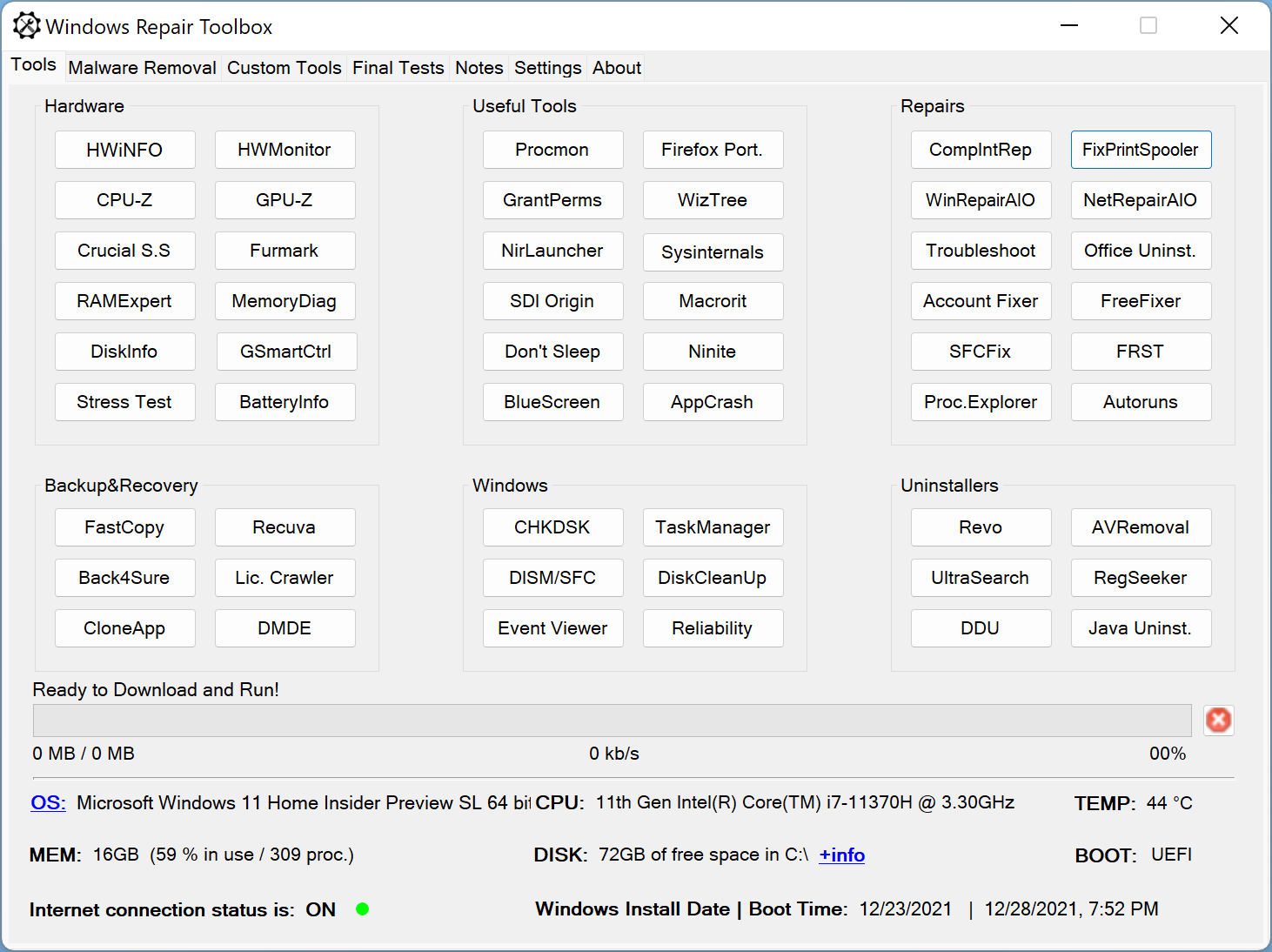
When you download and run Windows Repair Toolbox, its main interface displays tools grouped into categories like Hardware, Backup & Recovery, Windows, Uninstallers, and more. If you’re familiar with the Windows operating system, identifying most of the listed tools won’t be a problem.
To use any tool listed in Windows Repair Toolbox for the first time, simply click on its name. It will begin downloading to your PC. The next time, you can run the same tool just by clicking it again—no need to download it again.
Although downloads are generally quick, the program does not show where those applications are saved. Each tool opens in its own window, where you can begin troubleshooting or repairing your computer.
Upon launching the toolbox, you’ll see important system information at the bottom of the screen. This includes free disk space on the Windows drive, total and used RAM, internet connectivity status, temperature readings, and more.
Switching to the Malware Removal tab reveals additional tools focused on cleaning malware infections from your system.
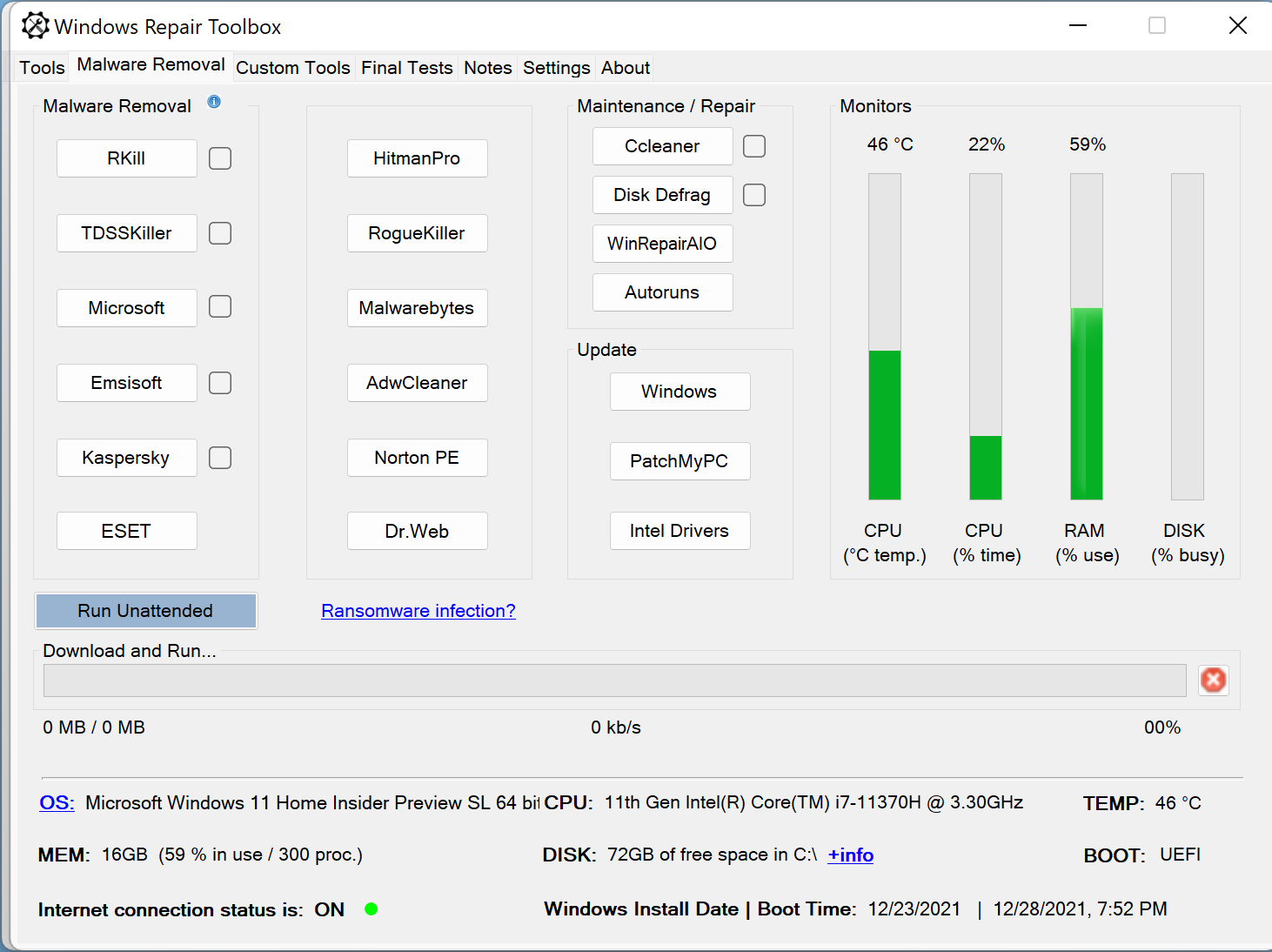
Sometimes, the toolbox shows a company name instead of a specific program name. This can make it unclear which application will open when you click on it—for example, entries like Microsoft, Kaspersky, or Emsisoft. However, when you hover your mouse over any of these, a tooltip appears. This message gives more details about the program you’re about to download and use.
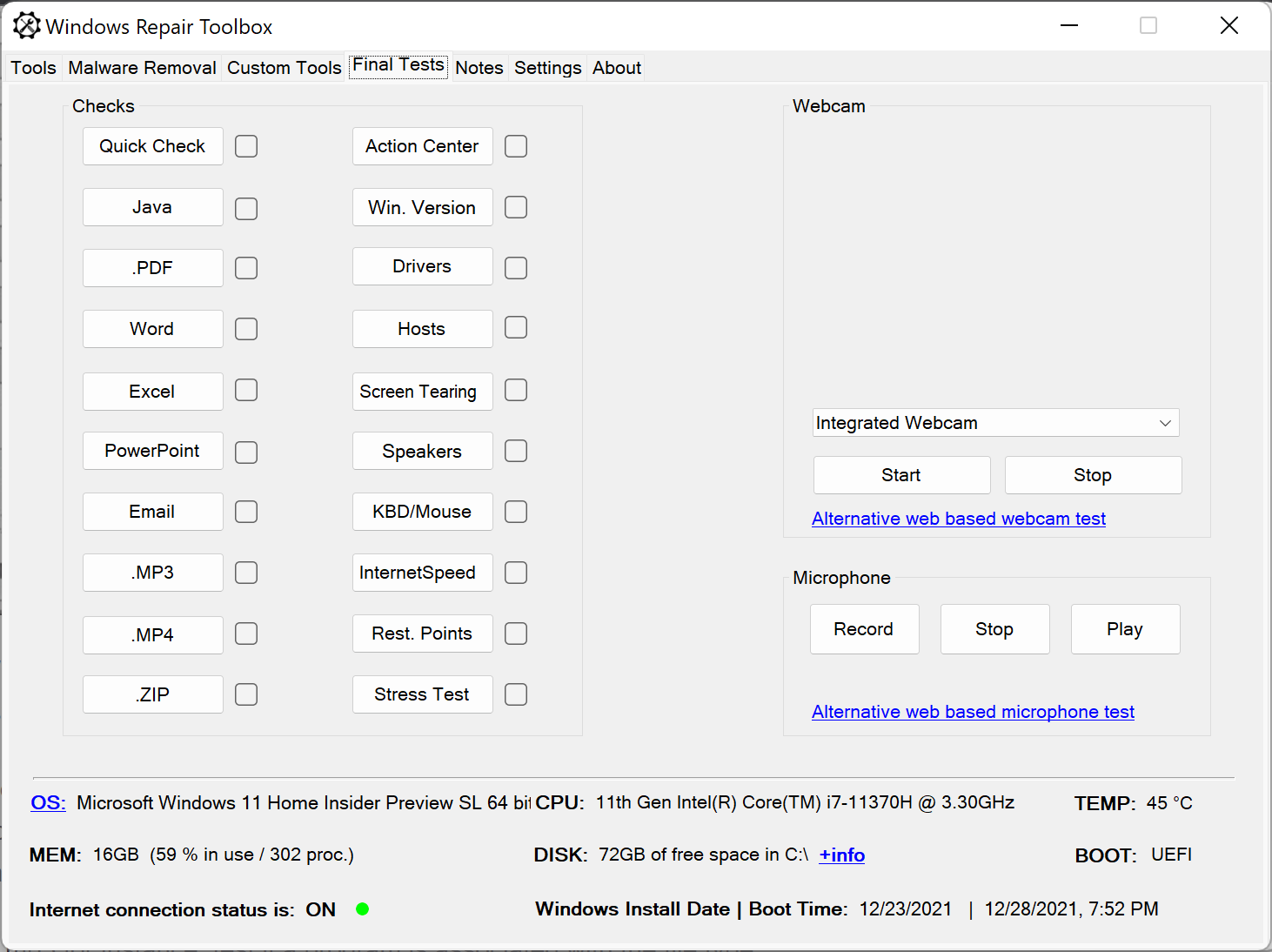
Under the Final Tests tab, the toolbox offers various diagnostic tests. These help verify certain settings or file associations, such as checking whether a PDF or MP3 file is associated with the correct program.
The Notes tab is a useful feature as well. It lets you quickly jot down or paste important notes directly into the app interface.
Another helpful feature is found under the Settings tab. From there, you can update all the tools you’ve downloaded through Windows Repair Toolbox in just a few clicks.
Download Windows Repair Toolbox
You can download Windows Repair Toolbox from its official website if needed.
Closing Words
Windows Repair Toolbox is a convenient collection of third-party tools and built-in Windows utilities. It’s designed to help you troubleshoot common issues in the Windows operating system. The app clearly indicates the purpose of each tool, which makes it very user-friendly.
Overall, it’s a well-designed and lightweight program. It would be even more helpful if it offered more detailed descriptions about the files or programs you’re downloading.