

PC still acting weird even though your antivirus says “all clear”? A second-opinion, on-demand malware scanner can catch what your main AV missed—without installing background services. Below are trusted, free tools and quick steps for each.
At a Glance (No Install, Run & Clean)
- ESET Online Scanner — portable one-time scan; Quick/Full/Custom modes; strong detection.
- F-Secure Online Scanner — tiny download; simple run-and-clean experience.
- Trend Micro HouseCall — cloud-assisted Quick/Full/Custom scans.
- Microsoft Safety Scanner (MSERT) — official Microsoft tool; re-download every 10 days.
- McAfee Malware Cleaner — an on-demand cleaner that snapshots, scans, and cleans.
- Malwarebytes AdwCleaner — fast adware/PUP and browser-hijacker cleanup; portable.
- Emsisoft Emergency Kit (EEK) — portable toolkit with Quick/Malware/Custom scans and CLI.
- Dr.Web CureIt! — fresh “download-to-scan” build; express/custom scans with deep targets.
- Kaspersky Virus Removal Tool (KVRT) — deep on-demand cleaner for memory/startup/boot sectors.
- Norton Power Eraser (NPE) — aggressive cleaner with optional rootkit/boot-time scan.
- Kaspersky Rescue Disk — bootable scanner that runs outside Windows; great for unbootable PCs.
- Sophos Scan & Clean — portable second-opinion scanner with cloud-assisted detection.
- Adlice Protect (RogueKiller) Free — portable cleaner focused on rootkits, registry hijacks, and startup entries.
- Comodo Cleaning Essentials (CCE) — portable toolkit with KillSwitch and Autorun Analyzer for entrenched malware.
- SUPERAntiSpyware Free Edition — dedicated adware/spyware/PUP cleaner; great browser reset helper.
- Spybot – Search & Destroy Free — spyware/adware cleanup with Immunization to block trackers/domains.
- Trellix Stinger (formerly McAfee Stinger) — fully portable on-demand scanner for specific threats; includes behavior-based detection.
- ClamWin — free, open-source; on-demand scans; portable version available (no real-time protection).
Recommended Workflow
- Start with a quick pass using ESET Online Scanner, F-Secure Online Scanner, or Trend Micro HouseCall. For adware/browser problems, run Malwarebytes AdwCleaner, SUPERAntiSpyware Free Edition, or Spybot – Search & Destroy Free.
- If issues persist, run deeper tools such as Microsoft Safety Scanner, McAfee Malware Cleaner, Emsisoft Emergency Kit, or Dr.Web CureIt!. For suspected rootkits or startup hijacks, add Adlice Protect (RogueKiller) Free.
- For stubborn threats, escalate to Kaspersky Virus Removal Tool or Norton Power Eraser. Review results carefully. Power users can also inspect with Comodo Cleaning Essentials (KillSwitch/Autorun Analyzer).
- If Windows won’t boot or reinfects, use Kaspersky Rescue Disk or add a second-opinion layer with Trellix Stinger or ClamWin.
ESET Online Scanner
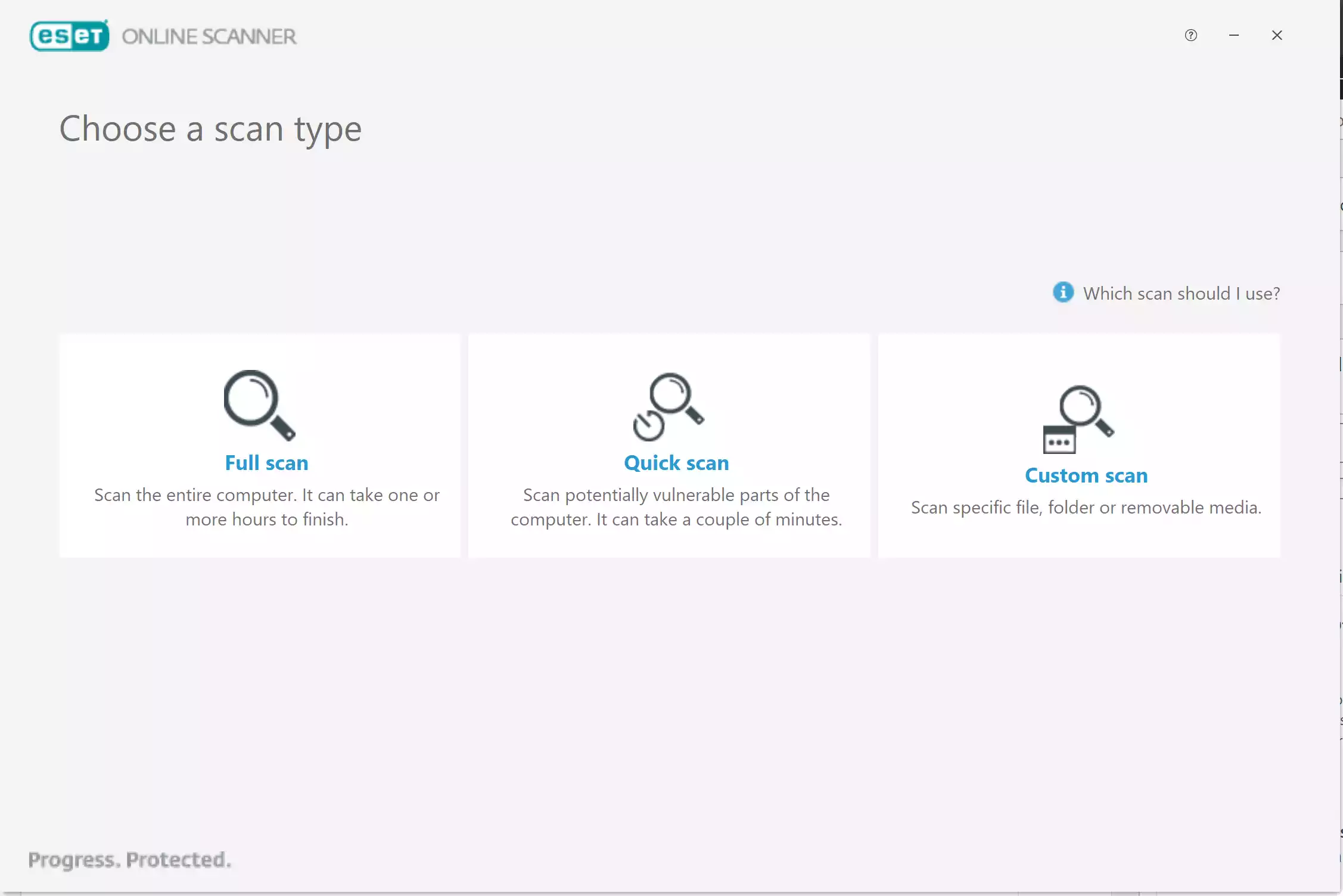
Lightweight one-time scanner with strong detection and easy cleanup; plays nicely with Microsoft Defender. Read our full ESET Online Scanner guide.
How to run it
- Download and launch the executable.
- Click Get Started, accept terms, and choose Quick, Full, or Custom.
- Let it update definitions and start the scan.
- Review detections; quarantine or remove as needed.
Pros
- Strong detection with Quick/Full/Custom scans.
- Portable; runs alongside Microsoft Defender without conflicts.
- Fast setup and clear cleanup flow.
Considerations
- Needs internet for definition updates.
- Full scans can be lengthy on large drives.
- May request a reboot to finish cleanup.
F-Secure Online Scanner
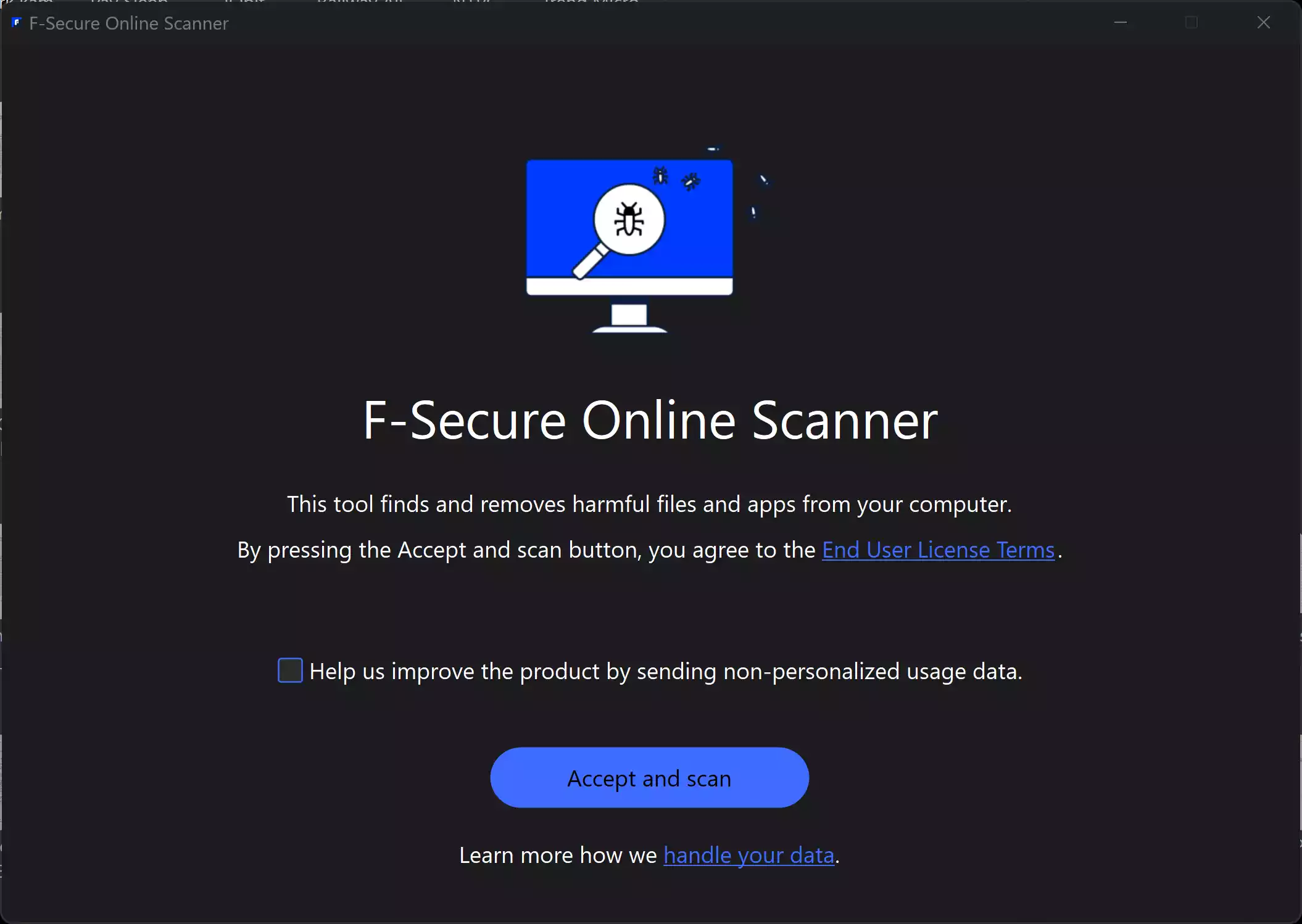
Tiny, portable scanner—great when you want a fast “run & clean” experience. Read our full F-Secure Online Scanner guide.
How to run it
- Download the EXE and run it as an administrator.
- Accept the license and click Scan.
- Clean or quarantine what it finds; restart if asked.
Pros
- Very small download and simple flow.
- No installation or background services.
- Good at catching common active threats quickly.
Considerations
- Fewer advanced options and reporting details.
- Limited customization of what/where to scan.
- Internet connection recommended during scan.
Trend Micro HouseCall

Cloud-assisted Quick/Full/Custom scans—no installation, safe alongside your current antivirus. Read our full HouseCall guide.
How to run it
- Download HouseCallLauncher.exe and run it as an administrator.
- Pick Quick, Full, or Custom, then Scan Now.
- Review details for each detection and clean/quarantine.
Pros
- Cloud-assisted detection with multiple scan modes.
- Portable; safe to run alongside your existing AV.
- Clear results with quarantine/clean actions.
Considerations
- Downloads components at runtime on each use.
- Cleanup can require a restart.
- Works best with a stable internet connection.
Microsoft Safety Scanner (MSERT)
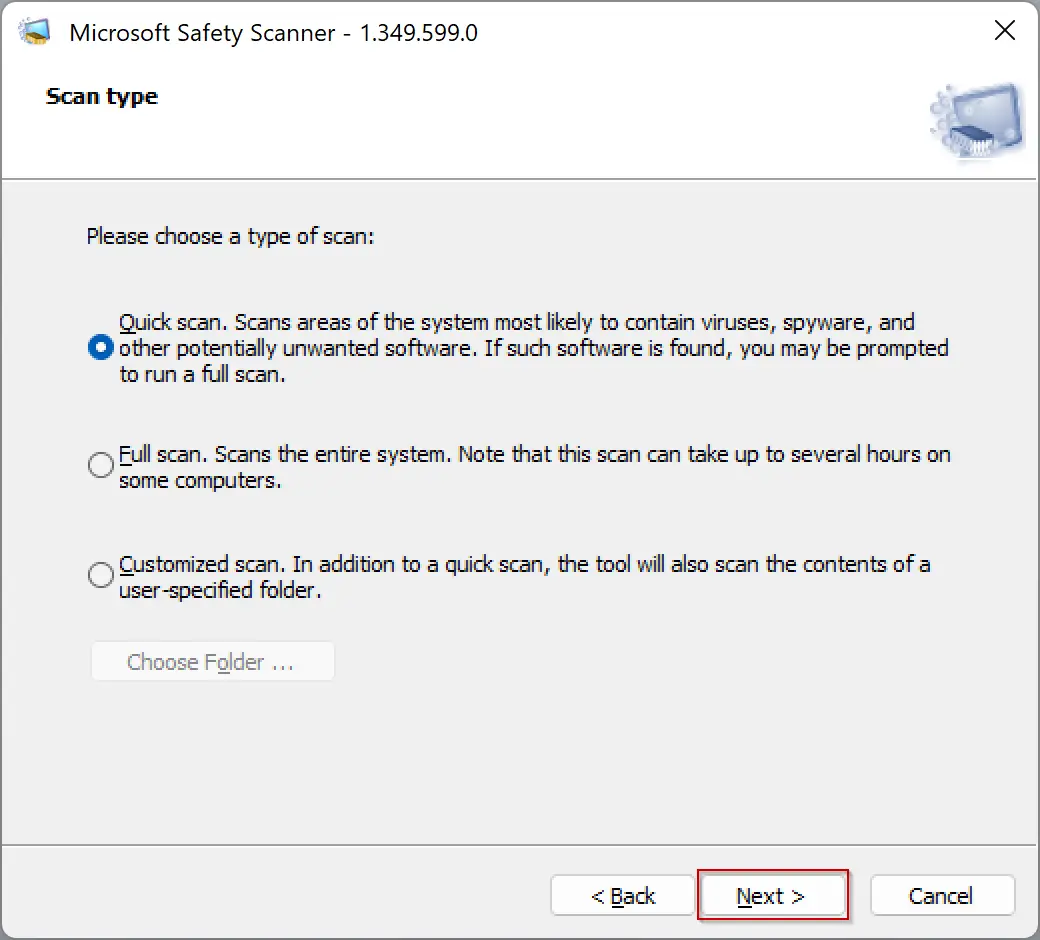
Official Microsoft on-demand scanner. Each build expires after 10 days—always download fresh. Read our full MSERT guide.
How to run it
- Download the latest MSERT.exe (match your system architecture).
- Launch, accept the license, and choose Quick, Full, or Customized.
- Start the scan; check the log at %SYSTEMROOT%\debug\msert.log.
Pros
- Official Microsoft tool; broad compatibility.
- Portable with Quick/Full/Customized scans.
- Detailed log saved at %SYSTEMROOT%\debug\msert.log.
Considerations
- Expires after 10 days — re-download each time.
- Basic interface; no scheduling/history.
- Full scans can take a long time.
McAfee Malware Cleaner
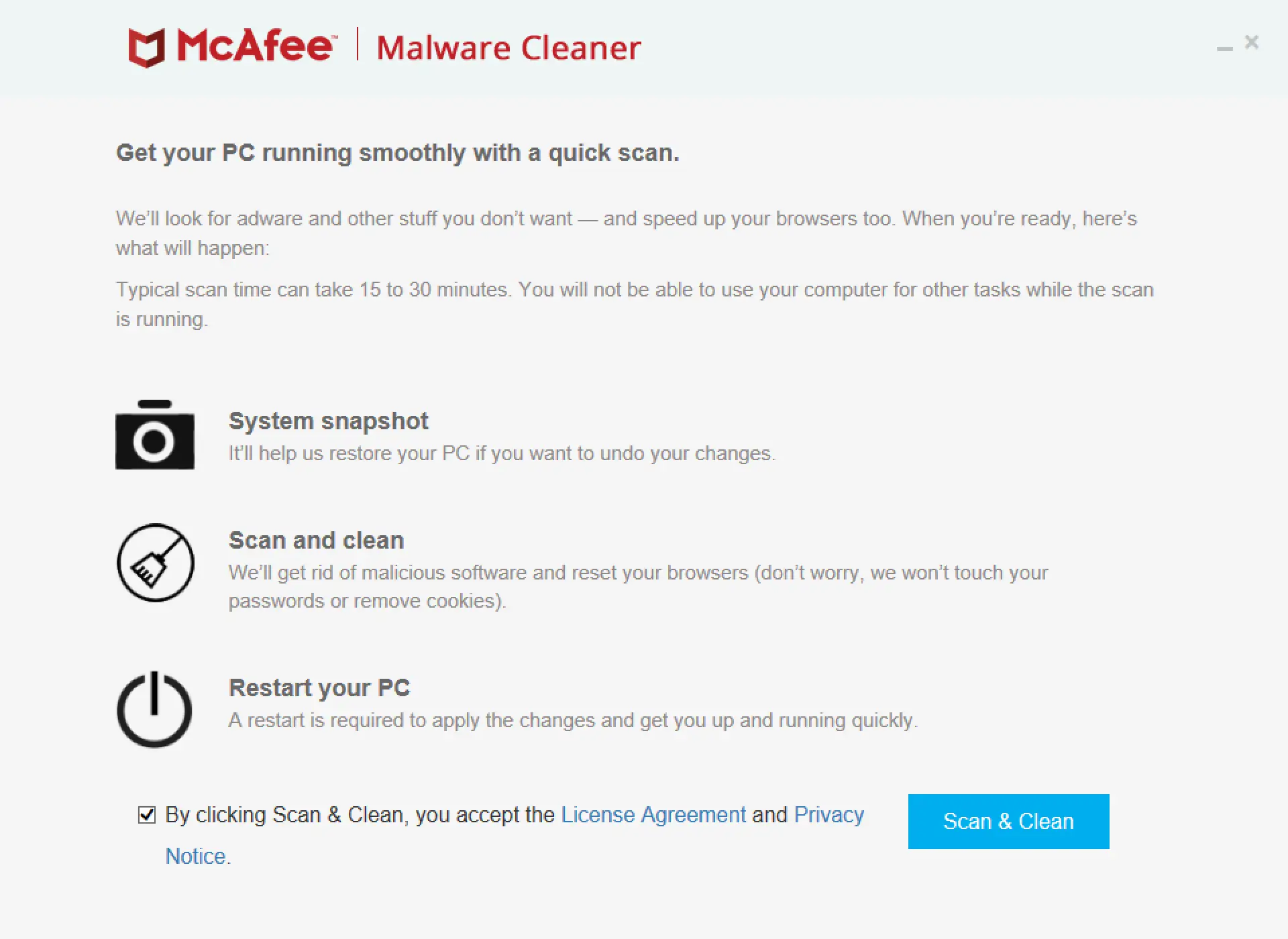
Simple on-demand cleaner that snapshots your system, scans for adware/PUA and other threats, and applies fixes on reboot. Read our McAfee Malware Cleaner guide.
How to run it
- Download the McAfee Malware Cleaner executable and run it.
- Agree to the terms, click Scan & Clean, and let it snapshot/scan.
- Review the summary; restart to apply changes. Use “Undo changes” if needed after reboot.
Pros
- Creates a system snapshot for easy undo.
- Good at adware/PUA and browser resets.
- You can keep working in other apps during scan.
Considerations
- Applies changes on reboot; browsers may close during scan.
- Fewer manual controls than full AV suites.
- Internet access improves detection quality.
Malwarebytes AdwCleaner
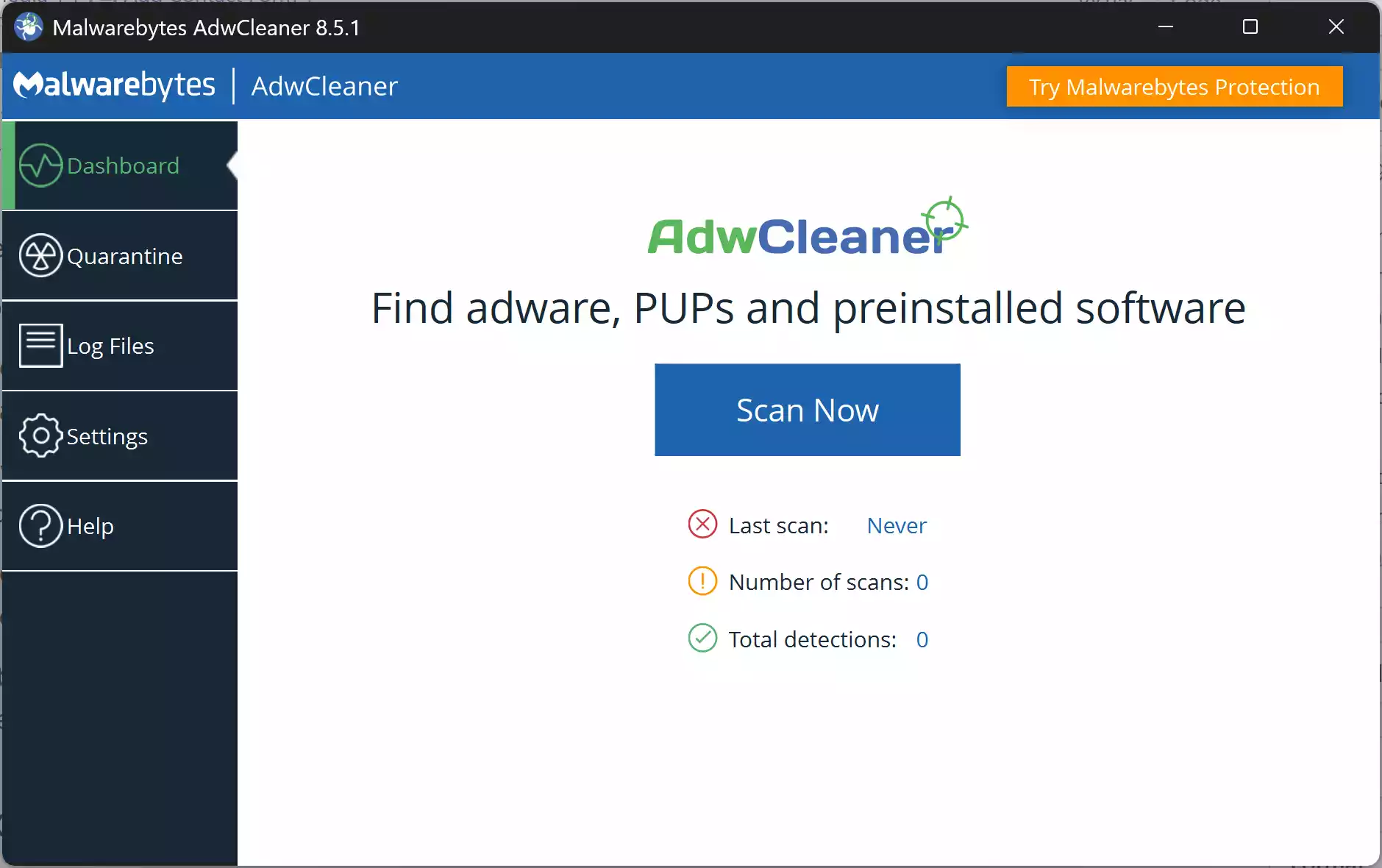
Fast, portable utility focused on adware, PUPs, toolbars, and browser hijackers—great first response for pop-ups or search/homepage changes. Read our Malwarebytes AdwCleaner guide.
How to run it
- Download AdwCleaner and run it as an administrator.
- Click Scan Now; review detected items.
- Click Clean & Repair; reboot if prompted. Restore from Quarantine if needed.
Pros
- Excellent at adware/PUP and browser-hijack cleanup.
- Portable EXE—no install or services.
- Quarantine with easy restore.
Considerations
- Closes browsers during cleanup; may require a restart.
- Focused on adware/PUP—pair with a broader scanner for full checks.
Emsisoft Emergency Kit (EEK)
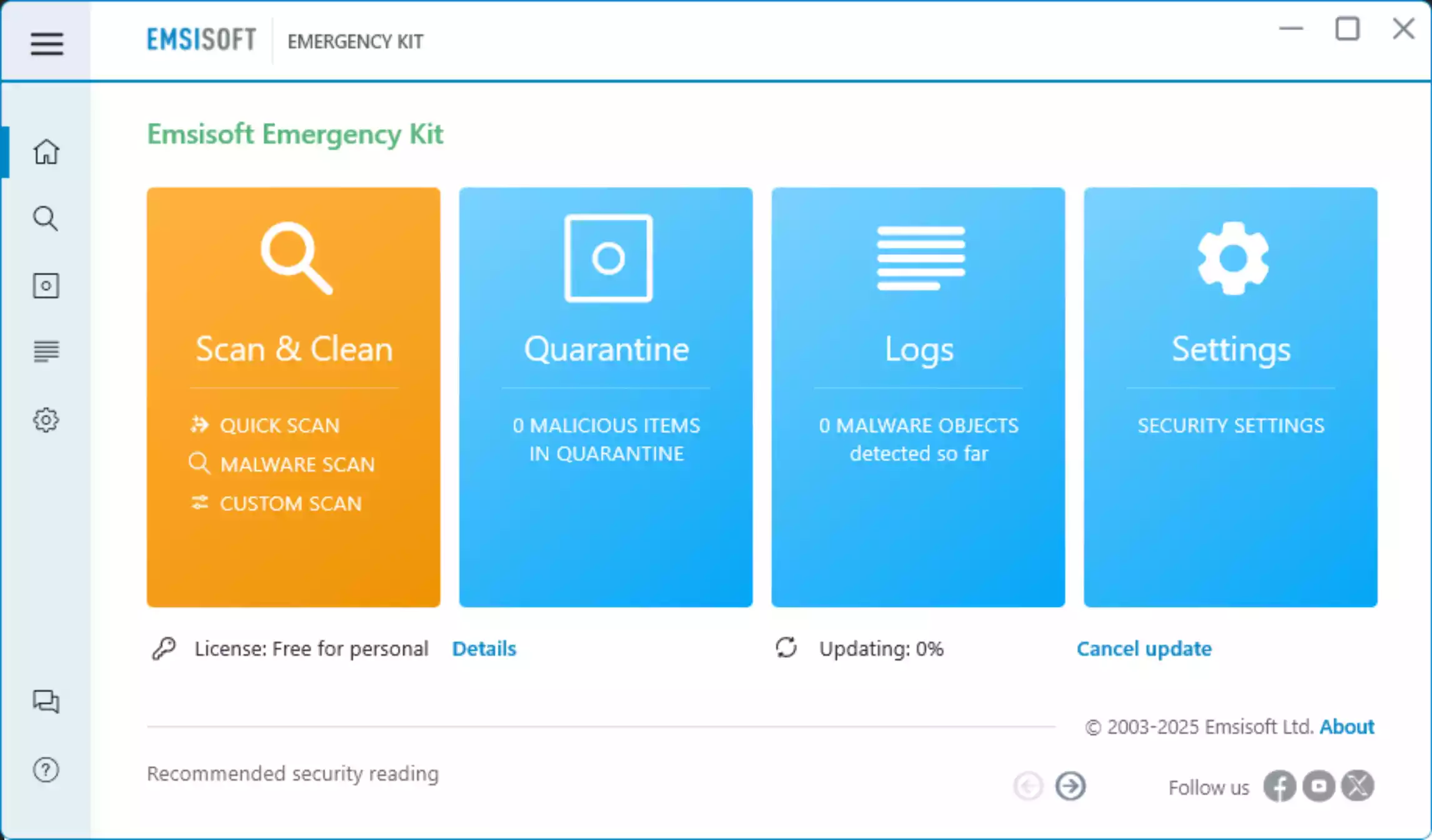
Portable malware toolkit with Quick, Malware, and Custom scans plus a command-line scanner; ideal for deeper second opinions. Read our Emsisoft Emergency Kit guide.
How to run it
- Download and unpack (default
C:\EEK), then launch the Emergency Kit Scanner. - Update signatures; choose Quick, Malware, or Custom scan.
- Quarantine/remove detections; reboot if prompted. Restore from Quarantine if needed.
Pros
- Fully portable; USB-ready.
- Multiple scan modes + CLI for power users.
- Good balance of depth and control.
Considerations
- Thorough scans can take time on large drives.
- Windows 10/11 (64-bit) for current builds.
Dr.Web CureIt!
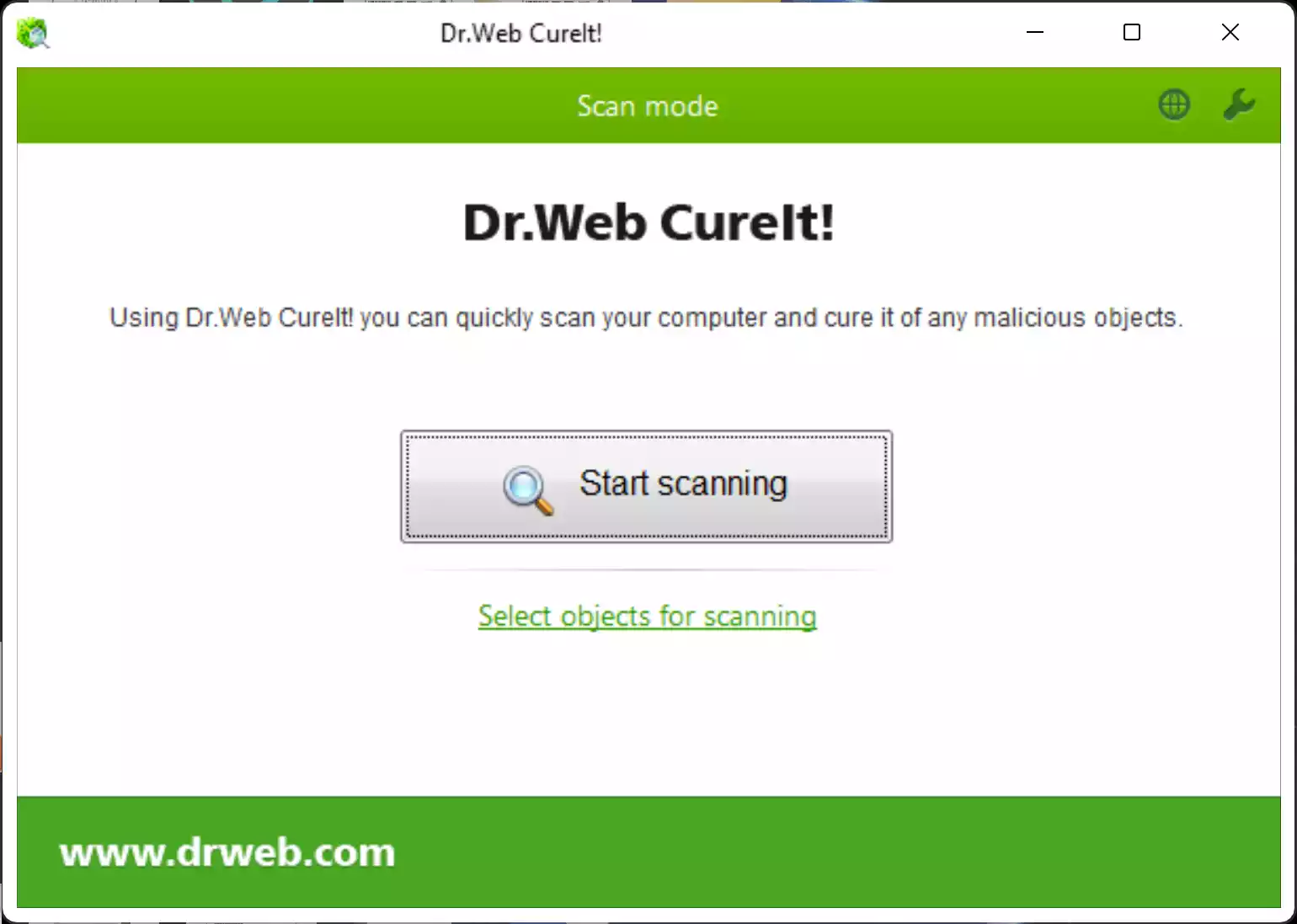
Fresh “download-to-scan” build each time; Express and Custom scans with options for memory/startup/boot sectors and chosen folders. Read our Dr.Web CureIt! guide.
How to run it
- Download the executable and run it as an administrator.
- Pick Express (critical areas) or Custom (tick objects; add drives/folders).
- Review results; choose Cure/Quarantine/Delete; reboot if asked.
Pros
- Portable EXE; no install or leftovers.
- Deep targets, including boot sectors and RAM.
- Always-current definitions via fresh download.
Considerations
- No auto-updates—download a new copy each use.
- Full scans can be lengthy.
Kaspersky Virus Removal Tool (KVRT)

Deep on-demand cleaner for memory, startup, boot sectors, and selected paths; portable and thorough. Read our KVRT guide.
How to run it
- Download
KVRT.exeand run as administrator. - Accept the license; open Change parameters to adjust targets.
- Start scan; choose Delete/Disinfect/Skip; reboot if prompted. Restore from Quarantine if needed.
Pros
- Portable and very thorough.
- Good for entrenched/persistent threats.
- Quarantine/restore workflow.
Considerations
- Deeper scans can take time.
- Best used after lighter tools if symptoms persist.
Norton Power Eraser (NPE)
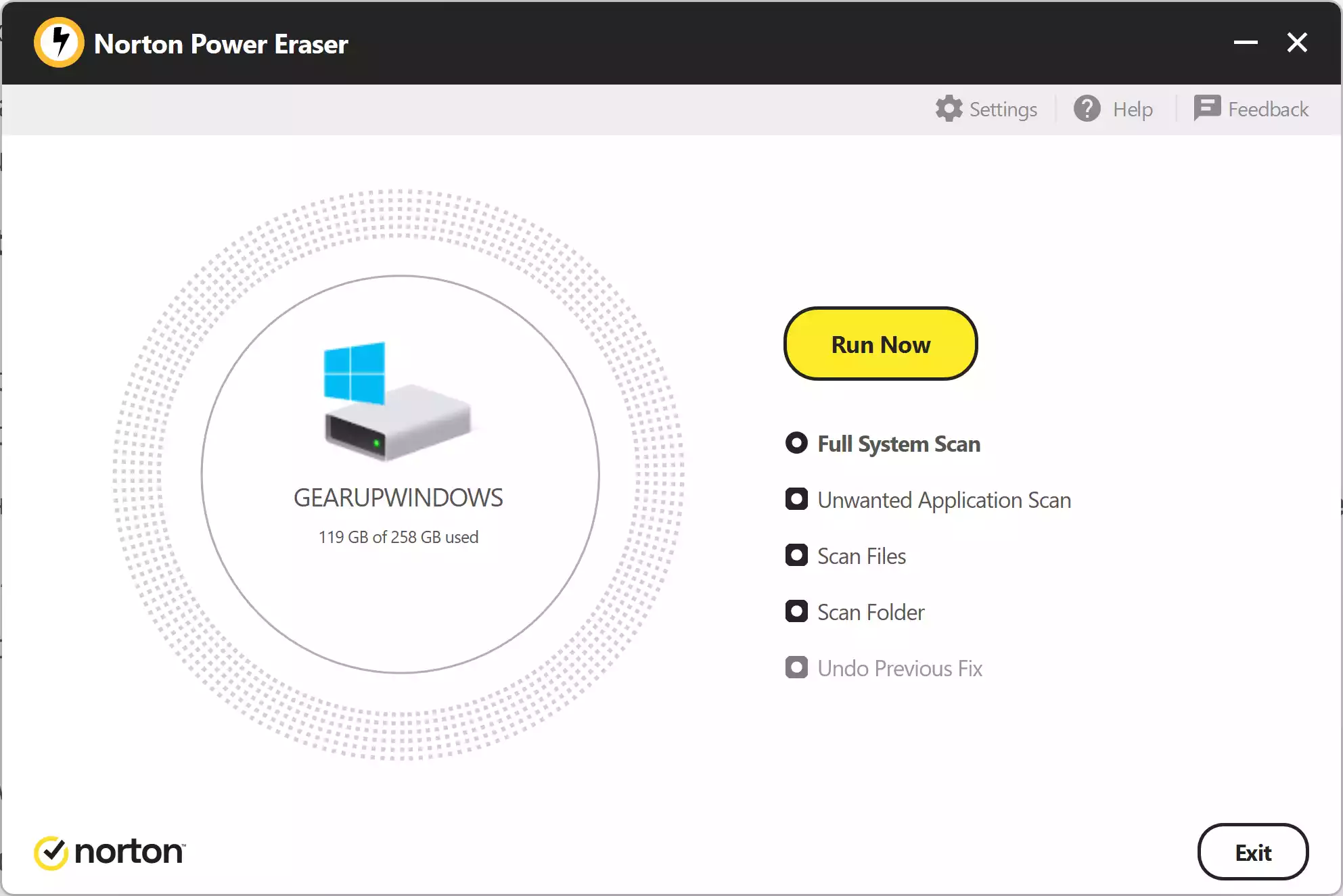
Aggressive cleaner for entrenched threats and unwanted apps; includes optional rootkit/boot-time scan. Review detections and use Undo if needed. Read our full NPE guide.
How to run it
- Download NPE and run it as an administrator.
- Select Full System Scan, Unwanted Application Scan, Scan Files, or Scan Folder.
- (Optional) Enable rootkit scan in Settings; reboot when prompted.
- Fix selected items or undo later if necessary.
Pros
- Aggressive engine targets entrenched threats.
- Optional rootkit/boot-time scan for stealth malware.
- Undo Previous Fix to roll back changes.
Considerations
- Higher false-positive risk; review detections carefully.
- May require a reboot to complete remediation.
- Best used after other scanners if symptoms persist.
Kaspersky Rescue Disk

Bootable offline scanner that runs completely outside Windows, ideal for unbootable PCs or infections that keep returning. Read our Kaspersky Rescue Disk guide.
How to run it
- Download the ISO and write it to a USB drive.
- Boot the infected PC from USB, choose the graphical mode, and update definitions.
- Scan disks/partitions; choose Disinfect or Delete for confirmed threats; reboot and remove the USB.
Pros
- Scans outside Windows—excellent against rootkits and stubborn threats.
- Free and does not touch the infected OS installation.
- Clear GUI with logs/quarantine.
Considerations
- Requires a second PC to create the USB.
- Boot issues can occur on some hardware (UEFI/Legacy settings).
- Internet recommended after boot to update signatures.
Sophos Scan & Clean

Portable, cloud-assisted scanner that targets rootkits/bootkits and other deeply embedded threats—great as a quick second opinion. Read our Sophos Scan & Clean guide.
How to run it
- Download the executable and run it as an administrator.
- Adjust basic settings if needed, then start the scan.
- Review results; quarantine or remove items; reboot if requested.
Pros
- Free and fully portable; works alongside your main AV.
- Cloud-assisted detection with strong rootkit focus.
- Simple run–scan–clean flow.
Considerations
- May require providing an email address to enable scanning.
- Best detection with an active internet connection.
- Full scans on large drives can take time.
Adlice Protect (RogueKiller) Free

Portable on-demand cleaner designed to tackle rootkits, registry hijacks, hidden startup entries, and stubborn adware—often missed by standard antivirus software. Ideal when symptoms persist after regular scans. Read our Adlice Protect (RogueKiller) Free guide.
How to run it
- Download the free edition and run it (portable mode available).
- Update signatures, choose a Standard or Custom scan (add drives/folders as needed).
- Review detections; choose Remove/Quarantine; reboot if prompted.
Pros
- Excellent at finding persistence (startup/registry) and rootkits.
- Portable design; no background services.
- Clear remediation with quarantine/restore.
Considerations
- Interface exposes advanced options—review actions carefully.
- Full scans can take longer on large disks.
Comodo Cleaning Essentials (CCE)

Advanced portable toolkit featuring KillSwitch (process analyzer) and Autorun Analyzer to spot and stop stealthy malware and suspicious startups. Useful when reinfections keep returning. Read our Comodo Cleaning Essentials guide.
How to run it
- Download and extract CCE; run CCE.exe as administrator.
- Run a Smart or Full scan for automatic cleanup.
- Use KillSwitch to terminate suspicious processes and Autorun Analyzer to disable unwanted startups; reboot if requested.
Pros
- Powerful process and startup inspection tools.
- Portable—no installation required.
- Good complement after a standard scanner finds nothing.
Considerations
- Advanced interface can overwhelm beginners—proceed carefully.
- May flag borderline items—verify before deleting.
SUPERAntiSpyware Free Edition

Focused cleaner for adware, spyware, toolbars, and PUPs. Handy when browsers misbehave or pop-ups persist. Pairs well with AdwCleaner. Read our SUPERAntiSpyware Free guide.
How to run it
- Download and install the free edition (on-demand only).
- Update definitions; run a Quick or Complete scan.
- Review threats; quarantine/delete; reboot if asked.
Pros
- Strong at adware/spyware/PUP cleanup.
- Simple interface with clear results.
- Quarantine with restore option.
Considerations
- No real-time protection in the free edition.
- Best used alongside another broad-spectrum scanner.
Spybot – Search & Destroy Free
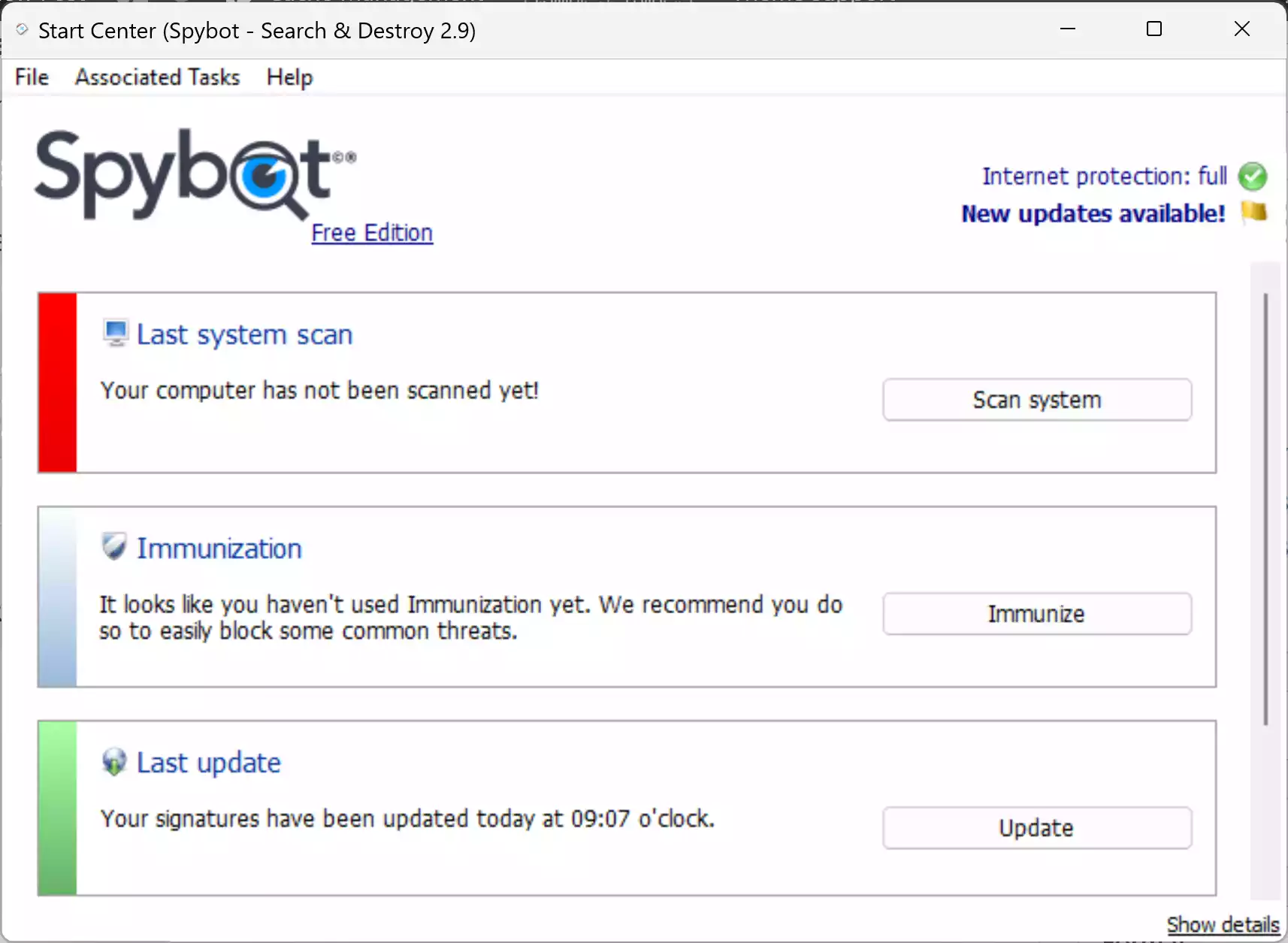
Spybot – Search & Destroy targets spyware, adware, tracking cookies, and registry hijacks. Its Immunization feature can proactively block known malicious domains and trackers. Read our Spybot – Search & Destroy guide.
How to run it
- Download and install the Free edition.
- Update spyware definitions.
- Open the Spybot 2 Start Center (SDWelcome.exe).
- Click System Scan to check files, registry, and browsers.
- Use Fix Selected to quarantine/remove detections.
- Apply Immunization to block trackers and malicious sites.
Pros
- Good at spyware/adware cleanup with registry repair.
- Immunization helps prevent re-infection.
- Free and regularly updated.
Considerations
- Interface feels dated compared to newer tools.
- No real-time protection in the free edition.
- Scans can be slower on older PCs.
Trellix Stinger (formerly McAfee Stinger)
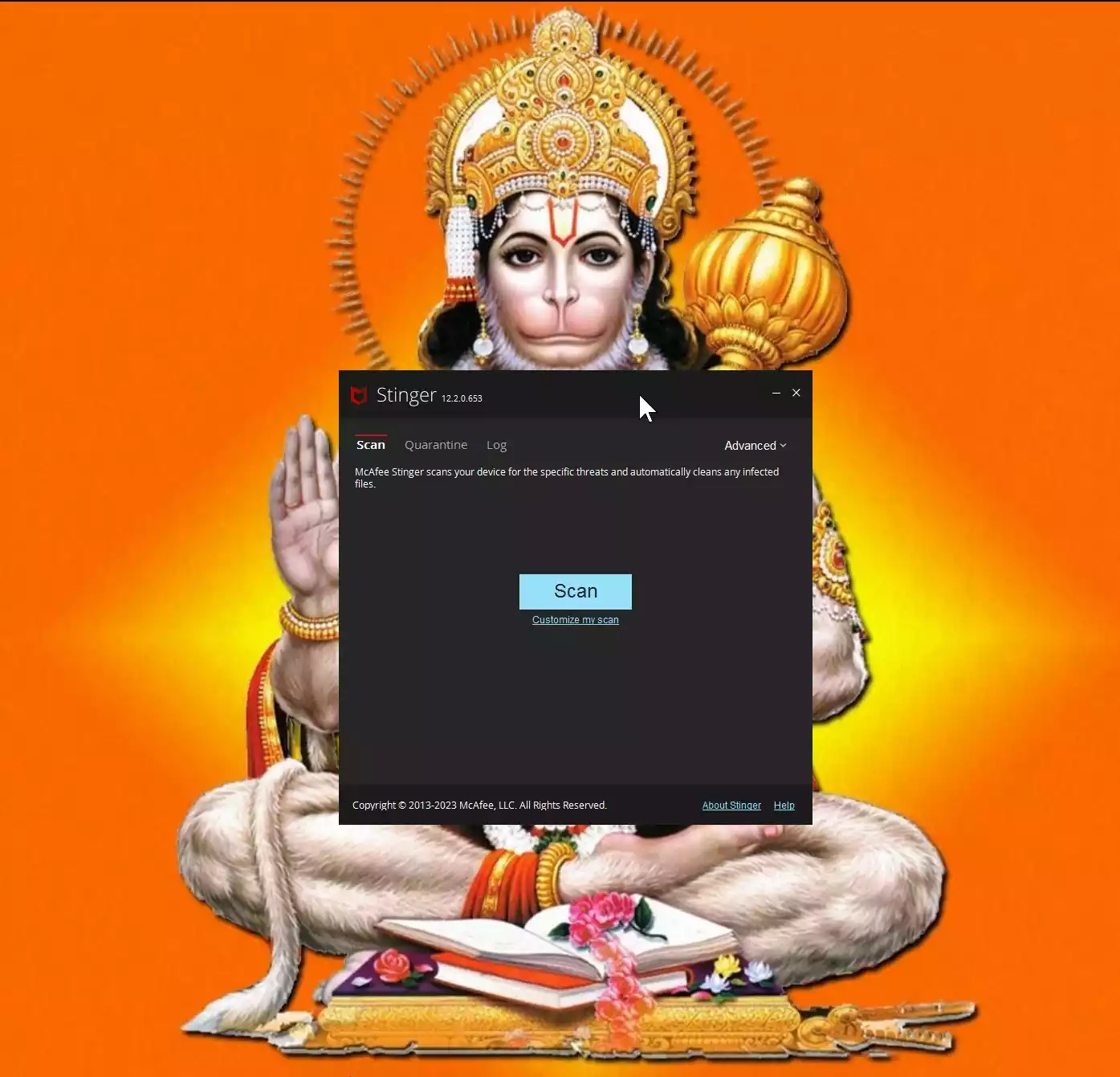
Originally known as McAfee Stinger, this tool is now branded as Trellix Stinger. It’s still free, portable, and updated regularly to detect specific, widespread threats. Ideal for stubborn infections your antivirus misses. Read our Trellix Stinger guide.
How to run it
- Download the latest Trellix Stinger executable.
- Run it—no installation required.
- By default, it scans processes, modules, and registry entries. Use Customize my scan to expand targets.
- (Optional) Enable rootkit scanning in Advanced settings.
- Start scan; threats are repaired/quarantined automatically. Logs are saved in the same folder as the EXE.
Pros
- Portable and lightweight—no install needed.
- Behavior-based detection (Real Protect).
- Good at targeting major trojans and ransomware families.
Considerations
- Not a full antivirus; limited scope.
- May install supporting services during scan.
- Best as a second-opinion tool, not a primary defense.
ClamWin Free Antivirus (On-Demand)

ClamWin is a free, open-source malware scanner for Windows. While it lacks real-time protection, it’s reliable for manual scans and can be scheduled for regular checks. Great as a lightweight backup scanner. Read our ClamWin guide.
How to run it
- Download and install ClamWin.
- Update virus definitions before scanning.
- Choose a folder, file, or full drive scan.
- Review results and quarantine/delete detections as needed.
Pros
- Free and open-source.
- Can schedule scans for regular checks.
- Lightweight and easy to use.
Considerations
- No real-time protection.
- Scans can be slower compared to commercial tools.
- Interface is basic.
If Malware Blocks Your Tools
- Boot into Safe Mode with Networking and try the scanners again.
- Reset browsers and remove unknown extensions if pop-ups/redirects persist.
- Change passwords for important accounts once the PC is clean.
Frequently Asked Questions
Do these replace my antivirus?
No. They’re on-demand “second-opinion” scanners. Keep one real-time antivirus active at all times.
Can I run more than one?
Yes. They’re portable and designed to coexist. Use one, review results, then try another if symptoms continue.
Which order should I follow?
Start with ESET, F-Secure, or HouseCall → use AdwCleaner, SUPERAntiSpyware, or Spybot for adware → deeper checks with MSERT, McAfee Malware Cleaner, EEK, or Dr.Web → add RogueKiller for persistence/rootkits → escalate to KVRT or Norton Power Eraser if needed → use Rescue Disk if Windows won’t boot → for extra assurance, add Trellix Stinger or ClamWin.
Conclusion
These 18 tools give you fast, reliable second opinions without installing extra services. Run them in the order above, review detections carefully, and keep your main antivirus updated for real-time protection. For added peace of mind, complement your antivirus with trusted scanners like Adlice Protect (RogueKiller) Free, Comodo Cleaning Essentials, SUPERAntiSpyware Free Edition, Spybot – Search & Destroy Free, Trellix Stinger, and ClamWin.