

Drivers are crucial software programs that facilitate communication between a computer’s hardware components and the operating system. Without the proper drivers installed, the hardware components may not function correctly, causing various issues such as performance slowdowns or even system crashes. Therefore, it is crucial to have a reliable driver backup and restore tool to safeguard your computer’s drivers.
One such tool is Double Driver, a freeware utility that enables you to back up and restore drivers on Windows 10 and 11 machines easily. In this gearupwindows guide, we’ll show you how to use Double Driver to back up and restore drivers in case of any system disasters or hardware failures.
Why Double Driver?
Double Driver is a useful freeware tool for Windows 11/10 machines that helps users back up and restore their drivers. After scanning the computer, Double Driver provides users with detailed information about the drivers installed, such as their version, date, and provider. It also allows users to update their drivers to the latest version. With Double Driver, users can easily back up all of their drivers at once and restore them later as needed. This tool can be particularly useful for those who do not have the original driver CD or cannot find the necessary drivers online.
Double Driver Features
- List, save, and print the driver’s details.
- Backup drivers from the installed Windows.
- Backup drivers from non-live/non-booting Windows.
- Backup drivers to structured folders, compressed (zipped) folders, and self-extracting capability.
- Restore drivers from the previous backup.
- Available in GUI and CLI applications.
- Portable (no installation required).
- Works with Microsoft Windows XP/Vista/7/8/10/11 (32-bit or 64-bit).
Backup Drivers with Double Driver
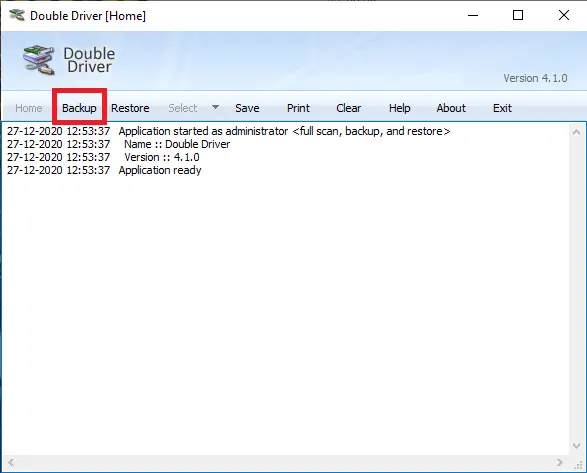
To back up important drivers of your Windows PC, run the Double Driver as an administrator and click on the Backup from the menu.
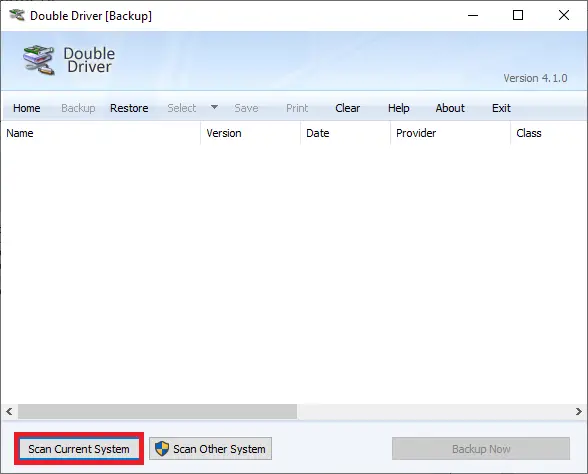
Click on the Scan Current System button to list all the drivers available on your computer.
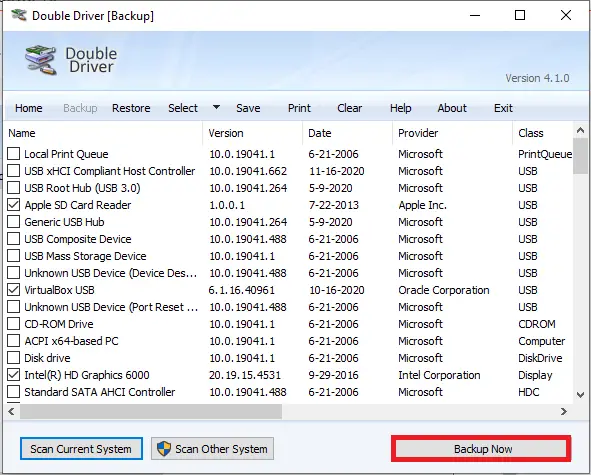
Once the scanning is completed, it will list all hardware with drivers. You can select all or a few that you want to back up. Finally, click the Backup Now button.
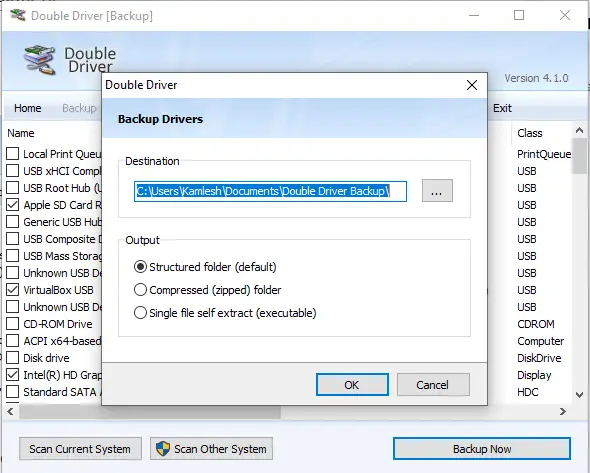
Browse for the location where you want to save the backup of the drivers, select the output type, and click the OK button.
It may take a few minutes, depending on the selection of drivers.
Restore Drivers with Double Driver
Once you are ready with a backup of the drivers and need to restore them for any reason—because you formatted your PC or any hardware is not working properly—perform the following steps:
Run the Double Driver software and click on Restore from the menu.
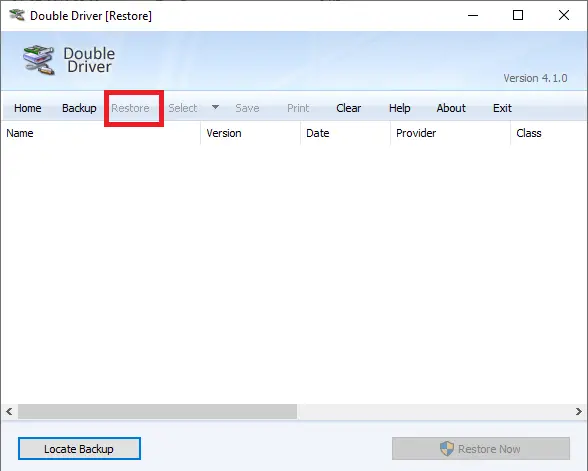
Click the button labeled Locate Backup. Select the Folder Location where you have stored the driver’s backup.
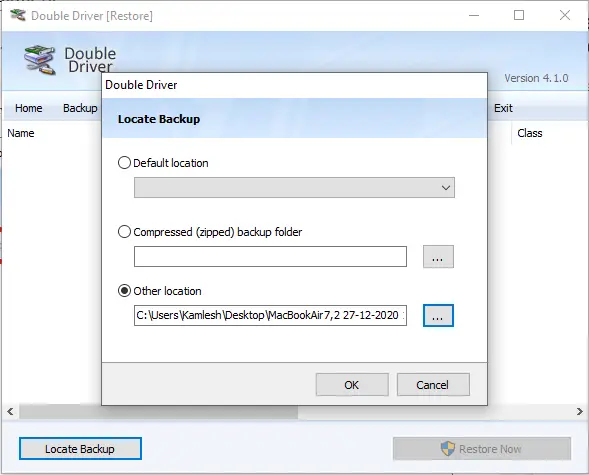
Once you have selected the driver’s backup folder, click the OK button. Finally, click on the Restore Now button to restore the drivers.
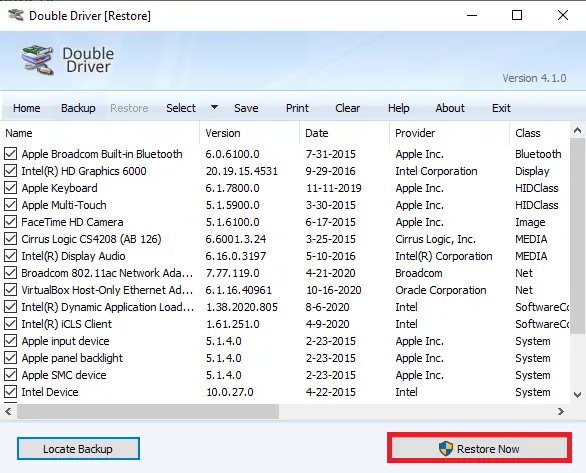
That’s all! Now, Double Driver freeware should restore the drivers on your PC, and everything should start working as before.
Download Double Driver
You can download the latest version of Double Driver from the official website.
Other Free Driver Tools
If you’re looking for alternatives or more advanced features, you might also try:
- Snappy Driver Installer – A powerful offline tool for installing and updating drivers.
- Intel Driver & Support Assistant – Ideal for systems running Intel hardware.
- WinZip Driver Updater – A free driver updater tool for Windows 11 and 10.
- DUMo Drivers Updater – Keeps monitoring for updated drivers.
Conclusion
In conclusion, Double Driver is an essential tool for Windows 10 and 11 users who want to ensure their computer’s drivers are backed up and easily restorable in case of hardware failure or system disasters. It provides users with a user-friendly interface to back up all drivers at once and restore them later as needed. The ability to save the backup in various formats, including structured folders, compressed folders, and self-extracting capability, makes it a versatile tool. Additionally, its availability as a portable tool means users can run it without installation. We highly recommend Double Driver for anyone looking for a reliable driver backup and restore tool.