

In today’s digital age, where personalization is key, our desktop backgrounds have evolved beyond static images. Push Video Wallpaper emerges as a groundbreaking solution, offering users the ability to transform their desktops into dynamic, captivating experiences. From tranquil nature scenes to mesmerizing abstract art and snippets of beloved movies, Push Video Wallpaper opens up a world of possibilities, allowing users to infuse their workspace with personality and vitality.
For users who enjoy personalizing their desktops, you might also like learning how to set a video as your screensaver in Windows 11 or 10.
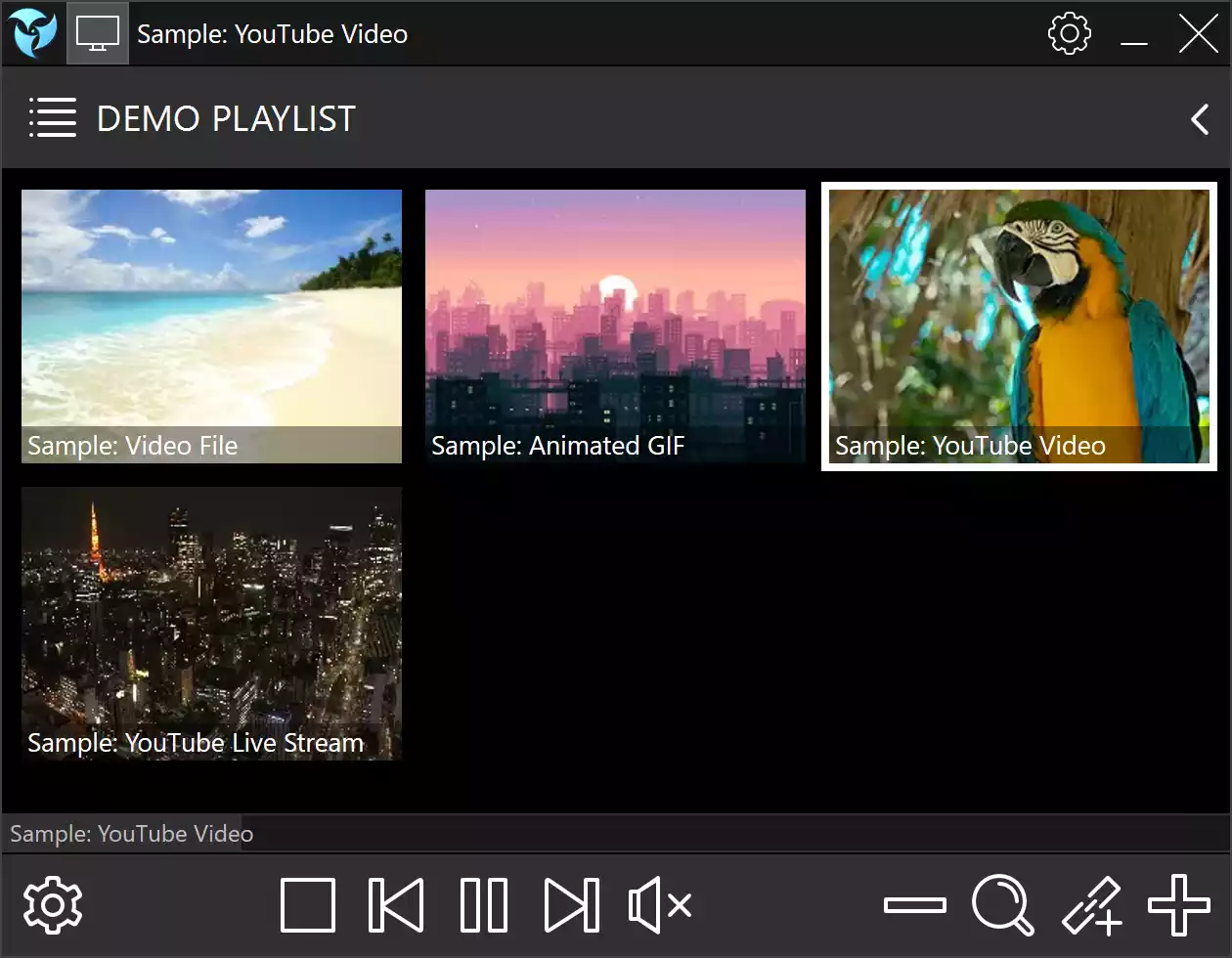
The Power of Push Video Wallpaper
Gone are the days of mundane desktop backgrounds that do little to inspire or uplift. With Push Video Wallpaper, users can curate their digital environment to reflect their mood, interests, and aesthetic preferences. Whether you seek relaxation during a stressful workday or a burst of energy to fuel your creativity, Push Video Wallpaper provides a seamless solution.
If you prefer free alternatives, explore DesktopHut — a freeware that lets you set live wallpapers easily on Windows.
One of the most compelling features of Push Video Wallpaper is its versatility. Compatible with Windows 11, 10, and 8.1, this software caters to a wide range of users, ensuring that everyone can enjoy a personalized desktop experience. The application supports various video formats, allowing users to choose from their personal collection or explore the vast array of options available online. With Push Video Wallpaper, the possibilities are endless.
But Push Video Wallpaper isn’t just about aesthetics – it’s also about performance. The software is designed to run smoothly in the background, ensuring that it doesn’t compromise system performance. Whether you’re working on intensive tasks or simply browsing the web, Push Video Wallpaper seamlessly integrates into your workflow, enhancing your desktop experience without slowing you down.
Moreover, Push Video Wallpaper goes beyond static backgrounds, doubling as a video screensaver for the lock screen. Now, users can enjoy their favorite videos even when their computer is idle, adding an extra layer of personalization to their digital environment.
You can also try Video Screensaver, which turns any video into a screensaver.
Imagine starting your day with a breathtaking sunrise over a tranquil beach, or unwinding after a long day with a mesmerizing animation. With Push Video Wallpaper, these experiences are within reach. The software empowers users to tailor their desktops to suit their mood, creating a dynamic and immersive environment that inspires and motivates.
Alternatively, check out MyLiveWallpapers, another creative option for animated live backgrounds.
Download Push Video Wallpaper
You can grab Push Video Wallpaper from its official website.
Want more wallpaper customization ideas? Read our guide on how to set video wallpaper on Windows 11 or 10.
FAQs
Q1. Is Push Video Wallpaper free?
Push Video Wallpaper offers a trial version with limited features. The full version requires a license purchase from the official website.
Q2. Does it affect system performance?
No, it’s optimized to run smoothly without affecting normal PC usage.
Q3. Can I use my own videos?
Yes, you can set any local or downloaded video as wallpaper.
Q4. Does it support multiple monitors?
Yes, Push Video Wallpaper supports multi-monitor setups seamlessly.
Conclusion
In conclusion, Push Video Wallpaper is more than just a software – it’s a tool for self-expression, creativity, and productivity. By allowing users to customize their desktop backgrounds with videos, animated GIFs, or YouTube clips, Push Video Wallpaper transforms the way we interact with our digital environments. Whether you’re seeking inspiration, relaxation, or simply a touch of personalization, Push Video Wallpaper delivers, elevating your desktop experience to new heights.