

Keeping your Windows PC safe from malware is essential, but sometimes you just need a quick, second opinion without installing a full antivirus suite. ESET Online Scanner is a completely free, one-time malware scanning tool from the makers of ESET NOD32 Antivirus. It works alongside your existing security software and can help you detect and remove hidden threats that might have slipped through the cracks.
What is ESET Online Scanner?
ESET Online Scanner is a portable security utility that uses ESET’s award-winning ThreatSense engine to scan your PC for viruses, spyware, trojans, rootkits, and other types of malware. Unlike a traditional antivirus, it doesn’t run continuously in the background. Instead, you download it, run a scan, remove any threats, and close it — no installation required. This makes it an ideal tool for one-off malware checks or cleaning up a friend’s PC without making permanent changes.
Why Would a Beginner Use ESET Online Scanner?
Many users are already running built-in protection like Windows Security (Microsoft Defender), but still want reassurance that their system is clean. ESET Online Scanner is perfect for this because:
- It’s completely free with no registration needed.
- Runs alongside your current antivirus without conflicts.
- Uses advanced detection methods to catch threats based on content, not just file names.
- No technical setup — just download, run, and scan.
Main Features of ESET Online Scanner
- Powerful Threat Detection – Uses the same malware database as ESET’s premium antivirus products.
- Multiple Scan Types – Full scan, quick scan, or custom scan for specific folders or external drives.
- Anti-rootkit Technology – Detects stealth threats hiding deep in the system.
- Automatic Updates – The scanner downloads the latest virus definitions before each scan.
- Quarantine Option – Suspicious files are safely isolated so they can’t harm your PC.
- Portable – No installation required; runs from a single executable file.
How to Use ESET Online Scanner
Step 1. Visit the official ESET website and download the ESET Online Scanner tool.
Step 2. Run the downloaded .exe file and click Get Started.
Step 3. Accept the terms of use and optionally join the Customer Experience Improvement Program.
Step 4. Choose your scan type – Full Scan for thorough checking, Quick Scan for high-risk areas, or Custom Scan for selected folders or drives.
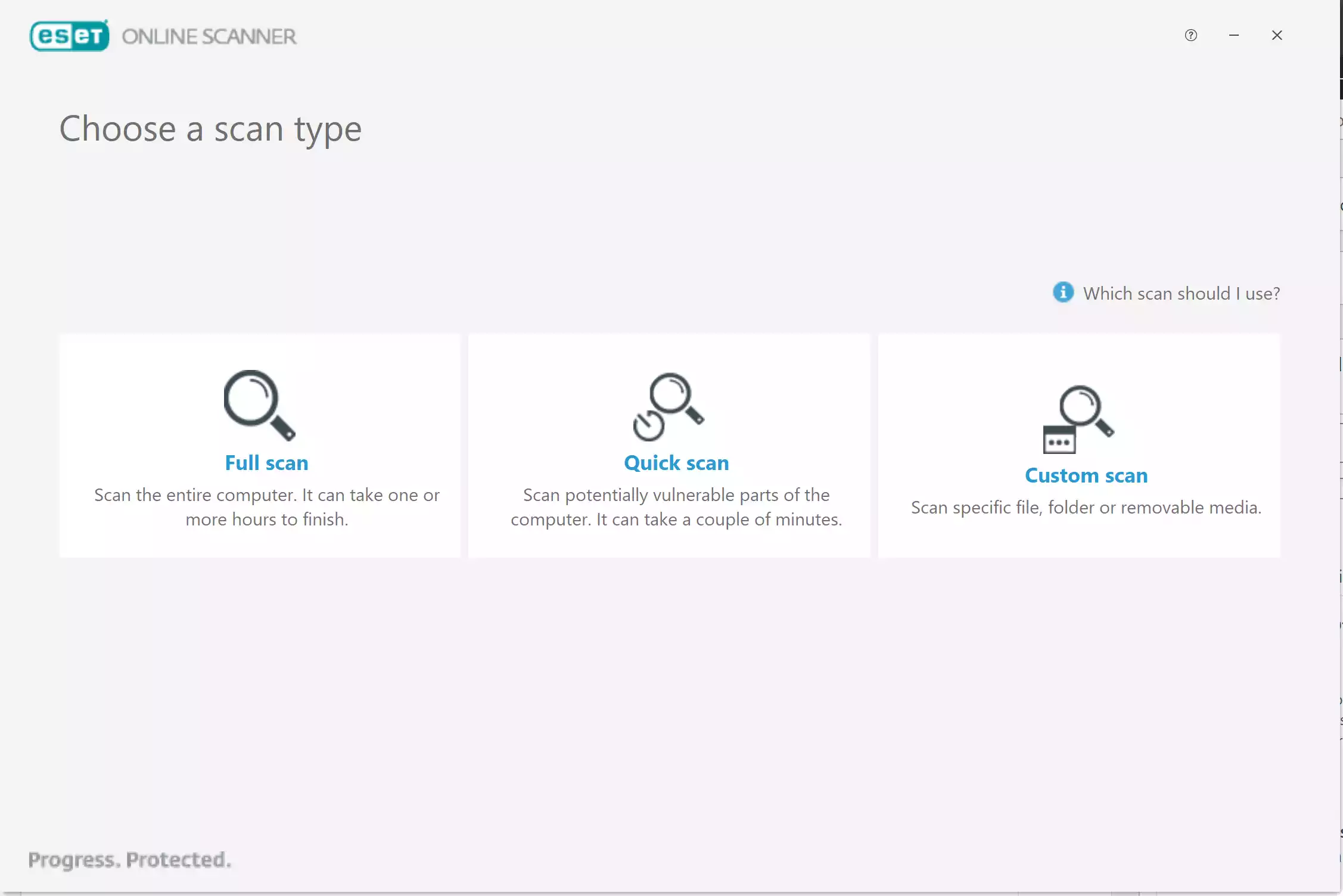
Step 5. Wait for the scan to complete. Detected threats will be listed, and you can remove or quarantine them.
Step 6. Close the scanner when finished. You can choose to delete application data so no files remain on your PC.
Safe Use Tips for Beginners
- Always close unnecessary programs before scanning to speed up the process.
- Temporarily disable real-time scanning in your main antivirus if you experience performance slowdowns during the ESET scan.
- Run ESET Online Scanner once a month or when you suspect a malware infection.
- Combine it with system cleaning tools like Glary Utilities to keep your PC running smoothly.
When ESET Online Scanner Can Help You
This tool is ideal if you:
- Notice suspicious behavior on your PC, but your current antivirus finds nothing.
- Are cleaning up an old or second-hand computer.
- Want to scan a USB drive or external storage device before opening files.
- Need a second opinion before reinstalling Windows.
Download ESET Online Scanner
You can download ESET Online Scanner directly from the official ESET website. It’s compatible with Windows 11, 10, 8, and 7 (both 32-bit and 64-bit systems).
Frequently Asked Questions About ESET Online Scanner
Does ESET Online Scanner replace my antivirus?
No. It’s an on-demand scanner and does not provide continuous real-time protection. You should still keep your main antivirus active.
Is it safe to run alongside another antivirus?
Yes, it’s designed to work with other security programs without causing conflicts.
How long does a scan take?
A quick scan may take a few minutes, while a full scan can take an hour or more, depending on your storage size.
Can it remove all types of malware?
It can detect and remove most common threats, but no single tool is 100% effective. For extra safety, combine it with other reputable free tools like Avira Free Security.
Pros
- Free and portable — no installation needed.
- Strong detection powered by ESET signatures and heuristics.
- Flexible scans (Full, Quick, Custom) with quarantine options.
- Works alongside existing antivirus without conflicts.
Considerations
- No real-time protection — it’s an on-demand tool only.
- Full scans on large drives can take time.
- Requires internet for the latest definitions at run time.
Conclusion
ESET Online Scanner is an excellent free tool for anyone who wants to quickly check their Windows PC for malware without replacing their current antivirus. It’s fast, portable, and backed by one of the most trusted names in cybersecurity.