

When you right-click on empty space in Windows 11 or 10, you’ll see a New context menu. This menu allows you to quickly create new items like a Text Document, Bitmap image, and more. If Microsoft Office is installed, you’ll also see options such as Microsoft Word Document and Microsoft PowerPoint Presentation.
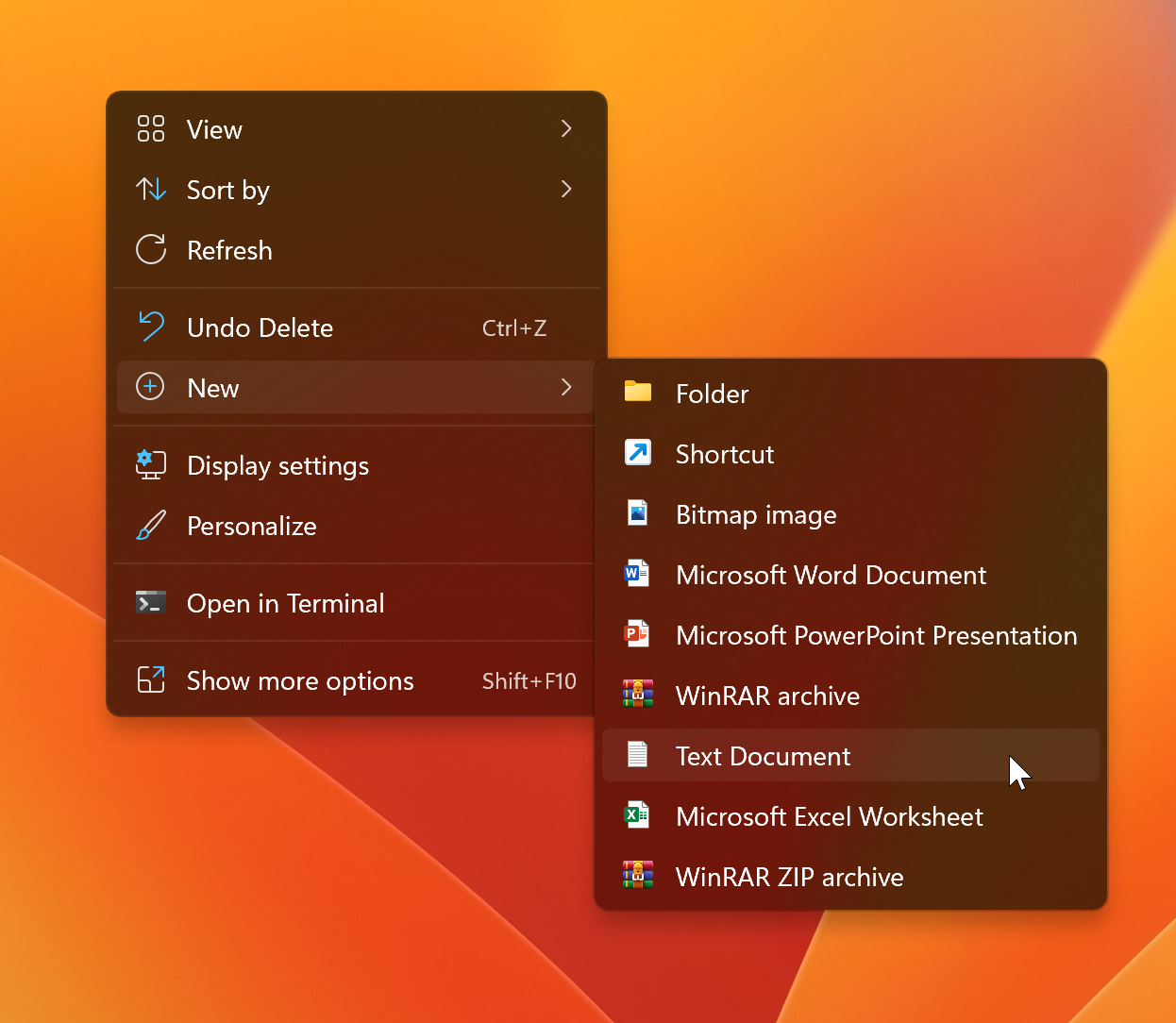
The New context menu is a useful feature that lets you quickly create folders, text files, Office files, compressed archives, and more. While some programs automatically add entries here during installation, issues can arise that remove certain items like Text Document from the list.
If you’ve noticed that the Text Document entry is missing from the New context menu, this guide will show you how to restore it using a simple Registry tweak.
How to Restore Missing New > Text Document in Context Menu on Windows 11 or 10?
This solution involves editing the Windows Registry. Before proceeding, we recommend you back up the Registry. If something goes wrong, you can easily revert your system to a working state.
To restore the missing New > Text Document option, follow these steps:
Step 1. Open Registry Editor.
Click the Start button, type Registry Editor, and select it from the search results.
Step 2. In Registry Editor, navigate to the following path:
Computer\HKEY_CLASSES_ROOT\Directory\Background\shellex\ContextMenuHandlers\New
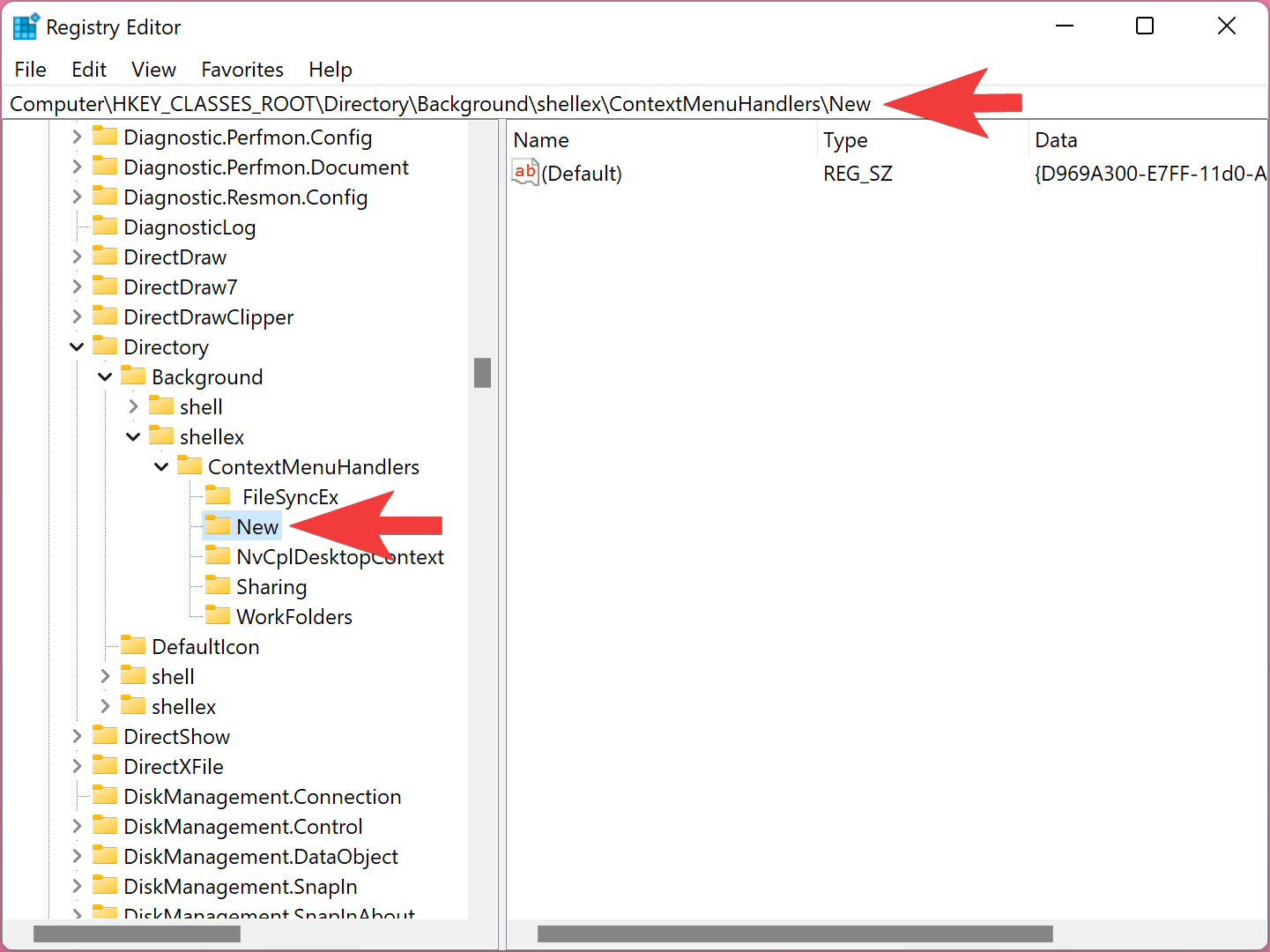
Step 3. In the right pane, double-click the (Default) string value. Set its Value data to the following:
{D969A300-E7FF-11d0-A93B-00A0C90F2719}
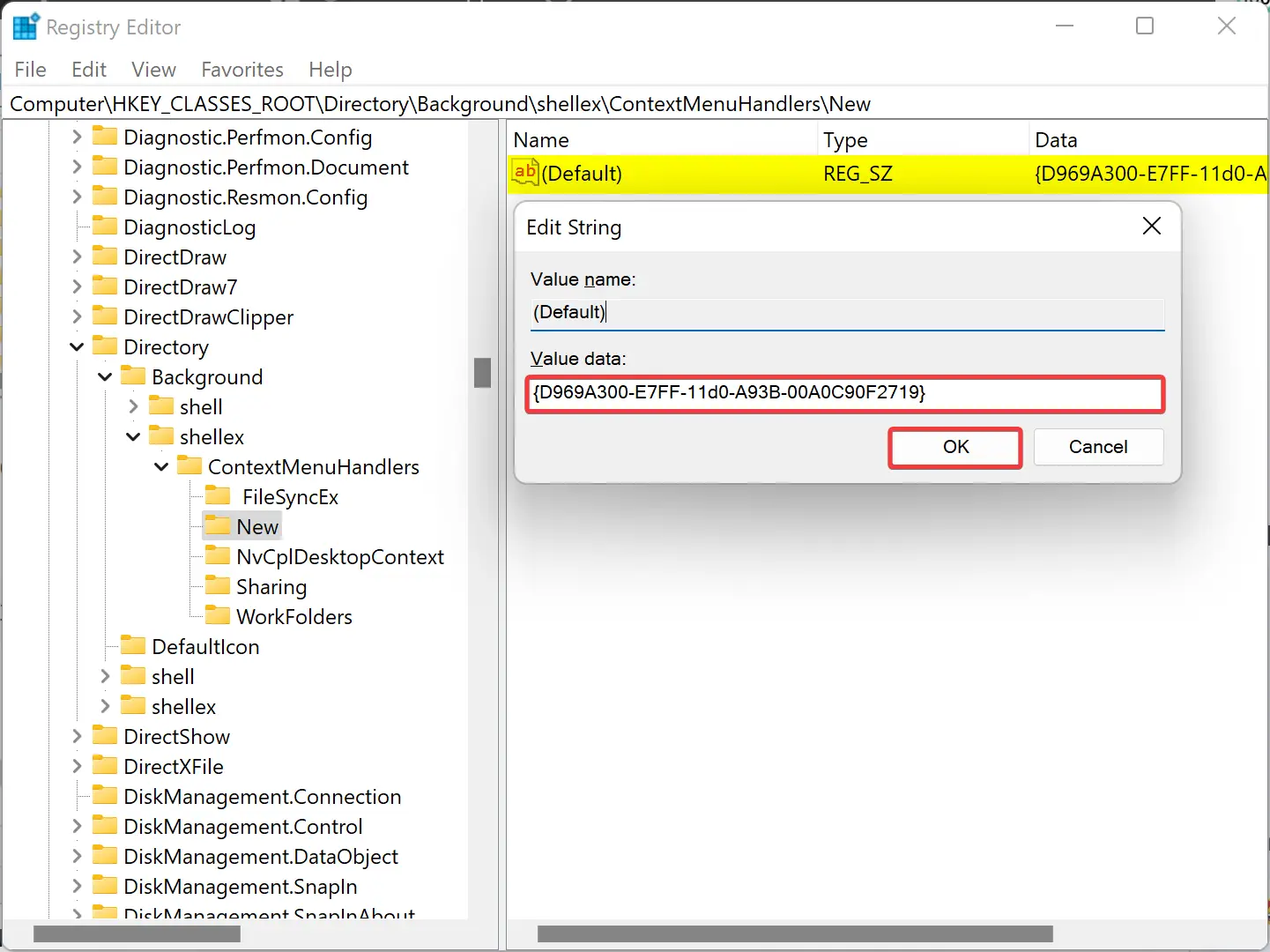
Step 4. Click OK to save changes.
Step 5. Restart your PC to apply the changes.
After restarting, right-click on the desktop or inside a folder. The New > Text Document option should now be restored in the context menu.
Conclusion
The New context menu in Windows makes it easy to create files and folders on the fly. If the Text Document option goes missing, it can be frustrating—but thankfully, it’s easy to fix. By editing a simple Registry key, you can restore this functionality in just a few steps.
Always remember to back up your Registry before making changes. Once restored, the New context menu will again include the option to create new text documents in Windows 11 or 10.
FAQ
Why did the Text Document option disappear from the New menu?
It may be caused by registry corruption, uninstallation of certain programs, or third-party shell extensions interfering with default entries.
Can I restore other missing items in the New menu the same way?
Yes. Each item in the New menu is controlled by a specific Registry key. Similar steps can restore other missing file types.
Is a system restart required after editing the Registry?
Yes. Restarting ensures that the Registry changes take effect and the context menu refreshes correctly.
Hi, thanks for solution. How to do it when I want to add word doc to “new” context menu?
Dear Greg,
When you install MS Office on your Windows PC, by default, it adds automatically. However, if it is missing on your PC due to some, you may try https://gearupwindows.com/how-to-restore-a-missing-microsoft-word-document-to-the-right-click-context-menu-on-windows-11/