

Your hard drive is a crucial component of your computer, storing important data and ensuring the smooth operation of your system. To ensure the health and reliability of your hard drive, it’s essential to monitor and diagnose its performance regularly. HDDScan is a user-friendly tool designed to help you do just that.
In this gearupwindows article, we’ll explore the features and benefits of HDDScan and how it can assist you in keeping your hard drive in optimal condition.
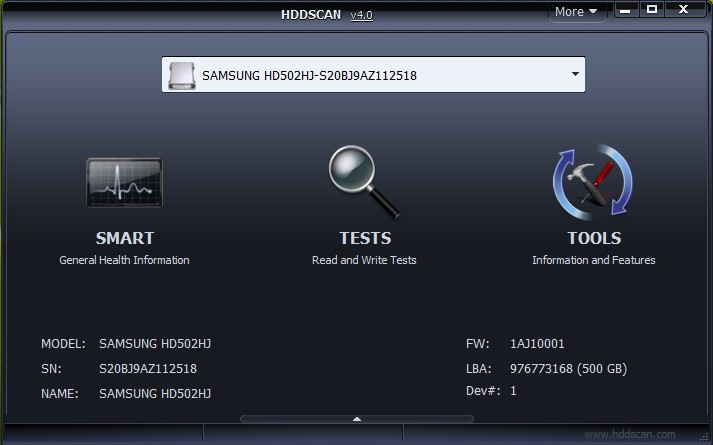
What is HDDScan?
HDDScan is a powerful and versatile diagnostic tool designed to assess the health, integrity, and performance of your hard drives using SMART data and surface testing. Ideal for both casual users and IT professionals, HDDScan helps detect early signs of failure, identify bad sectors, monitor temperature, and perform in-depth tests—all through a user-friendly interface. It also includes low-level formatting for advanced maintenance, offering a complete toolkit for drive health management.
Key Features
- SMART Attribute Monitoring: Detailed readout of drive health parameters like temperature, reallocated sectors, and spin-up time.
- Surface Testing: Scan for bad sectors and physical damage to ensure data reliability and disk integrity.
- S.M.A.R.T. Tests: Similar to GSmartControl; perform short, extended, and conveyance self-tests to evaluate drive performance.
- Temperature Monitoring: Real-time tracking to prevent overheating and prolong drive life.
- Comprehensive Disk Info: Access critical drive details like model, serial number, interface, and firmware.
- Low-Level Formatting: Advanced tool for preparing or repairing drives (use with caution, as it erases all data).
Download HDDScan
You can download the latest version of HDDScan from its official website.
Conclusion
HDDScan is a user-friendly tool that empowers you to monitor, diagnose, and maintain the health of your hard drive. By leveraging its features, such as SMART attribute monitoring, surface testing, S.M.A.R.T. tests, temperature monitoring, and low-level formatting, you can ensure the longevity and performance of your hard drive. Regularly using HDDScan as part of your maintenance routine can help you identify and address potential issues before they impact your data or system functionality. Stay proactive and keep your hard drive in optimal condition with the help of HDDScan.