

In this gearupwindows guide, we’ll show you how to bring the macOS-style dock to your Windows 11 or 10 PC using a free and feature-rich tool called Winstep Nexus.
What is Winstep Nexus?
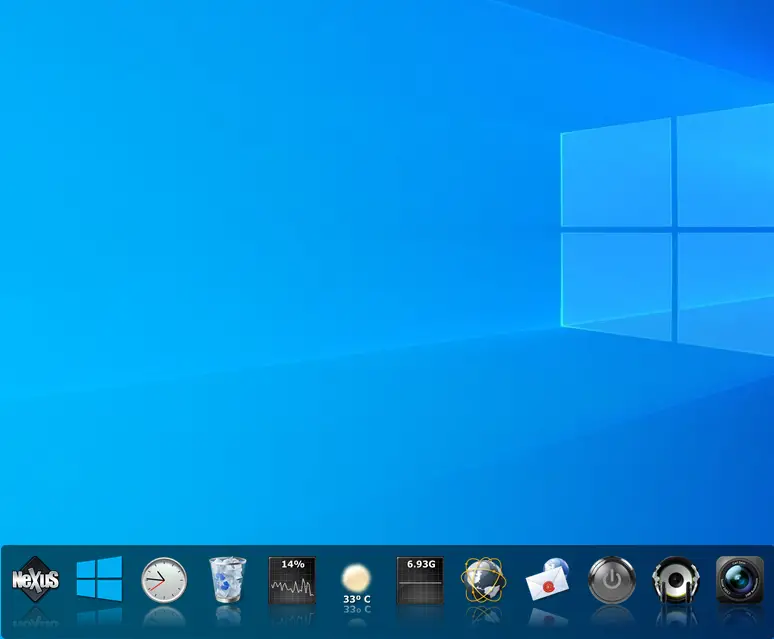
Winstep Nexus is a free dock application for Windows that mimics the look and feel of macOS Dock. Once installed, it gives your desktop a modern and stylish Apple-like appearance. After downloading the tool, simply extract its content using any archiver tool. Then double-click the setup file to install it.
Once installed, you can hide desktop icons and Taskbar to complete the macOS look on your Windows system.
Main Features of Winstep Nexus
- Displays running applications with grouping and icon customization.
- Supports system tray integration.
- Offers animated effects like zoom, swing, and bounce.
- Includes widgets such as clock, weather, CPU/RAM meters, and more.
- Provides live icon reflections and animated water effects.
- High-DPI and multi-monitor support.
- Lets you change icons by dragging PNG/ICO files onto shortcuts.
- Supports minimizing windows to the dock.
- Compatible with 3rd-party dock skins.
How to Change the Position of macOS Dock?
By default, the dock appears at the top of the screen. To change its location, right-click on the Dock and choose Screen Position. Then select your desired location.
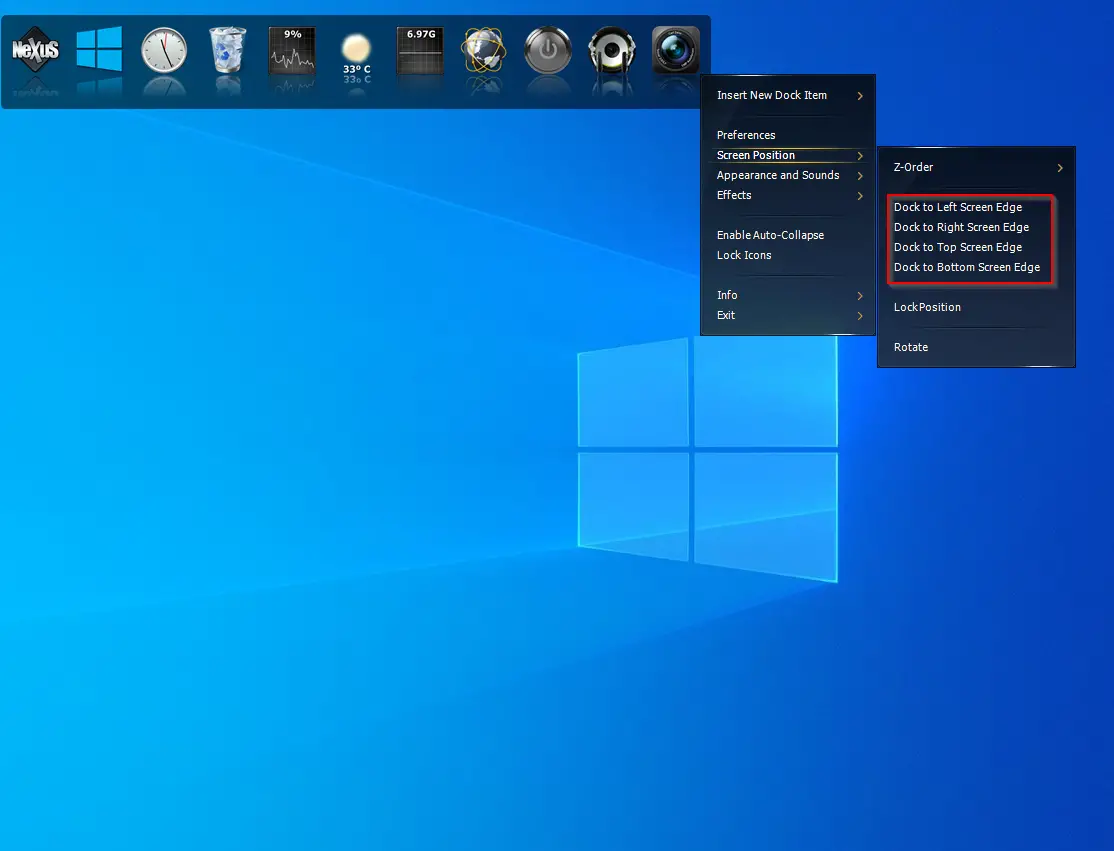
You can also move the Dock manually by dragging it across the screen.
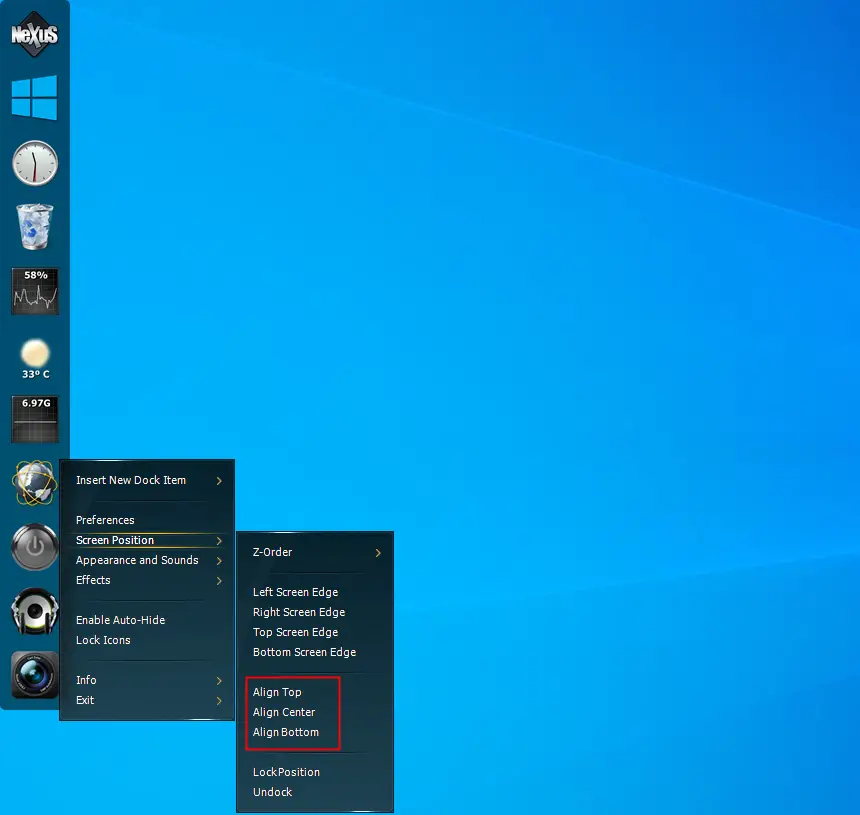
To prevent accidental moves, right-click the dock and enable the Lock Position option.
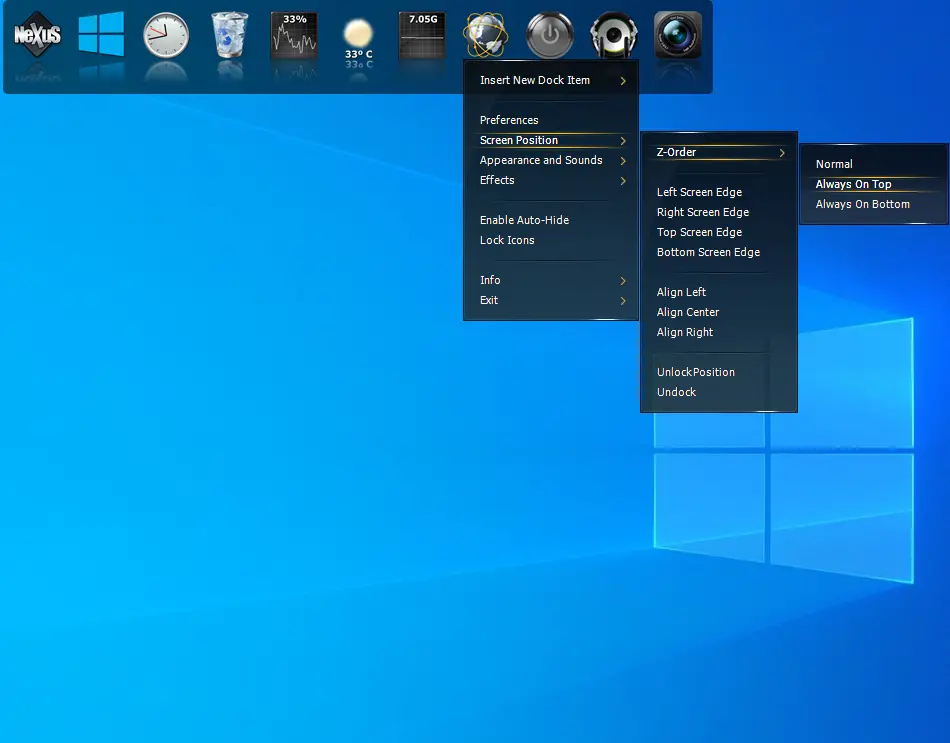
Want the dock to stay above all apps? Go to Screen Position → Z-Order → Always On Top.
How to Remove or Add Programs to the Nexus Dock?
To add a program, just drag and drop the application shortcut onto the dock.
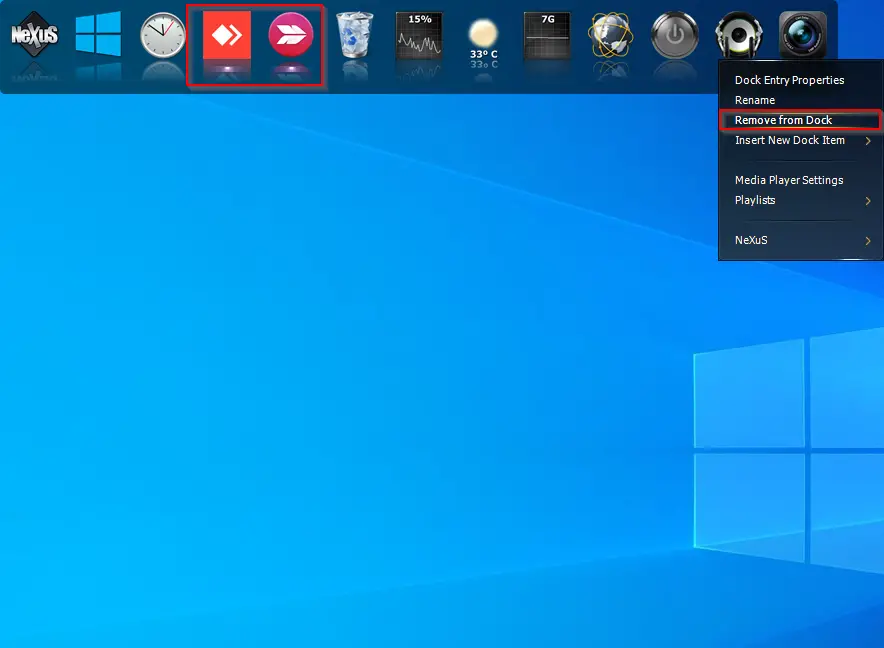
To remove an item, right-click on it and select Remove from Dock.
How to Change the Theme of the Nexus Dock?
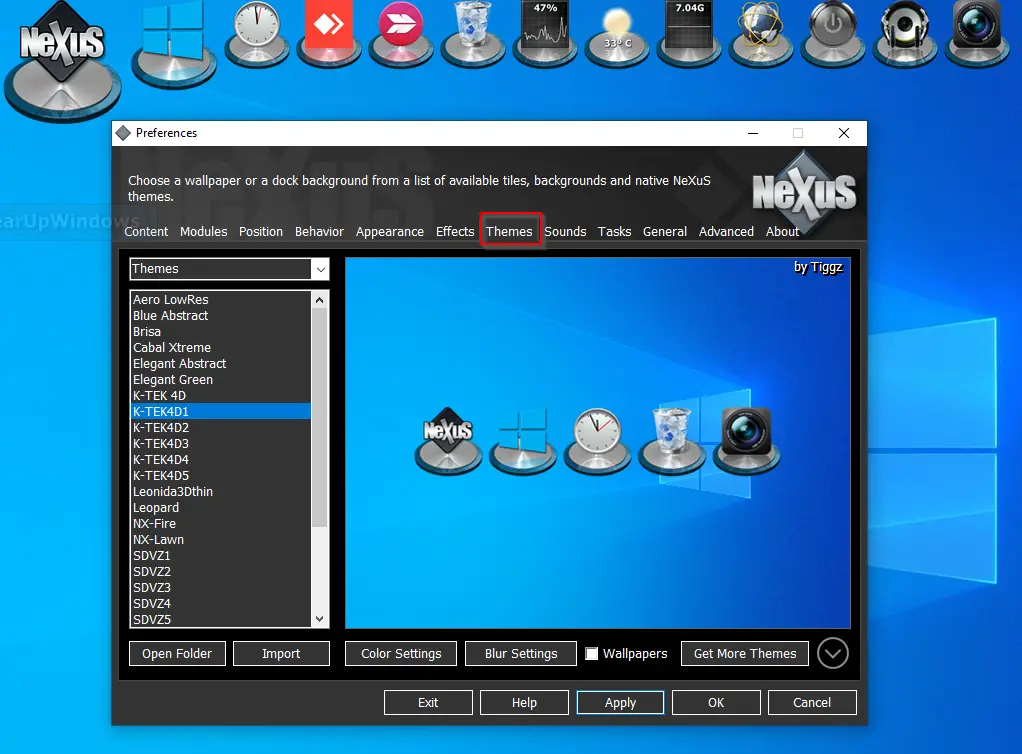
To change the theme, right-click on the Dock and choose Preferences. Then go to the Themes tab and select your desired look from the available options.
How to Alter the Appearance of the macOS Dock?
You can also fine-tune the appearance of the dock. Right-click the Dock and open the Preferences window, then go to the Appearance tab.
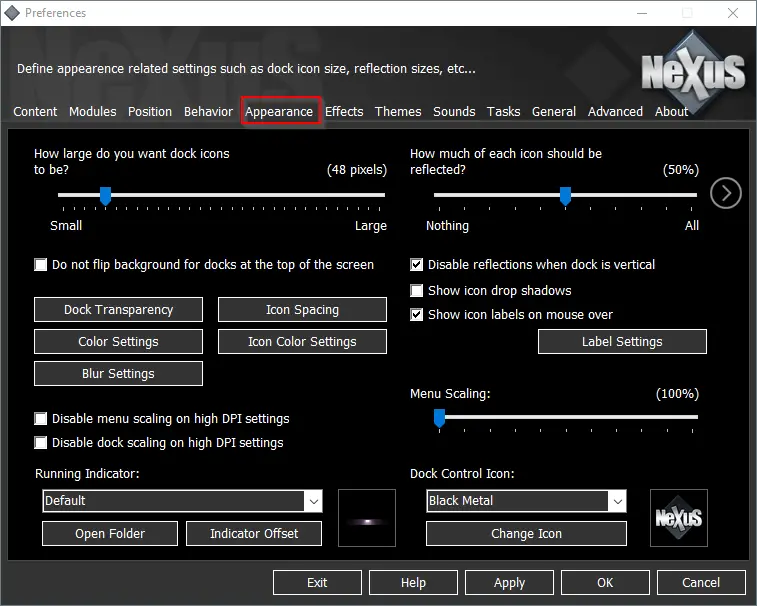
Here you can:
- Adjust dock transparency
- Set icon spacing
- Customize icon colors
- Add drop shadows
- Change blur and glow effects
Want to close the dock without uninstalling? Right-click on the Nexus icon in the system tray and choose Exit.
Download Winstep Nexus
Winstep Nexus is compatible with Windows 11, 10, 8, 7, and Vista. Download the latest version from its official website.
If you’re looking for an alternative, check out RocketDock, another animated Mac-style dock for Windows.