

In Windows 10/11, it is possible to turn off the laptop or computer monitor screen using a batch file. Desktop users often have a dedicated button on the monitor to turn it off. However, laptop users face a challenge since there is no dedicated button to switch off only the screen.
If you’re using a Windows laptop, there’s no built-in option to manually turn off just the screen. Although you can configure Power Plans to turn off the display after a set time, this doesn’t help if you want to instantly turn off the screen without locking the system or putting it to Sleep.
Turn Off Windows Laptop Screen on Windows 10/11
ScreenOff is a lightweight freeware app—only 13KB—that allows you to instantly turn off your Windows laptop monitor with a single click, without entering Sleep mode. It’s a portable tool, so no installation is required. Just download and run the executable to switch off the screen. For quick access, you can pin it to the Windows Taskbar. Clicking its icon will immediately turn off the monitor.
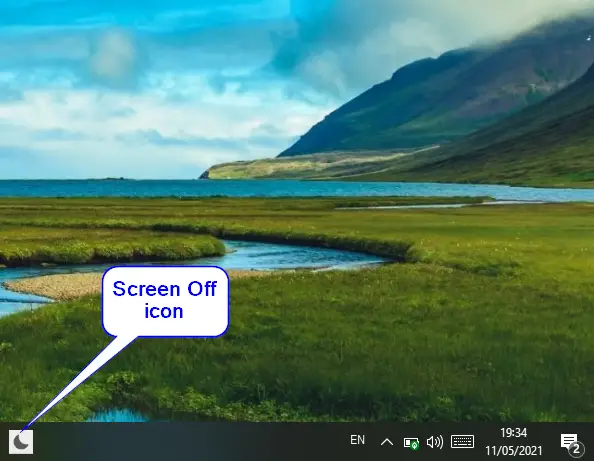
To wake your laptop, simply move the mouse or press any key on the keyboard. That’s all it takes!
You can also assign a custom keyboard shortcut to launch this tool. First, move the executable file to a permanent location, such as the “Program Files” folder.
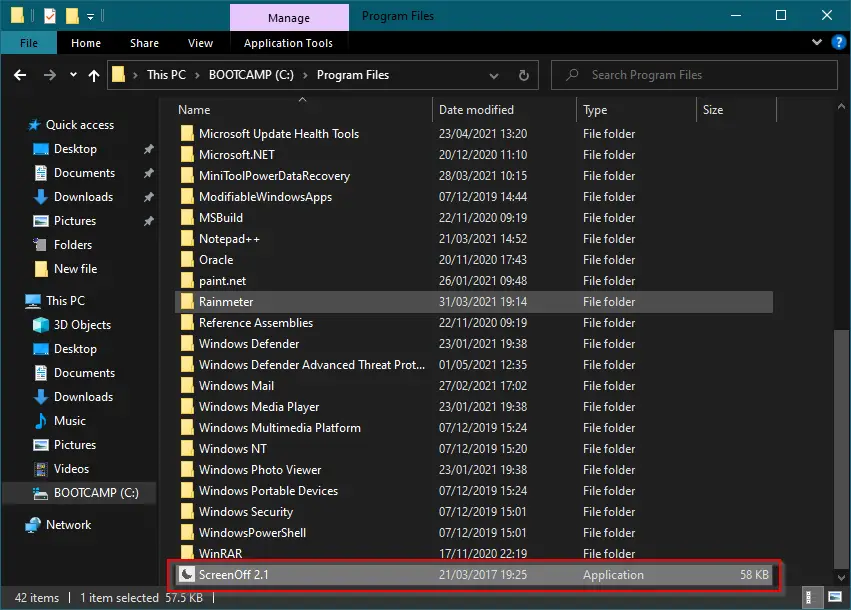
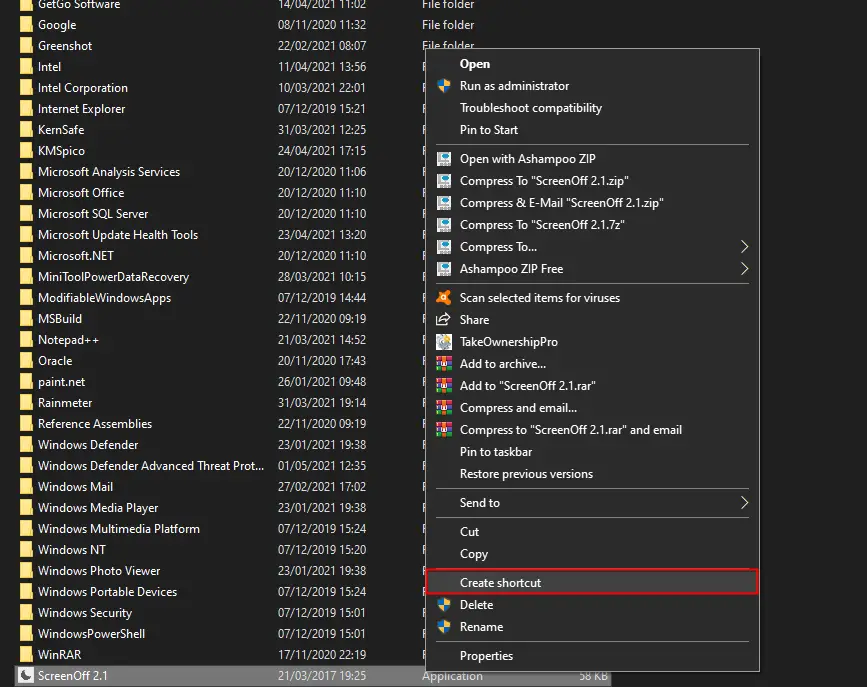
Right-click the ScreenOff executable and choose “Create shortcut.”
When prompted, click Yes to place the shortcut on your Desktop.
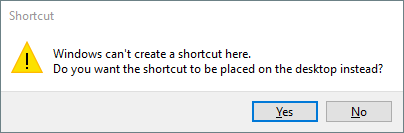
This action creates a shortcut of ScreenOff on the Desktop.
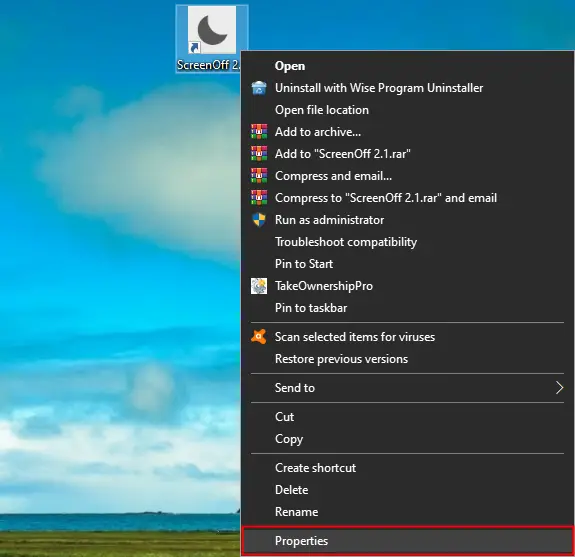
Next, right-click the ScreenOff shortcut and select “Properties.”
In the Properties window, switch to the “Shortcut” tab. Click in the “Shortcut key” field and press a key from your keyboard (A–Z). For example, pressing “E” will create a shortcut like “Ctrl + Alt + E,” as Windows automatically adds Ctrl + Alt.
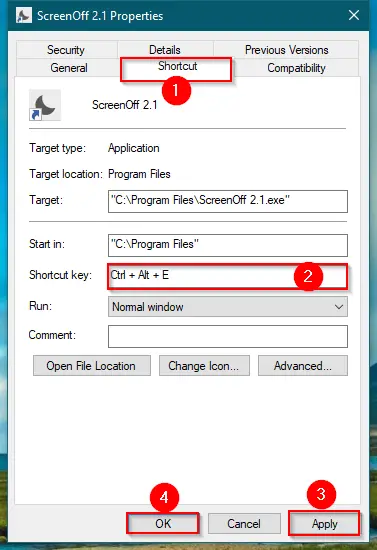
Finally, click Apply and then OK.
Now, you can press your custom shortcut key to turn off the monitor. To wake it, just move the mouse or press any key on the keyboard.
Download ScreenOff
You can download the ScreenOff freeware tool from here.
Conclusion
In conclusion, ScreenOff is a convenient and lightweight freeware utility that makes it easy to turn off your Windows 10/11 laptop screen without using Sleep mode or changing power settings. It’s portable, quick to use, and doesn’t require installation. Whether you use a taskbar icon or a custom keyboard shortcut, this tool offers a fast way to temporarily turn off your laptop display. To turn the screen back on, a simple keyboard press or mouse movement is all it takes. With ScreenOff, managing your laptop screen is effortless and efficient.
My laptop goes in standby mode 🙂 any suggestions ? Thx in advance
Dear Vincent,
Try to disable sleep mode https://gearupwindows.com/how-to-stop-windows-11-pc-from-going-into-sleep-mode/
Thanks for the fast reply. I will try it