

In today’s digital world, dealing with large files and archives is a common occurrence. Whether you’re a professional or an everyday computer user, having a reliable and user-friendly file compression tool is essential. Look no further than CAM UnZip! Offering simplicity, efficiency, and a range of powerful features, CAM UnZip is your go-to software for all your file compression and extraction needs.
Why CAM UnZip?
CAM UnZip delivers a straightforward and efficient solution for managing ZIP files, combining simplicity with powerful features. Its user-friendly interface caters to both beginners and advanced users, offering seamless extraction, archive creation, automation capabilities, and portable usage. Whether you’re compressing files for storage or extracting contents from received archives, CAM UnZip ensures a smooth and secure experience every step of the way.
If you often work with RAR files in addition to ZIP archives, you may also want to try our free online tool — GUW RAR to ZIP Converter. It quickly converts RAR archives into the widely supported ZIP format, making file sharing and extraction even more convenient.
Key Features
- Easy extraction of ZIP files with content preview.
- Create, modify, and manage ZIP archives effortlessly.
- Supports password-protected and split ZIP files.
- Automate tasks with command-line interface support.
- Run setup files automatically post-extraction.
- Portable version for use on USB drives or cloud storage platforms.
How to Use CAM UnZip?
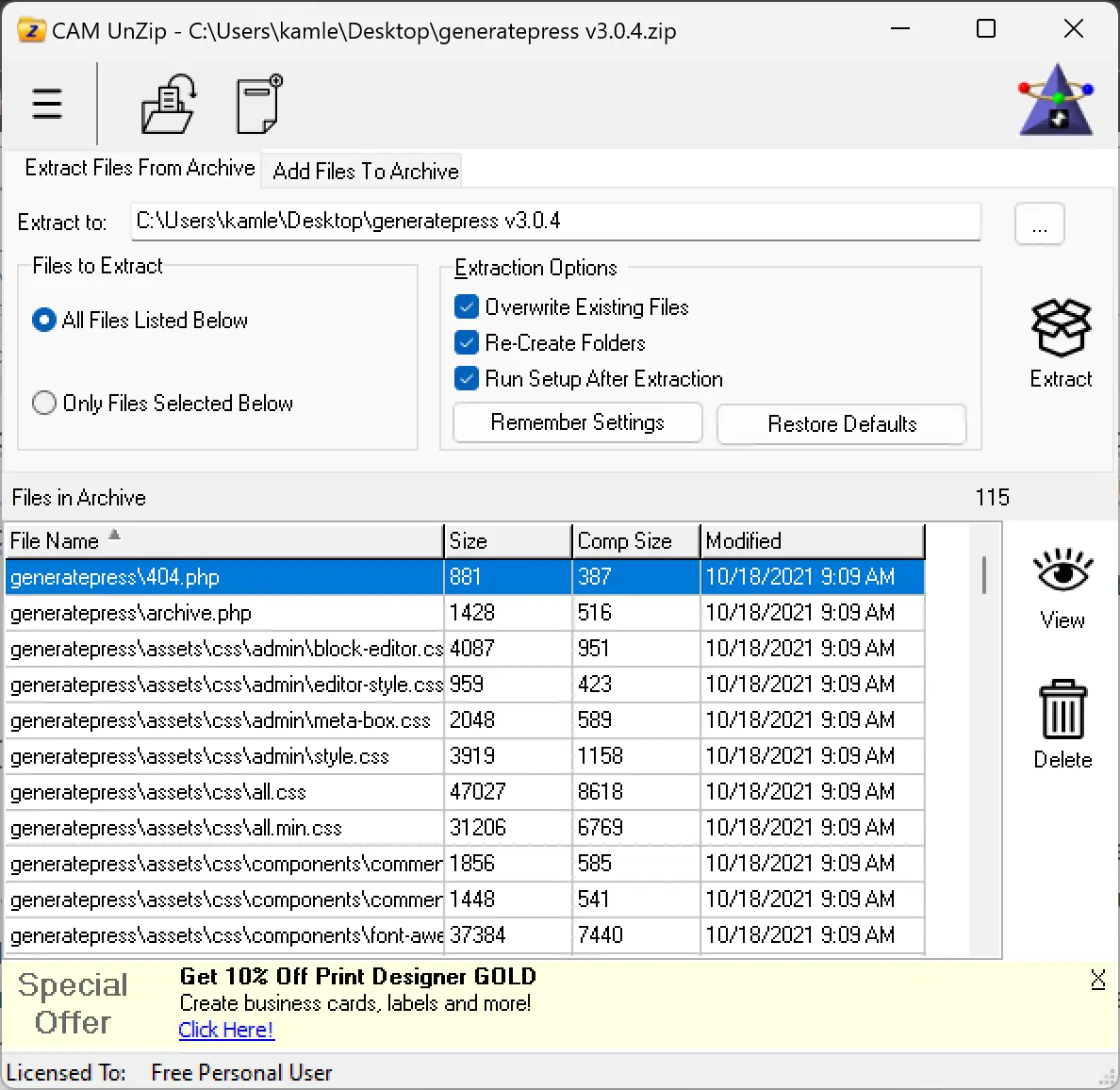
To use CAM UnZip, simply open the program and select the archive that you want to extract. CAM UnZip will then display the contents of the archive. You can then select the files that you want to extract and click on the “Extract” button. CAM UnZip will then extract the files to the current directory.
Download CAM UnZip
CAM UnZip is a free program that can be downloaded from the CAM Development website. The program is available for Windows 11, 10, 8/8.1, and 7.
Conclusion
In the realm of file compression and extraction, CAM UnZip stands out as a user-friendly and powerful software solution. With its straightforward interface, efficient extraction capabilities, and convenient features, CAM UnZip simplifies the often daunting task of managing files and archives. Whether you’re a beginner or an advanced user, CAM UnZip empowers you to take control of your file compression needs, ensuring a smooth and hassle-free experience.
Discover the power of simplicity with CAM UnZip, and unlock a world of effortless file management. Download CAM UnZip today and experience the convenience and efficiency it brings to your digital workflow.