

In today’s fast-paced digital world, the need to scan and share documents electronically has become increasingly common. Whether you’re an individual, an office worker, or a business professional, having a reliable and user-friendly tool for scanning documents and converting them to PDF format is essential. WinScan2PDF is the perfect solution that offers simplicity, efficiency, and convenience, eliminating the need for complex software or virtual printers. Let’s explore the features and benefits of WinScan2PDF and discover why it’s the go-to choice for hassle-free document scanning.
Why WinScan2PDF?
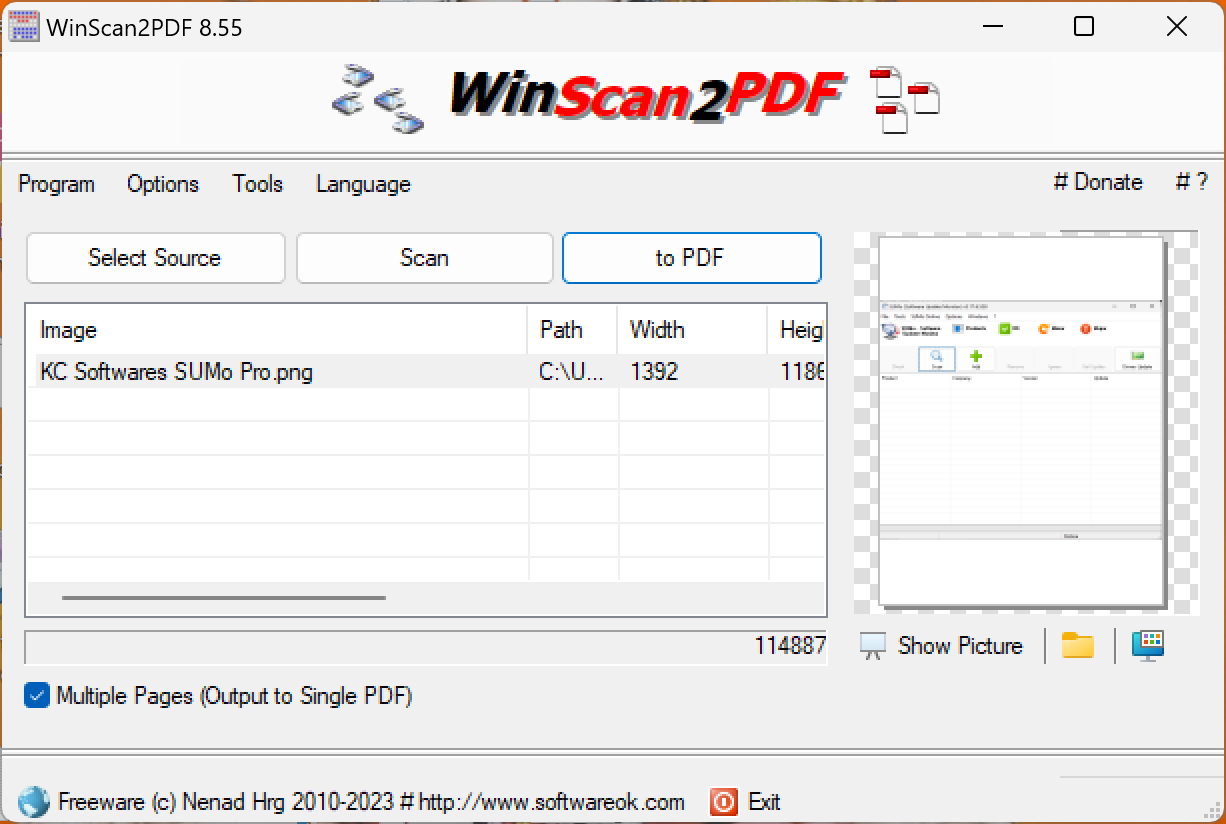
WinScan2PDF makes document scanning incredibly easy, offering a streamlined solution to scan single or multi-page documents and save them as PDF or JPEG files. With adjustable quality settings, automatic cleanup, and support for various scanners, it’s the perfect tool for fast, flexible, and secure document digitization.
Key Features
- Direct Scan to PDF: Scan documents instantly and save as a PDF with just a few clicks.
- Multi-Page Support: Seamlessly scan and combine multiple pages into one PDF file.
- Customizable Quality: Choose between higher resolution or smaller file size.
- JPEG Auto-Cleanup: Automatically clears scanned JPEGs upon closing the program.
- Save as JPEG or PDF: Offers flexible output formats for different needs.
- Wide Scanner Compatibility: Works with most flatbed and sheet-fed scanners.
- Secure PDFs: Convert private images into encrypted PDF files for protection.
Download WinScan2PDF
You can download WinScan2PDF directly from its official website: softwareok.
FAQs About WinScan2PDF
1. Is WinScan2PDF free to use?
Yes, WinScan2PDF is completely free for personal and commercial use. It requires no installation and works as a portable application.
2. Does it support multi-page document scanning?
Yes, WinScan2PDF allows you to scan and merge multiple pages into one PDF file easily.
3. Can I secure my scanned PDF files?
Yes, the tool supports creating encrypted PDFs, allowing you to password-protect sensitive documents.
4. Is it compatible with Windows 11?
Yes, WinScan2PDF works flawlessly with Windows 11, 10, 8, and 7.
Related Posts
- PDF Mixer – Free Program to Mix and Reorder PDF Files
- PDF24 Creator – Free PDF Creation and Conversion Suite
- PDF Shaper – Split, Merge, and Convert PDF Files
- Image to PDF or XPS – Combine Multiple Pictures into One PDF
Conclusion
When it comes to scanning documents and creating PDFs effortlessly, WinScan2PDF excels as a user-friendly and efficient solution. With its direct scan-to-PDF functionality, support for multiple-page PDFs, customizable quality settings, and compatibility with various scanners, WinScan2PDF offers a seamless and streamlined scanning experience for users of all skill levels. Whether you’re sending signed documents via email, archiving important records, or organizing your personal images securely, WinScan2PDF is the go-to tool that simplifies the process and saves you time. Embrace the simplicity, versatility, and convenience of WinScan2PDF, and take your document scanning to new heights.