

Do you often find your Mac’s hard drive cluttered with unwanted files? Are you annoyed by leftover files and folders that remain even after uninstalling an application? If yes, then you should try AppCleaner. This powerful tool simplifies the uninstallation process and ensures that every trace of the removed app is deleted from your Mac, helping you optimize your computer and remove junk files easily.
Unlike basic uninstall methods, AppCleaner removes all the hidden files and leftovers that apps often leave behind. It’s a lightweight and free utility that makes managing and maintaining a clean macOS system easier than ever.
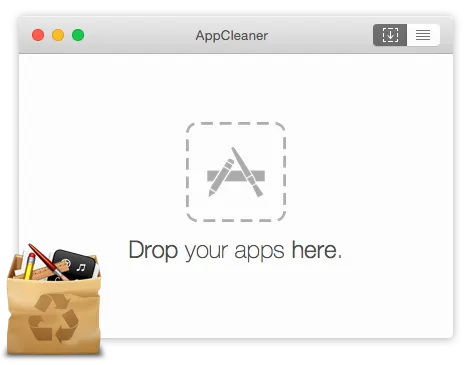
What is AppCleaner?
AppCleaner is a free software utility that helps you remove unwanted applications from your Mac. It analyzes how an app is installed, allowing it to detect and remove all related files, folders, and system settings. When you uninstall an app using AppCleaner, it ensures that every associated item is deleted, keeping your system clean and clutter-free. It’s an excellent tool for maintaining your Mac’s performance and efficiency.
Key Features
AppCleaner includes several useful features that make it a must-have for Mac users. Here are some of the key features:
- Easy-to-Use Interface: A clean and intuitive design makes it simple for anyone to use, even beginners.
- Complete Uninstall: It removes every trace of an app, including related files, folders, and system settings—just like Ashampoo UnInstaller Free does on Windows.
- SmartDelete: This feature watches your Trash folder and helps automatically remove leftover app files once an app is trashed.
- History: Keeps a record of all uninstalled applications, so you can easily reinstall any if needed.
- Drag-and-Drop Functionality: Just drag an app into the AppCleaner window to start the removal process.
- Multilingual Support: Available in multiple languages, making it accessible to users worldwide.
Benefits of Using AppCleaner
Using AppCleaner offers several advantages for maintaining a clean and efficient Mac system. Some key benefits include:
- Complete Removal: It fully removes apps and related data, helping to improve your Mac’s performance with results similar to powerful cleanup tools like BleachBit.
- Reduced Clutter: Frees up space by eliminating unnecessary files, making your system better organized.
- Improved Security: Helps protect your system by removing potentially harmful or outdated applications.
- Beginner-Friendly: The simple design means anyone can use it, no technical knowledge required.
Download AppCleaner
You can download the latest version of AppCleaner from its official website. The program supports macOS Mojave to Ventura, macOS High Sierra (10.13), macOS 10.10 to 10.12, and macOS 10.6 to 10.9. It’s lightweight, free, and safe to use, making it a great choice for any Mac user who values performance and cleanliness.
Conclusion
AppCleaner is an effective and user-friendly utility that helps you completely remove unwanted applications from your Mac. With full uninstall capabilities, multilingual support, and an easy interface, it’s an essential tool for keeping your Mac clean and running smoothly.
If you’re a Windows user looking for similar functionality, explore the best free uninstaller programs for Windows to achieve the same clean results.