

Windows 11/10 comes with a built-in antivirus and an antimalware tool known as Microsoft Defender (Windows Defender). It provides essential protection against known viruses and malware. If you use a third-party antivirus program, you can turn off Microsoft Defender.
Apart from Windows Defender, Microsoft also offers a free tool to protect your computer from viruses and malware known as Microsoft Safety Scanner. However, it does not replace your antimalware application. You can use this free application when your PC is infected with viruses and has not installed a third-party antivirus.
Although the Microsoft Defender program is suitable for average PC users, it can be challenging to configure. Hence, to manage Microsoft Defender easily, we suggest you download a third-party program known as DefenderUI.
DefenderUI for Windows 11/10
DefenderUI is a freeware program specially built for Windows 11/10, offering you an easier way to manage all the settings of Microsoft Defender. With this tool, you can unlock advanced Defender options without diving into complicated Windows settings or Group Policy tweaks.
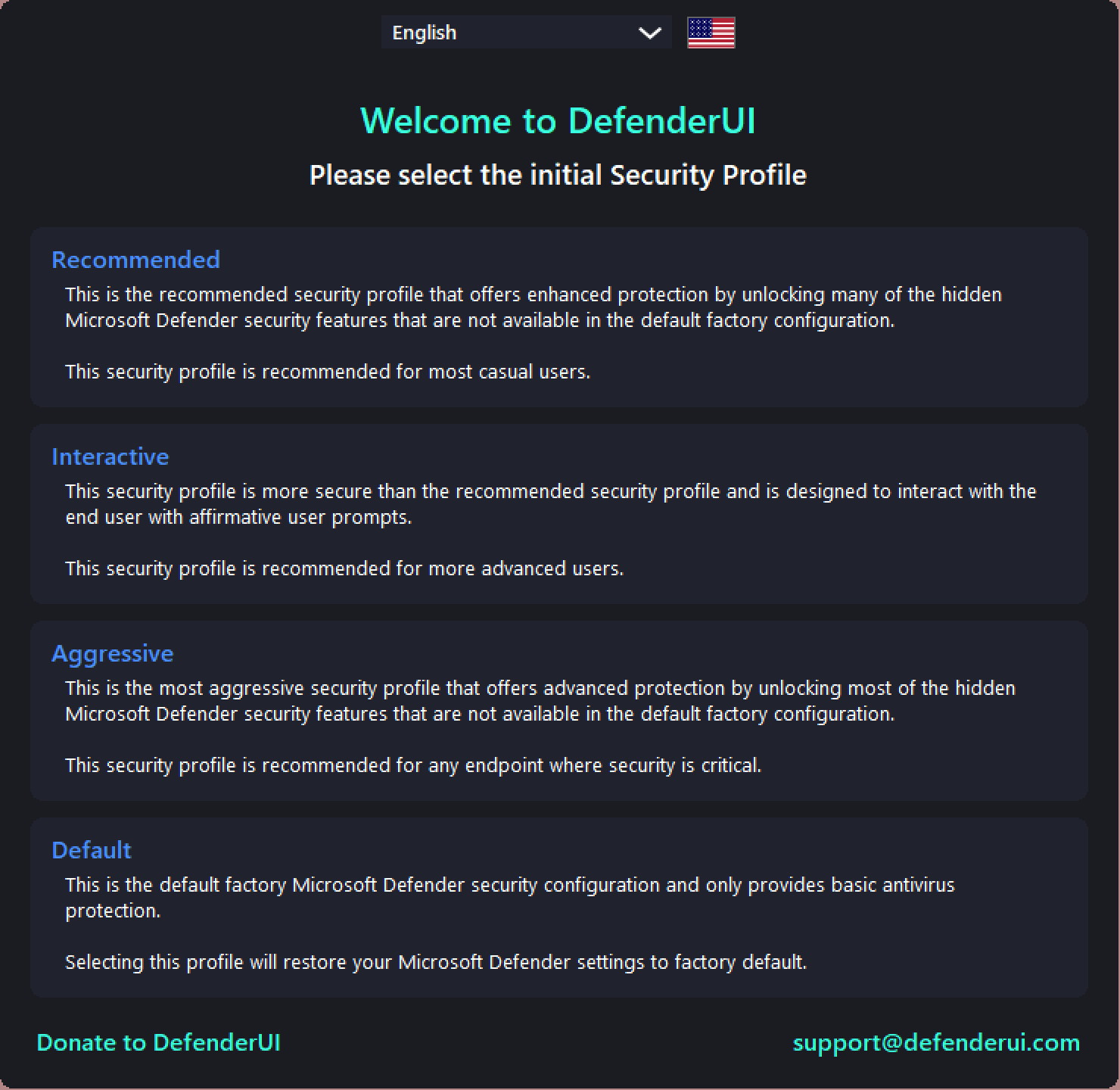
To use this application, download, install, and launch it on your PC. After that, you need to select a security profile from Recommended, Interactive, Aggressive, or Default.
- Recommended: When this profile is selected, it will alter the hidden security features of Microsoft Defender to deliver enhanced protection.
- Interactive: This profile makes your computer more secure than the recommended security profile. It is designed to interact with the end-user, so only select this option if you are an advanced user.
- Aggressive: When this profile is selected, the DefenderUI app will unlock all hidden features of Microsoft Defender for maximum protection.
- Default: If you want basic antivirus protection, choose the Default profile.
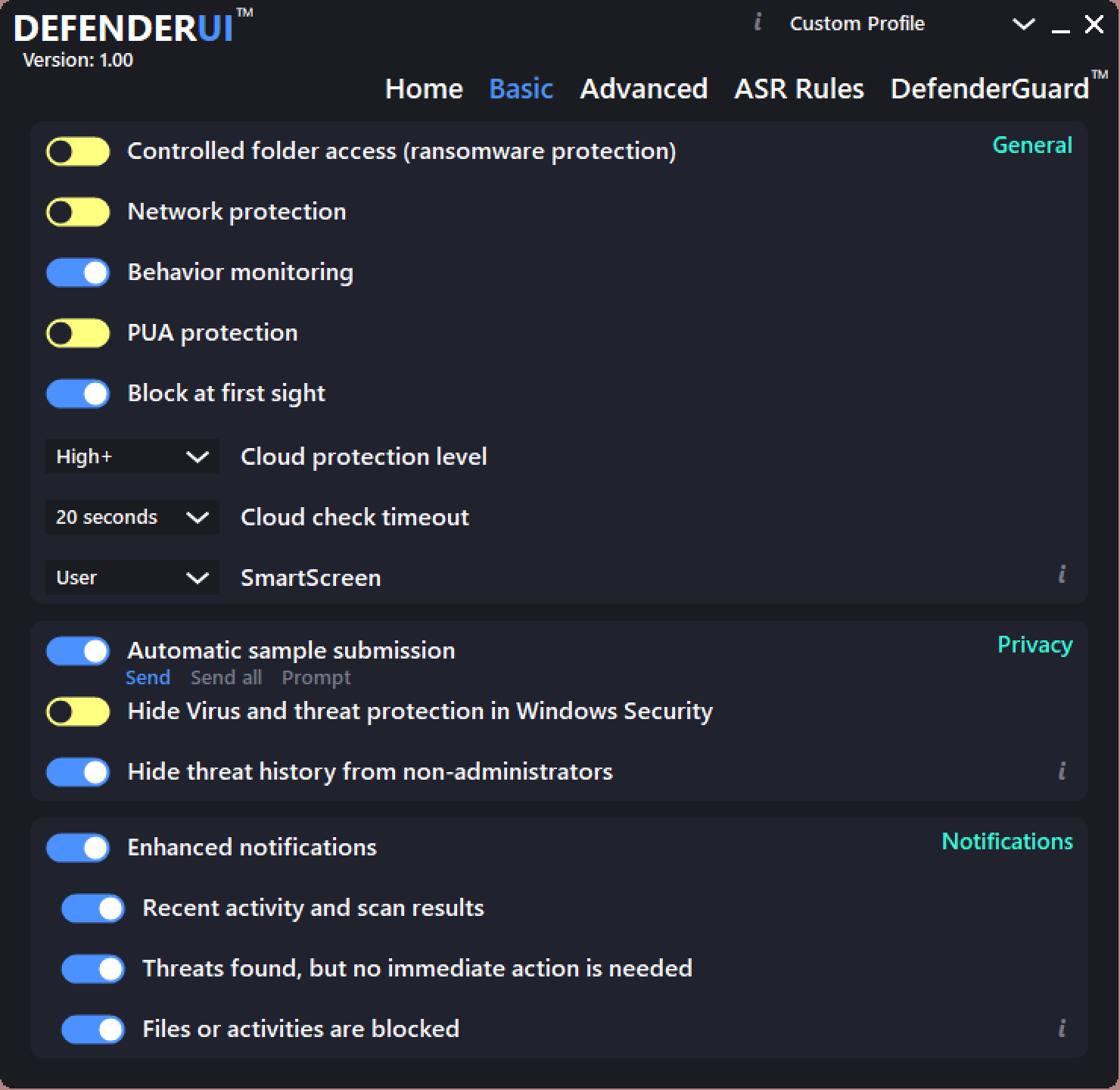
Once you select a DefenderUI profile, you will see several tabs at the top of the screen, including Basic, Advanced, ASR Rules, and DefenderGuard. Clicking on any tab allows you to view and modify security rules in more detail. In most cases, you won’t need to change anything — but for advanced users, it offers complete control over Microsoft Defender.
To further strengthen your system security, consider using Adlice Protect (RogueKiller Free) as a second-opinion malware scanner and PrivaZer to clean privacy traces and enhance system protection.
Download DefenderUI
If you think DefenderUI is useful for you, you can download this free program from here. It’s lightweight, free, and compatible with both Windows 10 and Windows 11.
Conclusion
DefenderUI is an excellent addition for users who rely on Microsoft Defender but want an easier and more powerful way to control its settings. Whether you’re a casual user or a security enthusiast, DefenderUI simplifies configuration and helps you unlock Defender’s full potential with just a few clicks.
Pairing it with tools like Avast Secure Browser or Ashampoo Privacy Inspector can give you a complete privacy and security setup for Windows 11/10.