

If you’re still using the default browser download manager, you should consider downloading a third-party download manager to speed up and automate your downloads. In previous posts, we introduced some freeware tools such as Free Download Manager, GetGo Download Manager, Ninja Download Manager, and Neat Download Manager, another free tool for Windows operating systems.
Why FreeRapid Downloader?
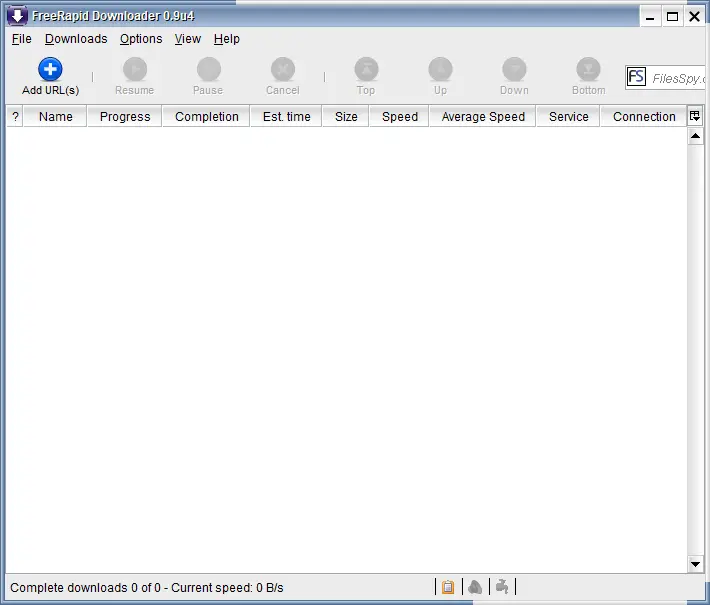 According to the official website, FreeRapid Downloader was built for Windows 8 and 7, but it also worked well in our test on Windows 11/10 64-bit. Built on Java, FreeRapid Downloader is a simple and free tool that supports downloads from YouTube, Facebook, Picasa, RapidShare, and many more. Like other download managers, you can copy and paste the download URL, and FreeRapid will automate the rest, including support for proxy lists. It also features a multilingual interface.
FreeRapid Downloader simplifies the downloading process—just copy the download URL and drop it into the application, and it will handle the rest. Since it’s built on Java, you’ll need to install Java version 1.6.0 before installing FreeRapid. If Java isn’t already installed, the software will prompt you to download and install it. Once the correct Java version is installed, FreeRapid Downloader can be installed and run on your PC.
FreeRapid offers a comprehensive approach to managing your downloads in one convenient interface. It’s optimized for specific websites such as Megaupload, RapidShare, Netload, and FileFactory, allowing you to download files without manually clicking through each link.
FreeRapid also allows you to add multiple links at once, queuing them for download. It can monitor your clipboard and automatically add copied links to the queue. While this streamlines the process, it may still download files individually, which could be slower when handling multiple documents from different file-sharing platforms, potentially causing some delays.
Key Features of FreeRapid Downloader
- Supports simultaneous downloading from various websites.
- Supports downloading via proxy list.
- Supports videos.
- Keeps download history.
- Monitors the clipboard for URLs.
- Checks files’ presence on the server by default.
- Auto-closes the PC after completing downloads.
- Automatically updates modules.
- Simple CAPTCHA recognition.
- Compatible with Microsoft Windows 8/7, Linux, and macOS.
- Easy to use.
- Multilingual interface, including English, Bulgarian, Czech, Finnish, Portuguese, Slovak, Hungarian, and Simplified Chinese, with more languages to come.
- Supports over 230 websites.
Highlights
- Keeps a download history to help find downloaded files.
- Monitors the clipboard for URLs.
- Simplifies downloading large files.
- Checks files’ presence on the server, ensuring you’re downloading a genuine file.
Auto-closure options after downloading are complete, including scheduling the PC to shut down.
Download FreeRapid Downloader
If you found it useful, you can download the latest version of this application from here.
Conclusion
In conclusion, if you’re looking for a free and easy-to-use download manager that can support various websites, FreeRapid Downloader is worth checking out. It simplifies the downloading process and allows you to add multiple links simultaneously until they’re queued up. Moreover, it checks the file’s presence on the server, ensuring you’re downloading a genuine file, and keeps a download history to help you find downloaded files. It’s also compatible with multiple operating systems and comes with a multilingual interface. Overall, FreeRapid Downloader is a great option for those who want to speed up and automate their downloads.