

Are you tired of slow download speeds and broken files using your browser’s download manager? It’s time to switch to a reliable and efficient free download manager like Neat Download Manager. With features such as interruption and resume capabilities, organizing downloaded files, and the ability to download multiple files simultaneously, Neat Download Manager can drastically improve your downloading experience. Say goodbye to interrupted downloads and slow speeds, and say hello to a better downloading experience with Neat Download Manager for Windows 11 and 10.
What is Neat Download Manager?
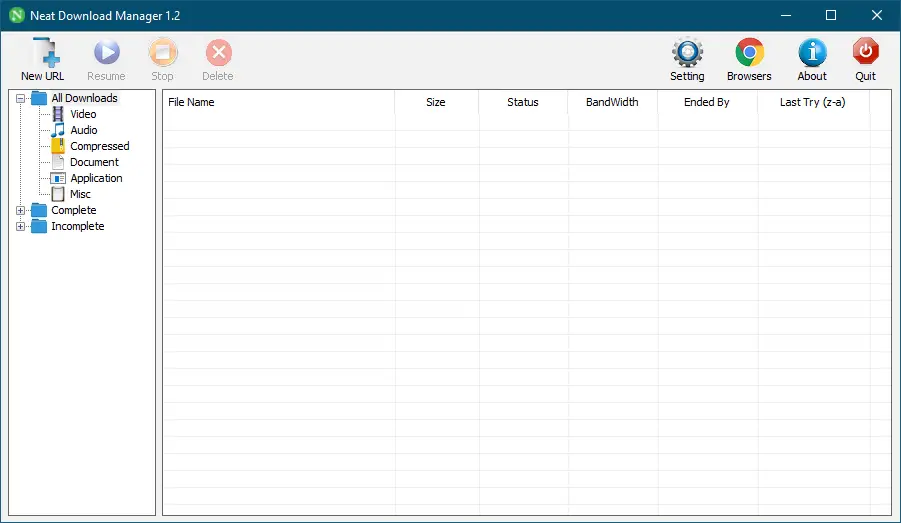
Neat Download Manager is an exceptional program that resolves all issues related to downloading files or videos. It is one of the best free download managers available on the internet, offering a tiny utility that hardly takes up any space on your Windows system while enabling faster and easier downloading of multiple files. Neat Download Manager boosts your download speed, making it an essential tool for all Windows PC users, including those with Windows 11, 10, 8, 7, Vista, and Windows XP operating systems.
Key Features of Neat Download Manager
- Speeds up your downloads up to your total usable bandwidth.
- Uses an optimized Dynamic Segmentation Algorithm to improve download speed.
- Organizes downloads based on status (Complete, Incomplete) and file type, such as Video, Document, etc.
- Supports HTTP, HTTPS, and FTP protocols.
- Compatible with HTTP Proxy and SOCKS protocols.
- Supports HTTP and Proxy Authentication (Basic, Digest, NTLM).
- Offers Pause/Resume capabilities.
- Can resume crashed downloads.
- Includes browser extension support to send download links directly to Neat Download Manager.
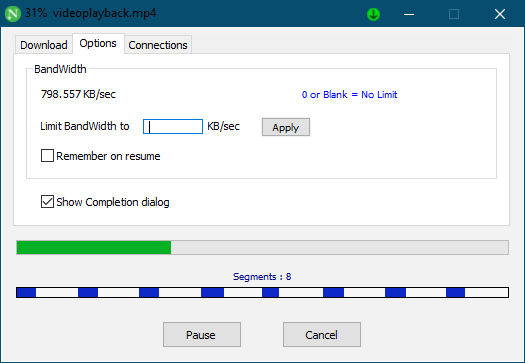
- Let you set bandwidth limits even while a download is in progress.
- Let you adjust the maximum connection number during an active download.
- Supports downloading .ts files of HLS videos and merging them into a single file.
- Can renew expired download links.
- Drag and drop support for Mac systems.
How to Utilize Neat Download Manager?
Neat Download Manager boasts a clean and user-friendly interface, making it easy to use for anyone without any technical expertise. Installing it on your Windows PC is quick and takes just a minute.
After installation, launch the program and click on the Chrome browser icon to download the corresponding extension. The extension is currently available for both Google Chrome and Mozilla Firefox. You can choose to install it for either or both browsers.
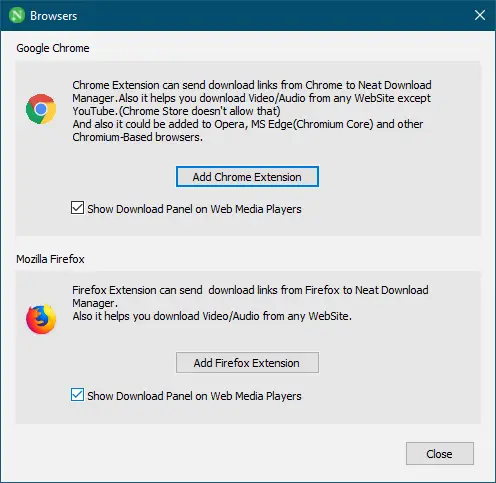
Once the extensions are installed, Neat Download Manager can detect download links and add them to its interface. It’s useful for downloading files such as programs, videos, and audio. You can also copy a download link to your clipboard, and the program will automatically detect and initiate the download.
The interface displays useful information such as download speed, file size, remaining time, and whether the file supports resuming. To accelerate downloads, large files are split into eight segments and downloaded simultaneously. These segments are then merged into a single, usable file.
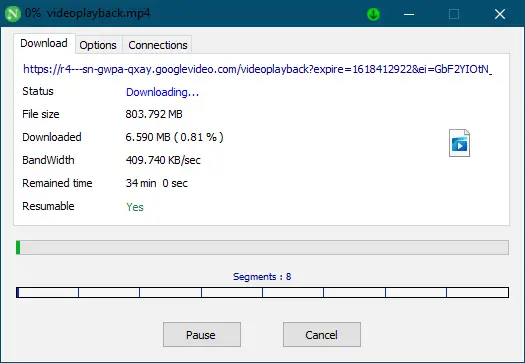
To pause a long download or stop it before shutting down your PC, click the Pause button. You can resume it later. Additionally, you can limit data transfer for specific downloads by accessing the Options menu and adjusting settings.
As mentioned earlier, Neat Download Manager is designed to detect download links from Chrome and Firefox. If you’re using another browser, right-click on the link and choose “Copy Link Address,” then paste it into the manager. You can also use the “New URL” feature to add links manually.
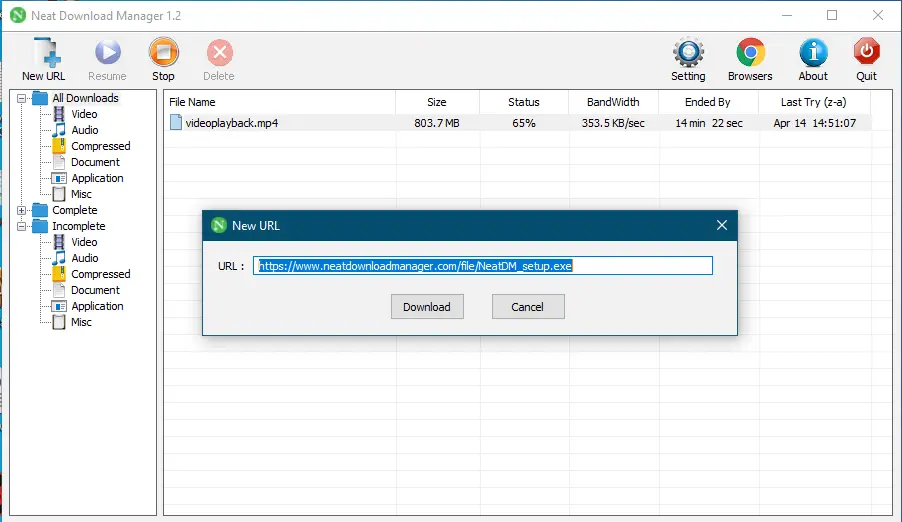
After downloads are completed, the program stores a record of all downloaded files, including software, audio, and video. By default, files are saved in the Downloads folder, but you can change this via the Settings option.
Download Neat Download Manager
You can download the latest version of this free utility from its official homepage.
Conclusion
In conclusion, Neat Download Manager is a must-have tool for anyone who wants to improve their downloading experience on Windows 11 and 10. With its interruption and resume capabilities, the ability to download multiple files simultaneously, and the feature to organize downloaded files, it can significantly enhance your productivity. Neat Download Manager is easy to install and use, with a user-friendly interface, and it’s free of cost. Say goodbye to slow download speeds and broken files, and download Neat Download Manager today for a hassle-free downloading experience.
Ninja Download Manager, GetGo Download Manager, and Free Download Manager are other free alternatives to Neat Download Manager.