

In our daily lives, downloading videos, music, software, and other content from the web is common. However, the built-in browser download features often lack options like download resumption and scheduling. This is where download managers come in handy. Previously, we recommended two freeware download managers, GetGo Download Manager and Free Download Manager, that work well on Windows 11/10 64-bit and macOS PCs.
When downloading large files, interruptions such as power outages or internet disconnections can result in the loss of bandwidth and time. In addition, the built-in download manager on Windows PCs may fail to fetch download links, requiring you to start over. To avoid these problems, it is recommended to use a reliable download manager like Ninja Download Manager.
What is Ninja Download Manager?
Ninja Download Manager is an efficient download manager that offers several features to enhance your downloading experience. It supports pause and resume downloads, as well as scheduling downloads for later. It also allows users to recover partially downloaded files if there are interruptions in the downloading process. Ninja Download Manager is available for free and is compatible with Windows 11/10 & macOS.
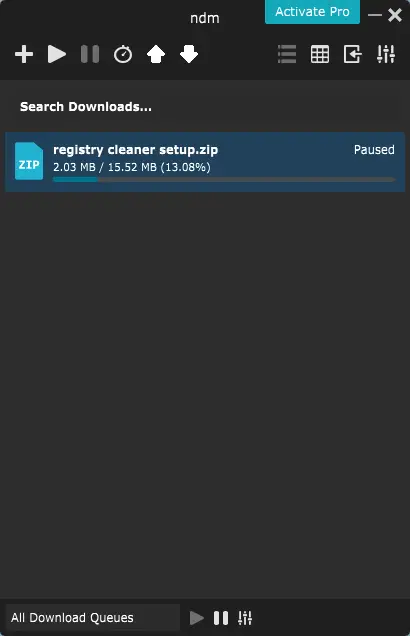
Ninja Download Manager (NDM) provides many options similar to the popular paid download manager, IDM (Internet Download Manager). Since we cover only freeware tools at gearupwindows.com, here are some of the features of the free version of NDM:
- Pause/Resume Download: Ninja Download Manager (NDM) is a reliable download manager that boasts the popular feature of pausing and resuming downloads. One notable aspect is its ability to pause downloads even on websites that usually do not support it.
- Limit Download Speed: With a slow internet connection, this feature allows you to limit download speed, enabling smooth browsing while downloading files simultaneously.
- Download Videos: Unlike basic browser managers, this free tool can download and convert videos into multiple formats.
- Browser Integration: NDM integrates seamlessly with major browsers like Google Chrome, Microsoft Edge, Mozilla Firefox, Opera, and Internet Explorer.
- Schedule Downloads: You can easily schedule your downloads for a specific time, which helps download large files during off-peak hours.
- Clipboard Monitor: Once a link is copied, NDM detects it automatically and begins downloading without user input.
- Password Manager: The encrypted login manager securely saves website credentials and supports automatic login, especially useful for resuming downloads from password-protected websites.
- Connection Control: You can customize the number of simultaneous downloads and the connections per download. By default, up to five downloads run at a time.
- Sequential File Writing: With this feature, you can preview audio and video files as they download—thanks to NDM’s method of downloading files from start to finish.
- Blazingly Fast Downloads: According to its developer, multiple concurrent connections can boost your download speed up to 20 times.
Limitations of the Free Version
The free version of Ninja Download Manager has a few limitations. It does not support downloading videos above 720p resolution. Additionally, users must manually copy and paste download links into the manager, as browser automation is not fully available.
Download Ninja Download Manager
You can download the Ninja Download Manager, a free tool, from its official website. Once you are at the download page, scroll down to the bottom and click on the “For Windows” or “For macOS” button to initiate the download.
Conclusion
In conclusion, Ninja Download Manager is a reliable and efficient tool that offers a wide range of features to enhance your downloading experience. Its ability to pause and resume downloads, limit speed, schedule tasks, and integrate with browsers makes it one of the best free tools available. While the free version has limitations, such as a 720p video download restriction, it is still highly recommended for macOS, Windows 11, 10, and earlier versions.
If you’re looking for a free and reliable download manager, Ninja Download Manager is definitely worth checking out. You might also be interested in other free options such as Xtreme Download Manager, Download Accelerator Plus (DAP), and Neat Download Manager.