

In an era dominated by customization and personalization, Windows users are constantly exploring creative ways to enhance their desktops. One such innovative tool is RainbowTaskbar, a free software that redefines how you view and interact with the Windows taskbar. This article explores its features, benefits, and possibilities, helping you turn your regular taskbar into a dynamic and personalized interface.
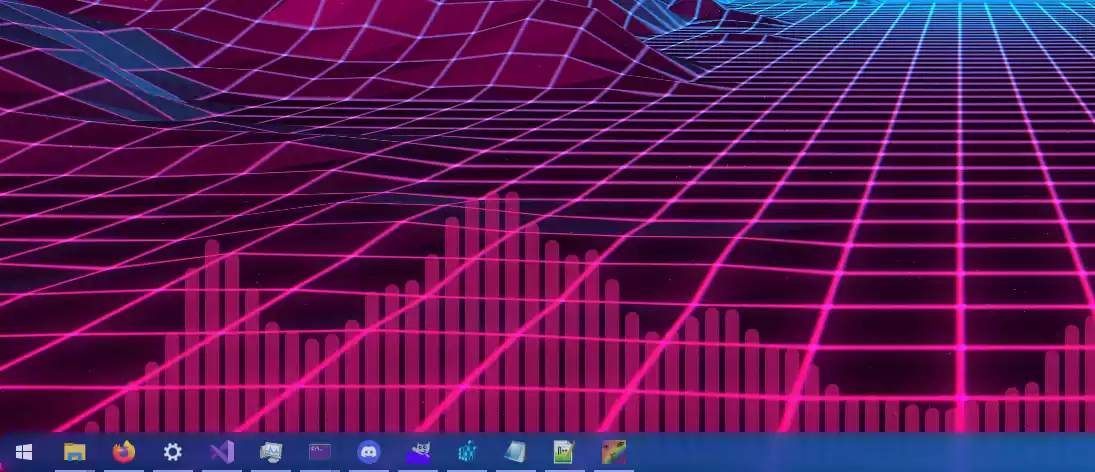
What is RainbowTaskbar?
RainbowTaskbar is a powerful taskbar customization tool written in .NET 6 that allows users to go far beyond the limited options offered by Windows. Unlike tools such as TranslucentTB, which only adjust transparency, RainbowTaskbar provides multiple layers, colors, gradients, and even text or images on your taskbar. Another highlight is its portable nature—there’s no need to install it. Simply run the program, and you’re ready to enjoy a vibrant, dynamic taskbar that syncs with your personal style.
Key Features of RainbowTaskbar
- Layers: Add up to 16 layers (numbered 0–15) for intricate designs. You can dynamically clear or stack these layers for detailed effects, including text and images, combined with the HTTP API for live updates.
- Transparency Instruction: Control the opacity of the real taskbar, its underlay, and different layers. You can set it to default, colorless blur, or fully transparent, offering more flexibility than default Windows options.
- Color Instruction: The signature feature of RainbowTaskbar allows solid colors or dual‑color gradients with multiple fade transitions like linear, sine, cubic, exponential, or back for smooth effects.
- Image & Text Instructions: Display custom images and texts on your taskbar with adjustable positioning, stretching, and font options.
- HTTP API: Advanced users can activate the HTTP API in settings to configure instructions, save or load presets, and integrate with other tools or scripts using JSON‑encoded requests.
When you launch RainbowTaskbar for the first time, it automatically applies the Rainbow preset. You can switch to other presets or open the editor by clicking its tray icon. The interface is intuitive, making it easy for beginners and advanced users alike.
Why Choose RainbowTaskbar?
- Versatility: Whether you are an artist, developer, or casual user, RainbowTaskbar has features for everyone—from simple gradient styling to real‑time effects controlled via API.
- Portable and No Installation: Carry it on a USB drive and use it on any Windows computer without installation, similar to other portable utilities like CenterTaskbar.
- Innovative Features: Layering, transparency control, live gradients, and API support make it a unique tool in the world of taskbar customization.
- Free of Cost: Despite offering professional‑grade features, RainbowTaskbar is completely free, just like RoundedTB and other popular taskbar tools.
Download RainbowTaskbar
You can download the latest version of RainbowTaskbar from GitHub. It’s compatible with Windows 10 and 11 and can also run on Windows 7 and 8, although features may vary.
In Conclusion
RainbowTaskbar is not just another utility—it’s an experience. It blends art and technology, letting you transform your Windows taskbar into a personal design statement. Whether you’re an advanced user integrating scripts with the HTTP API or a casual user adding vibrant gradients and images, RainbowTaskbar offers endless customization possibilities. Give it a try and combine it with tools like Explorer Patcher or DockFolders to build a unique and stylish Windows experience.