

Is your computer not running as smoothly as it used to? Over time, Windows systems naturally accumulate unnecessary files, fragmented registries, startup clutter, and background processes that slow things down. This can lead to frustrating lag, longer boot times, and reduced overall responsiveness. To restore speed and efficiency, you need more than a basic cleaner — you need a powerful all-in-one optimization suite like TweakPower.
TweakPower is designed to fine-tune both your operating system and installed applications. Unlike traditional cleaners that only remove temporary files, this tool delivers a complete set of features for boosting performance, enhancing security, and even customizing the way Windows looks and behaves. It combines elements of system cleaning, registry repair, privacy protection, and power management into one easy-to-use interface.
If you’ve used tools like CCleaner for everyday maintenance or Auslogics Disk Defrag for storage optimization, you’ll appreciate how TweakPower integrates these capabilities while also offering advanced modes like Economy Mode and Game Mode. With TweakPower, you’re not just cleaning your PC — you’re actively tailoring its performance to your needs.
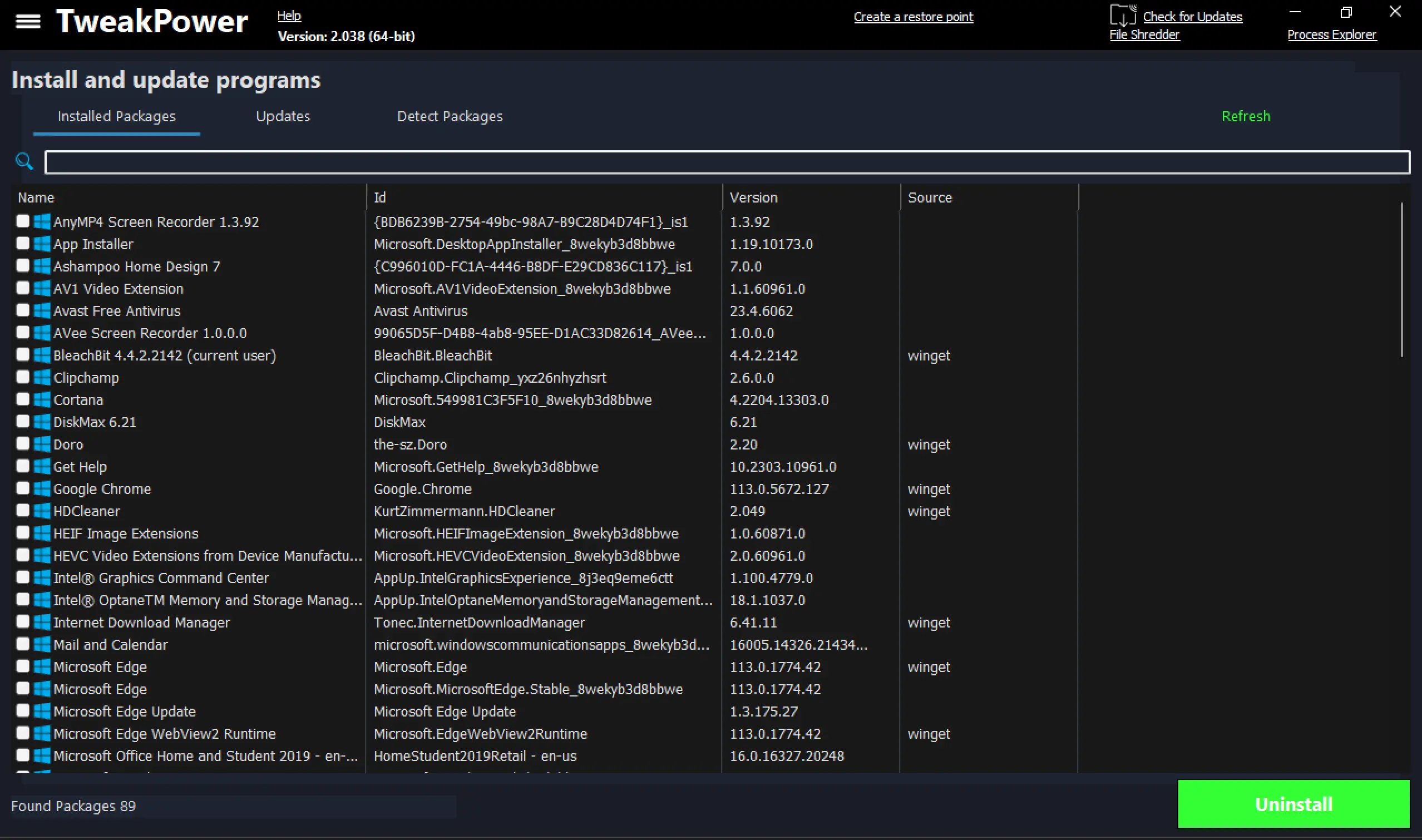
Why TweakPower?
TweakPower is a comprehensive PC optimization solution that covers almost every aspect of system performance and privacy. It cleans unnecessary files, optimizes startup processes, and repairs registry issues to keep your system stable. But beyond that, it provides deep customization for Windows settings, making it suitable for both casual users who want quick one-click fixes and advanced users who enjoy fine-tuning their systems.
Its intelligent power modes, such as Economy Mode for conserving battery life and Game Mode for maximizing gaming performance, give you the flexibility to adapt your PC to different scenarios. Compared to simpler utilities like HDCleaner, which focus heavily on junk file removal and registry cleanup, TweakPower goes further by integrating privacy protection, repair utilities, and full system insights. This makes it a great alternative to larger optimization suites without the cost.
Key Features
- Fine-Tune Performance: Boost system speed, reduce application load times, and enhance gaming with advanced optimization tools. Perfect for users who want smoother multitasking without resource bottlenecks.
- Customization Options: Personalize Windows by modifying UI elements, adjusting system behaviors, and tweaking hidden settings. If you enjoy personalizing Windows like with Ultimate Windows Tweaker, you’ll find TweakPower equally powerful.
- One-Click Cleanup: Automatically remove junk files, clear browser traces, clean the registry, and erase temporary data. This saves time while ensuring your PC stays clutter-free.
- Robust Security & Privacy: TweakPower includes anti-spy modules to manage Windows services and improve privacy. It also offers encryption, secure file deletion, and firewall management, similar to using specialized tools like PrivaZer.
- Smart Power Modes:
- Economy Mode: Extends laptop battery life by reducing CPU consumption and background tasks.
- Game Mode: Shuts down over 70 non-essential processes, freeing maximum resources for games and heavy apps.
- Comprehensive Maintenance Tools: Includes startup optimization, system repair options, disk error checking, backup management, and even a built-in Windows repair tool. Comparable in scope to FixWin 11, but integrated within one package.
- Bonus Utilities: Extras include a file splitter, benchmarking tool, defragmentation, 1-click maintenance, and an advanced task manager. These eliminate the need for multiple separate apps like Process Lasso.
- Full System Insight: Displays detailed information about your hardware and software, helping you make smarter upgrade or optimization choices without third-party monitoring tools.
How TweakPower Compares
There are many PC cleaners and optimizers available, but TweakPower sets itself apart by offering an integrated package. While BleachBit is great for lightweight junk cleanup and Ashampoo WinOptimizer Free is known for one-click optimization, TweakPower combines both simplicity and depth. It doesn’t just clean — it optimizes performance, strengthens security, and enhances customization options, giving you more control over your PC.
Download TweakPower
You can download TweakPower from its official website. The software is free to use and is actively updated to support the latest versions of Windows. Installation is quick, and the interface is available in multiple languages for wider accessibility.
TweakPower FAQs
1. Is TweakPower free to use?
Yes, TweakPower is completely free. Unlike some optimizers that restrict features to paid versions, it offers all its tools without limitations.
2. Can TweakPower replace multiple system utilities?
Yes. Instead of using separate tools like registry cleaners, junk file removers, and privacy apps, TweakPower combines them in one. It’s especially useful if you want a replacement for utilities like Geek Uninstaller and standalone cleaners.
3. Does TweakPower really improve gaming performance?
Yes. With Game Mode, it disables unnecessary background processes and services, freeing system resources. This is similar to dedicated gaming boosters but with more customization options.
4. Is it safe to use TweakPower on Windows 11?
Yes. TweakPower is fully compatible with Windows 11 and 10, and its built-in repair and backup tools ensure safety when making system changes.
5. How does TweakPower compare to PrivaZer or HDCleaner?
PrivaZer is excellent for deep privacy cleaning, and HDCleaner is great for comprehensive junk removal. TweakPower combines privacy, cleanup, and performance tuning into one platform.
Conclusion
TweakPower is more than just a cleaner — it’s an all-in-one PC optimization suite that enhances speed, boosts security, and customizes your Windows experience. With its power modes, privacy controls, repair tools, and deep customization, it stands out as a reliable choice for anyone who wants to get the most out of their computer.
If your system has been slowing down or you want a single toolkit to replace multiple utilities, TweakPower is the solution. Say goodbye to sluggish performance and enjoy a faster, cleaner, and more efficient PC with TweakPower today.