

As the name suggests, Advanced Uninstaller PRO is a software that helps you uninstall unnecessary programs from your computer. Using this app, you can uninstall useless software that you no longer require. By removing unwanted applications from your computer, you can speed up your PC and protect your privacy. Although Windows 11/10 comes with a built-in uninstaller tool that is not so powerful, it sometimes refuses to uninstall a program from your PC. Also, the default uninstaller of Windows does not remove the residual or leftover files, folders, and registry entries, which means that after uninstalling the program, your PC is dirty. Hence, most Windows users prefer to use a third-party paid/free application to handle such stubborn software when it refuses to leave their PC.
What is Advanced Uninstaller PRO?
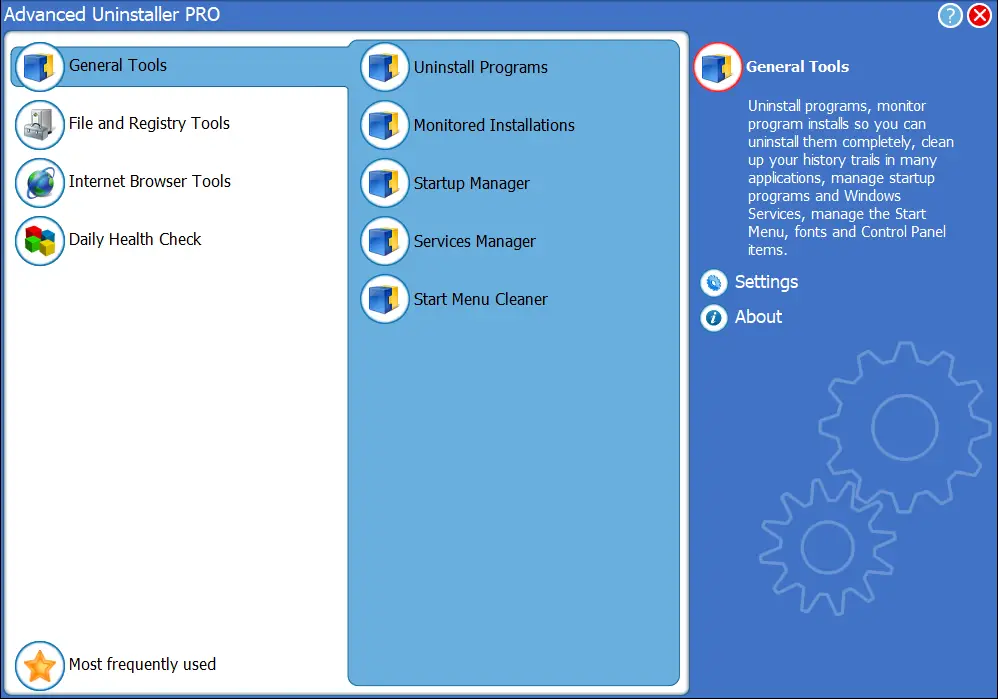
Many free and paid applications are available in the market to uninstall programs from a Windows PC. Out of those, Advanced Uninstaller PRO is one of the best software programs to efficiently and effectively remove unnecessary software from your computer. Although Advanced Uninstaller PRO is free for personal use, you can opt for its paid version for more advanced features like Daily Health Check. You can use all other functionality in the free version of Advanced Uninstaller PRO, except the Daily Health Check feature. A free version of this software may be quite enough for most Windows users.
Apart from the uninstall of software, this Advanced Uninstaller PRO also monitors program installations. Before installing a program on your PC, start it up to record every change that the new application will make to your computer. Later, you can use the Program Monitor feature of this tool to remove the program. Now, this software will remove all the leftovers completely from your PC. That means your PC will be totally clean after uninstalling the application.
Advanced Uninstaller PRO also includes optimization software. It comes with a Startup Manager, Services Manager, and Start Menu Cleaner. While these are basic features, it is convenient to have them in one place. If you want more advanced optimization features, you may also consider free utilities like Process Lasso or all-in-one suites such as Best Free Tools to Optimize and Clean Windows PCs.
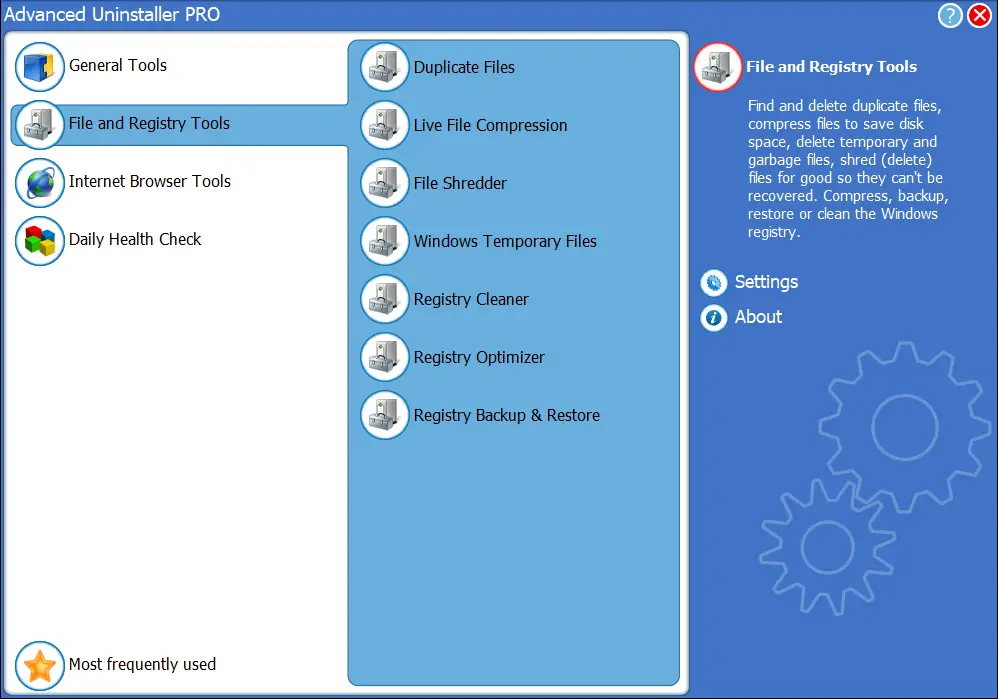
Advanced Uninstaller PRO has standard File and Registry tools, such as a Duplicate Files Finder, Live File Compression, File Shredder, Windows Temporary File Cleaner, Registry Cleaner, Registry Optimizer, and Registry Backup & Restore. For more dedicated cleanup options, tools like BleachBit or PrivaZer can be useful alternatives.
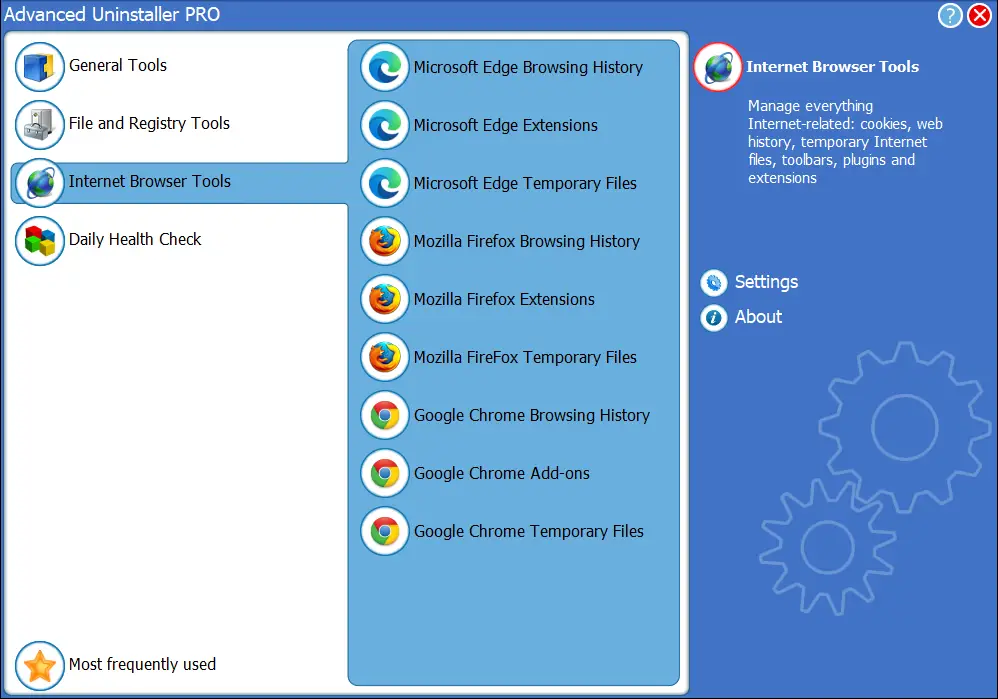
It also allows you to clear the browsing history and manage plug-ins. Using this freeware software, you can clean the browser’s temporary files and manage add-ons/extensions on Chrome, Firefox, and Edge browsers.
Download Advanced Uninstaller PRO
If you have decided to opt for a third-party uninstaller program for your PC, you can use this modern-looking Advanced Uninstaller PRO. It is available for download from its official website.
Frequently Asked Questions About Advanced Uninstaller PRO
Is Advanced Uninstaller PRO free?
Yes, it is free for personal use. The only premium feature is the Daily Health Check.
Does Advanced Uninstaller PRO remove leftover files?
Yes, it scans for and removes leftover files, folders, and registry entries after uninstalling software.
Can it uninstall multiple programs at once?
Yes, you can select several programs in bulk and uninstall them together, which saves time.
Are there alternatives to Advanced Uninstaller PRO?
Yes, you can also try free uninstallers like Geek Uninstaller, Wise Program Uninstaller, IObit Uninstaller, or Revo Uninstaller.
Final Opinion
Advanced Uninstaller Pro has a clean and modern design. Every option is straightforward so that even beginners can operate it easily. As a pro uninstaller, this software can uninstall several programs in one go, which is perfect for people who often install and uninstall apps on their PC.
Pros
- Free for personal use with almost all features unlocked.
- Simple and modern interface suitable for beginners.
- Bulk uninstall feature saves time by removing multiple programs together.
- Removes leftover files, folders, and registry entries after uninstallation.
- Includes useful extras like Startup Manager, Services Manager, and file/registry tools.