

Blender is a powerful 3D creation tool that offers a multitude of features, including modeling, animation, and even simulation. One of the most impressive features of Blender is its ability to support video editing, making it a comprehensive solution for all your 3D creation needs. Whether you’re working on a Linux, Windows, or Mac operating system, Blender has you covered.
If you’re passionate about creative video production, you may also explore Shotcut Video Editor, another excellent free tool for storytellers and editors.
With its primary focus on animation, Blender’s 3D modeling capabilities also extend to video editing. Advanced users can leverage Blender’s extensive feature set to create high-quality projects, while beginners can easily get started with its intuitive interface. It’s worth noting that Blender’s feature-rich nature requires users to stay up-to-date with the latest releases to ensure optimal performance and quality.
Compared to the separate rendering processes typically required for animation and video editing, Blender’s animation and monitoring sections provide a faster workflow. While adding too many features to a single software program can lead to optimization and feature set issues over time, Blender has managed to keep its software experience optimized and user-friendly. Discover all that Blender has to offer and take your 3D creation and video editing projects to the next level.
For those looking to simplify post-production tasks, you can try HD Video Converter Factory, which helps with quick editing and video format conversions.
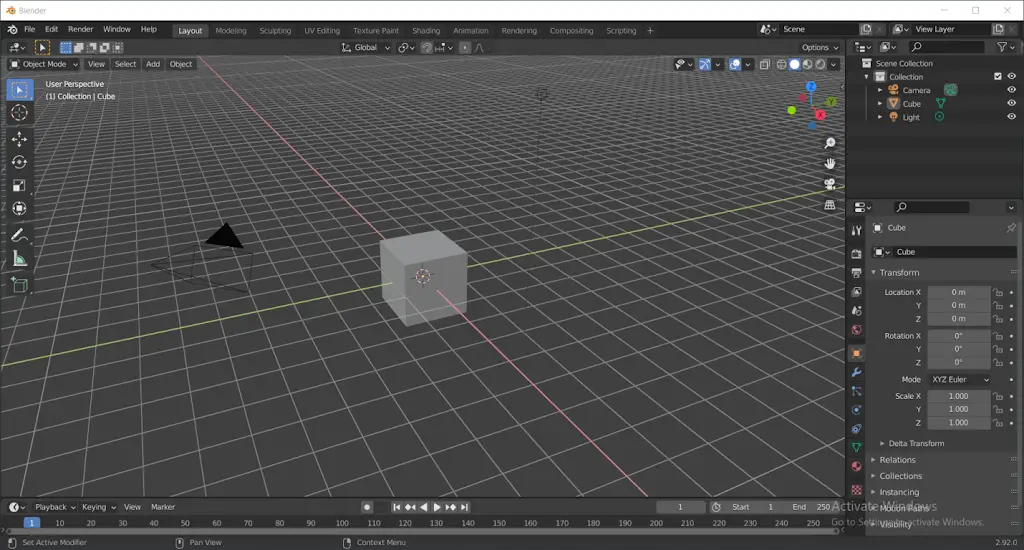
Blender 3D design software is not just for art studios, professionals, and scientists. It is a versatile platform that caters to a wide range of users, including students, animators, game artists, game modders, and anyone else with a creative flair. Blender offers a unique opportunity for individuals to showcase their creativity and bring their 3D art to life.
If you often leave your computer running for long renderings, try Simple Shutdown Timer to automatically shut down your PC after rendering or exporting your projects.
Main Features
- Rendering: With Blender, you can see what your work will look like before you finish it using the “Cycle” rendering engine.
- Modeling: Software for designing works with 3D models, structures, buildings, and video games.
- Sculpting: Create detailed and realistic 3D objects with high precision sculpting tools.
- Rigging & Animation: Simulation models can be used for many purposes—workflow presentations, educational diagrams, and more.
- Video Editing: Animated components can be added to customized clips using Blender’s built-in 3D design software.
Download Blender
You can download the latest version of this free video editing and animation creator tool from its official homepage.
If you’re a fan of open-source creative tools, check out OBS Studio — another powerful free software for recording and streaming high-quality videos.
Conclusion
Blender stands out as one of the most comprehensive and versatile 3D creation tools available today. Its all-in-one platform—combining modeling, sculpting, animation, rendering, and video editing—makes it an invaluable asset for artists, designers, animators, and content creators alike. Whether you’re crafting intricate 3D scenes, editing cinematic videos, or experimenting with simulations, Blender offers professional-grade tools without the price tag.
Its open-source nature ensures constant community-driven updates, plugins, and innovations, keeping the software fresh and future-ready. Beginners can start small, learning basic modeling and animation, while professionals can dive deep into advanced workflows. With endless possibilities and cross-platform support for Windows, macOS, and Linux, Blender is truly a creative powerhouse that grows with your skills and imagination.
If you’re looking to push your creativity further, Blender is the perfect starting point to explore the world of 3D art, animation, and video production—all for free.