

Looking for a stylish clock widget for your Windows 11/10 system? ClocX could be the perfect solution. Available for Windows XP to 11, this free software lets you add an analog clock widget to your desktop. Right-clicking the clock gives you quick access to useful features, such as “always on top” and “unmovable,” as well as a calendar. Give your desktop a sophisticated touch with ClocX.
Also Read: Fliqlo screen saver turns Windows 11/10 PC into a Flip Clock
ClocX for Windows 11/10
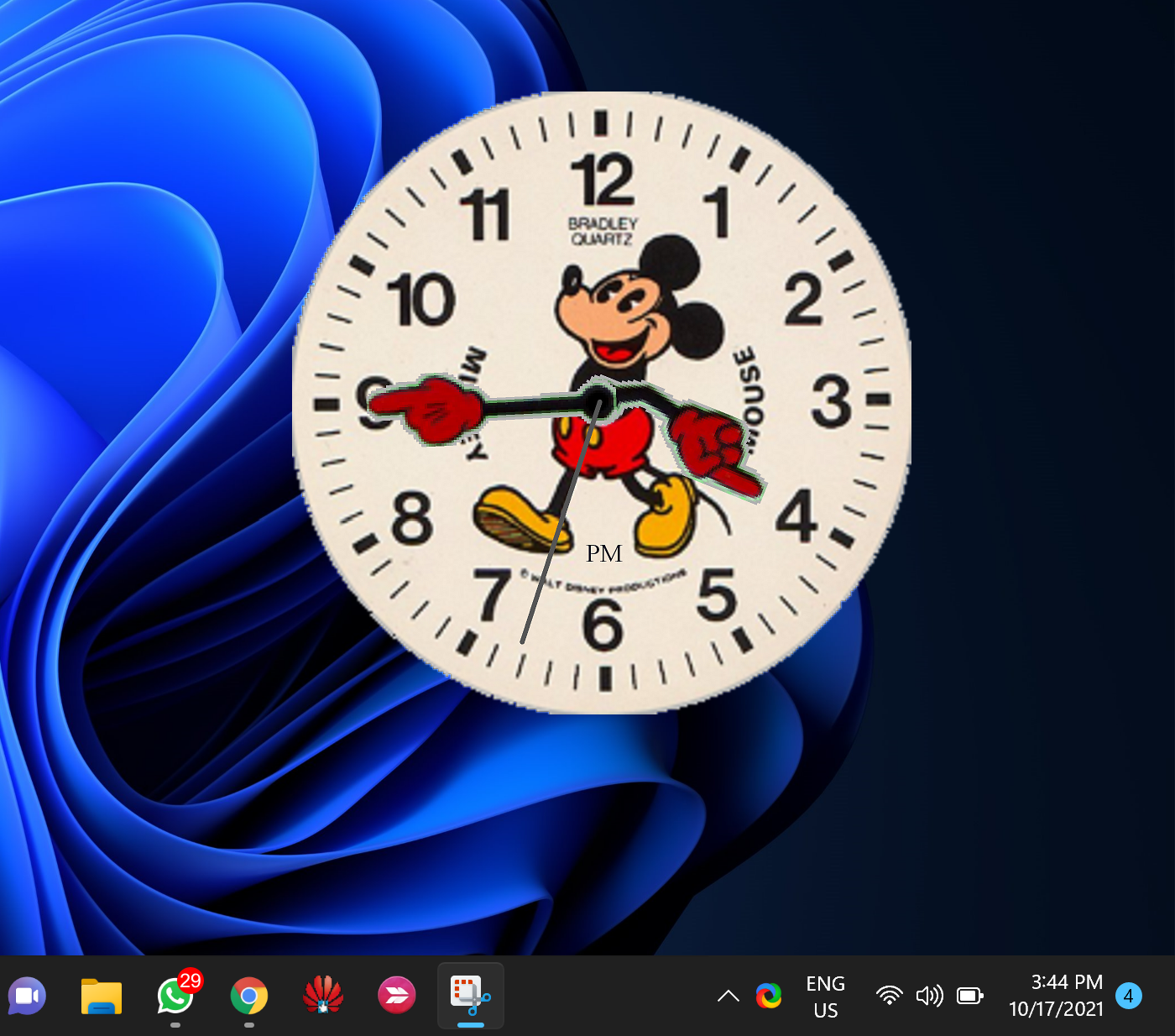
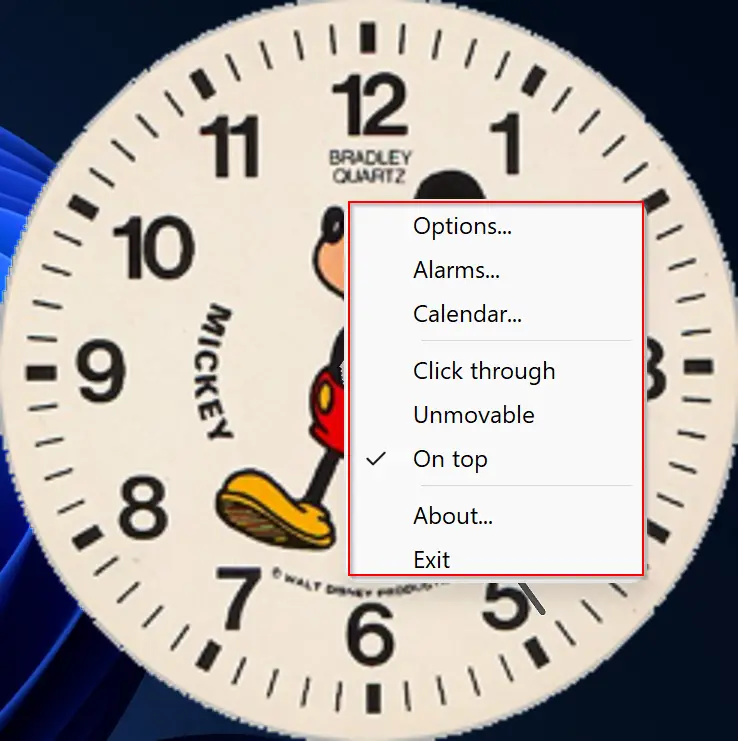
To add a beautiful clock widget to your Windows 11/10 desktop, ClocX can be a perfect choice. This clock widget software is free and compatible with Windows 11 / 10 / 8 / 7 / Vista / XP. ClocX allows you to add an analog clock widget on top of your desktop, and it also comes with several built-in themes that you can easily choose and apply. To access some handy options, including always on top, unmovable, calendar, etc., just right-click on the clock widget on the desktop.
ClocX also allows you to add and set multiple alarms as per your needs. To do so, right-click on the widget and select the Alarms option. From the “Alarm” dialog window, click on the “New” button to set the alarm with its name, recurrence, time, etc. You can also choose actions when the alarm hits the time, such as playing a sound/video, executing an application, or shutting down the PC. In addition, you can access the Calendar from this widget by right-clicking on the clock and selecting the “Calendar” option.
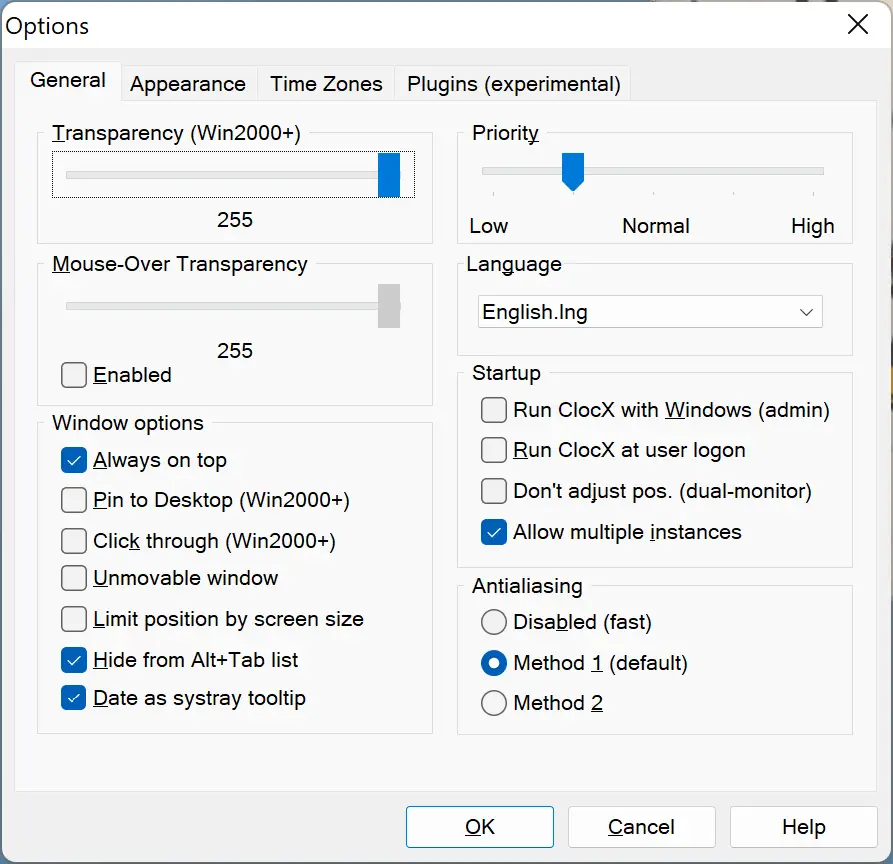
In addition to these features, ClocX allows you to personalize several widget settings according to your preferences. You can modify the transparency, mouse-over transparency, style, language, time zones, priority, allow multiple instances, and many more options to make the clock widget more suitable for your desktop.
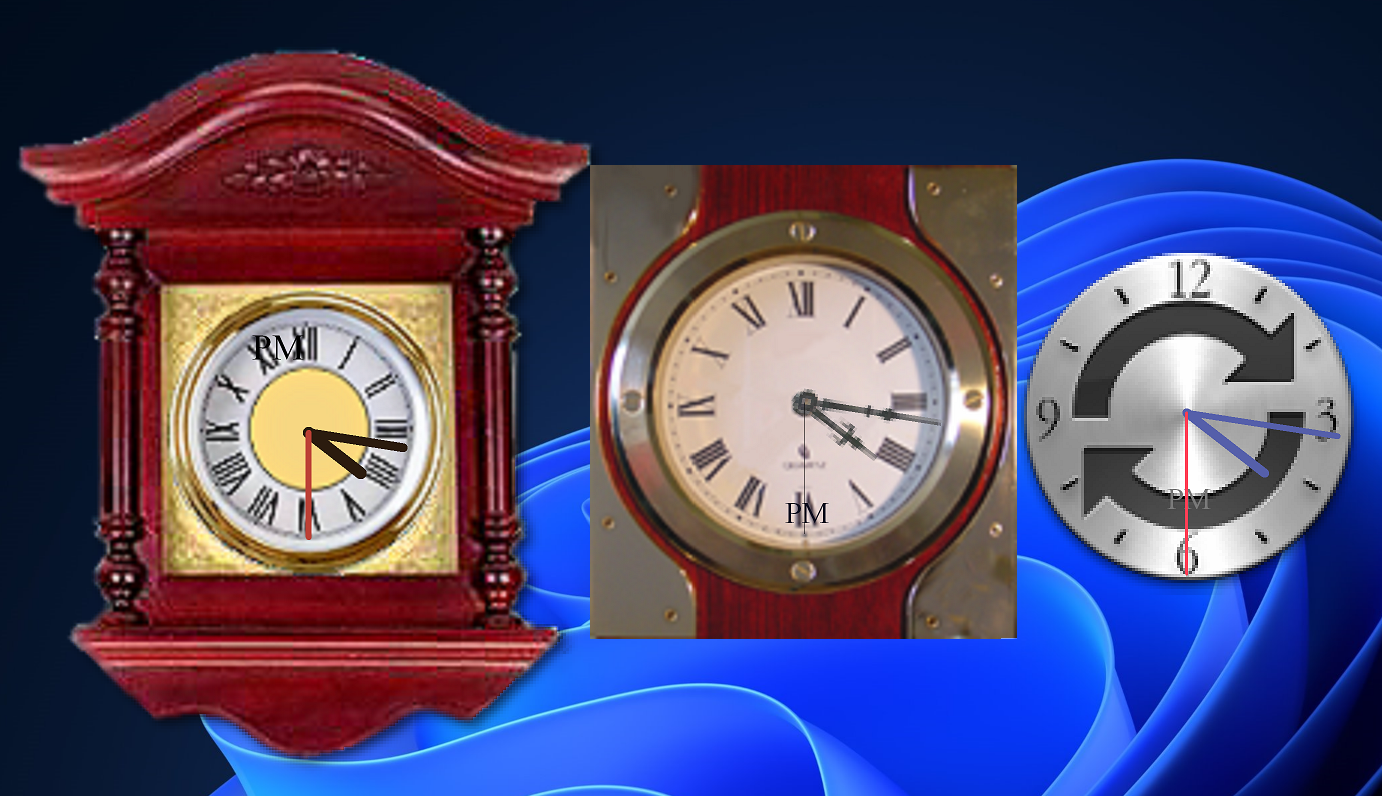
The most advantageous feature of the ClocX widget is its ability to run multiple instances, allowing you to display several clocks as widgets on your desktop. Each clock operates independently, giving you the freedom to use a different theme for each one to enhance your desktop’s aesthetics.
Download ClocX
You can download the freeware version of ClocX from its official website.
FAQs about ClocX
Is ClocX compatible with Windows 11 and 10?
Yes — ClocX works on Windows 11, Windows 10, and even older versions like Vista and XP. If you want a digital alternative, check DS Clock.
Can I set alarms with ClocX?
Yes. ClocX allows you to set multiple alarms with custom actions, such as playing sounds, running applications, or shutting down the PC. For another alarm-friendly option, you may also try Clock!.
Does ClocX support multiple instances?
Yes — you can run multiple ClocX widgets at once, each with its own theme. If you prefer multiple digital widgets, consider .Clocks from the Microsoft Store.
Can I customize the look of ClocX?
Absolutely. ClocX includes several built-in themes and lets you adjust transparency, styles, language, and time zones. For more skin customization options, try Digital Clock 4.
Does ClocX include a calendar?
Yes. ClocX comes with a built-in calendar that you can access by right-clicking on the widget. If you want a broader gadget suite with calendars and weather, explore 8GadgetPack.
Where can I download ClocX safely?
You can download ClocX from its official website. For more free options, see our list of the best desktop clock widgets for Windows.
Conclusion
In conclusion, ClocX is an excellent choice if you want to add a stylish and customizable analog clock widget to your Windows desktop. With features like alarms, a built-in calendar, multiple instances, and theme personalization, it goes far beyond a simple clock display. Whether you are on Windows 11, Windows 10, or even older versions, ClocX delivers both functionality and aesthetics.
If you prefer digital-style clocks, you may explore DS Clock or Digital Clock 4. For those who want multiple widget choices in one package, 8GadgetPack and .Clocks are also worth trying. No matter your preference, you can easily find the right clock tool to make your desktop both functional and visually appealing.
It`s a very good
great clock, thank you