

Do you love to customize your Windows Desktop? If yes, BumpTop is a good option for you. No more boring desktops you have to see. BumpTop converts your ordinary Windows desktop into a visually appealing 3D workspace and organizes icons in a brand-new fashion. It transforms your PC into a 3D environment that helps you stay organized and work more efficiently. You can also explore Nilesoft Shell if you want another free way to customize and enhance your Windows desktop experience.
BumpTop is a 3D desktop that keeps you organized and makes you more productive. It replaces your traditional desktop with a rich, interactive, and dynamic environment unlike anything you’ve seen before. It has a stylish and modern look that adds life to your workspace while keeping your files easily accessible.
There is nothing special regarding installing BumpTop; keep pressing “Forward,” and you are done. When you launch BumpTop for the first time, a short video tutorial will guide you through its features and gestures so you can use it efficiently. After completing the tutorial, your default Windows desktop will transform into a beautiful 3D space filled with icons and objects you can move, stack, and interact with.
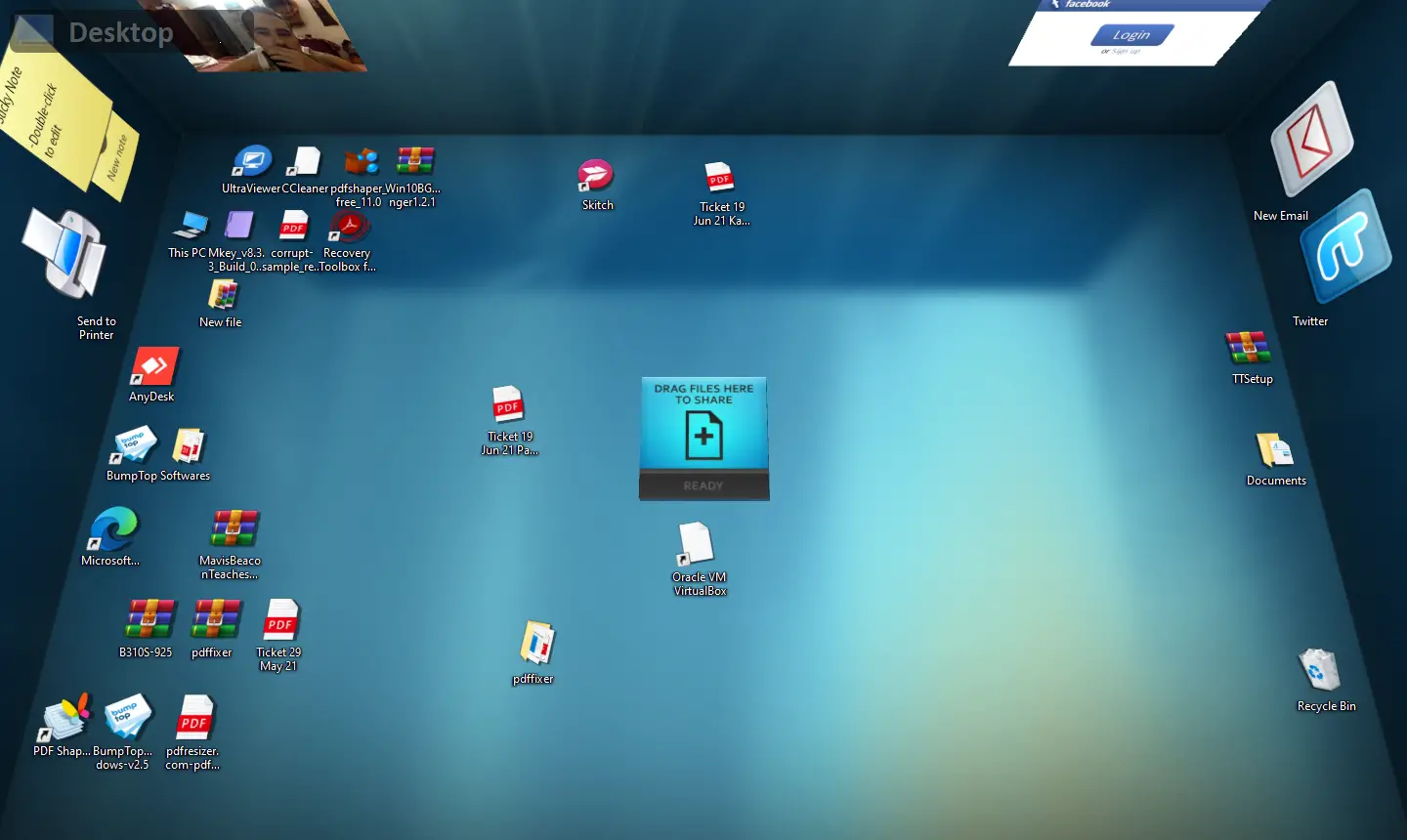
Why BumpTop 3D Desktop?
BumpTop comes with several built-in themes that help you personalize your desktop according to your style. You can right-click on the desktop to access BumpTop’s menu and easily switch themes, while still being able to access the regular Windows context menu using the More option. For even more customization ideas, you might like our post on 8 Best Free Themes for Windows 11/10.
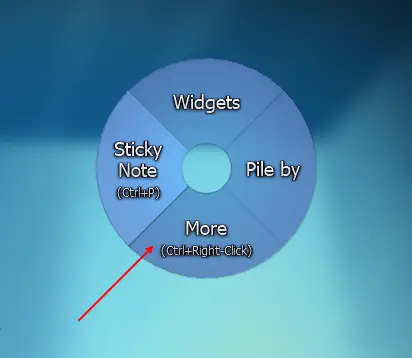
One of the most unique features of BumpTop is its ability to let you create piles of files, folders, and images—just like you might stack papers on a real desk. You can group items by type or by date to make them easier to manage. If you enjoy organizing your workspace, you might also like nSpaces, which lets you create multiple virtual desktops for improved productivity.
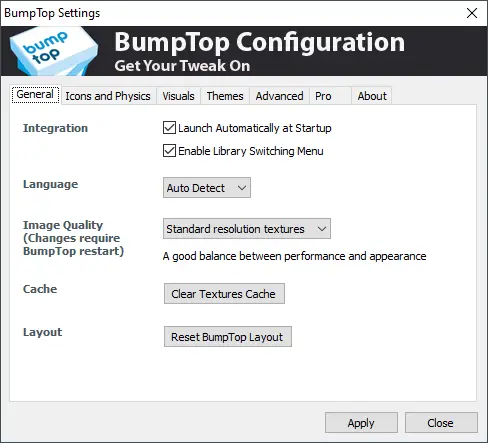
BumpTop’s settings menu offers many customization options, including the ability to launch the program automatically at startup. You can enable an “infinite desktop” mode that lets you move items beyond your screen’s edge or choose a fixed-size environment depending on your preference.
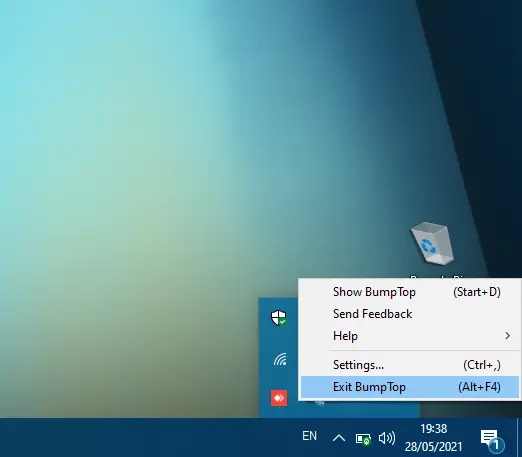
After installing this freeware application, it runs quietly in the system tray area. If you wish to temporarily switch back to your regular desktop, there’s no need to uninstall it. Simply right-click the BumpTop icon in the system tray and select “Exit BumpTop” to restore the default Windows interface. You can also press the ALT + F4 shortcut to close it instantly.
If desktop clutter is a common issue, consider trying iTop Easy Desktop, which automatically organizes your icons into categorized areas and helps you maintain a tidy workspace.
Download BumpTop
BumpTop is completely free to use and works perfectly on Windows 10, 8, 7, and Vista. You can download it directly from its official source here and explore its exciting 3D desktop experience. For another creative way to enhance your PC’s look, check out Aqua Dock, a free tool that adds a macOS-like dock to your Windows desktop for quick access to your favorite apps.
Conclusion
BumpTop remains one of the most innovative freeware tools for Windows users who want to break away from flat, static desktops. Its 3D interface, customizable piles, and animated icons make your everyday work environment far more interactive and enjoyable. Whether you’re a design enthusiast or just someone who likes to stay organized in a visually rich way, BumpTop is a refreshing choice worth trying.