

In this gearupwindows guide, we’ll show you how to use Recuva to recover deleted files, folders, music, videos, and more from your Windows PC. However, if you’ve accidentally deleted or formatted your hard drive, don’t panic. Recuva is a reliable recovery tool that helps restore data from internal/external drives, memory cards, corrupt CDs or DVDs, and even formatted partitions.
This powerful yet easy-to-use utility ensures your important files remain recoverable even after deletion. For maximum data protection, always combine a good backup solution with a tool like Recuva.
How to Recover Deleted Files, Folders, Music, Images, and Videos?
Follow these steps to recover deleted files, folders, and other data using Recuva:
Step 1. Launch Recuva and choose the All Files option to scan all types of deleted content. Then click the Next button.
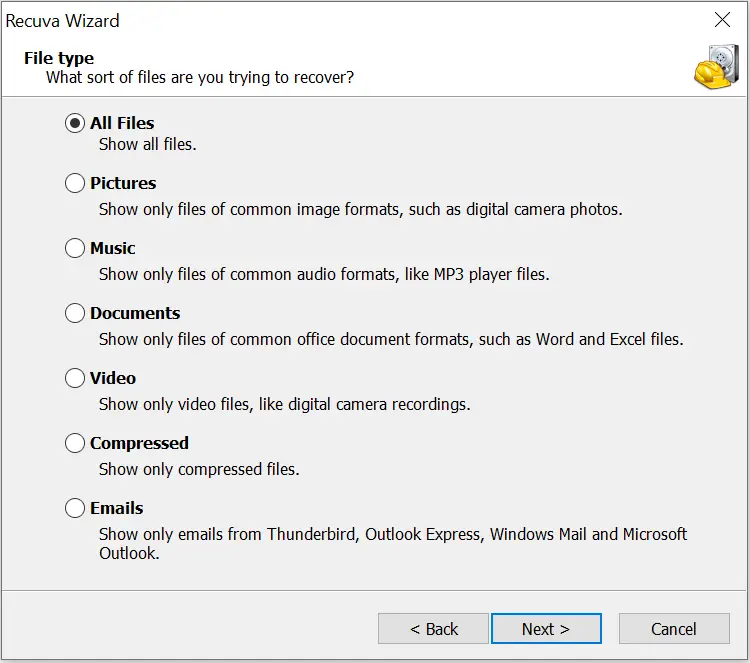
Step 2. Choose the location from which you want to recover files. You can scan internal drives, external drives, Recycle Bin, CDs, or DVDs. Select the appropriate drive or media.
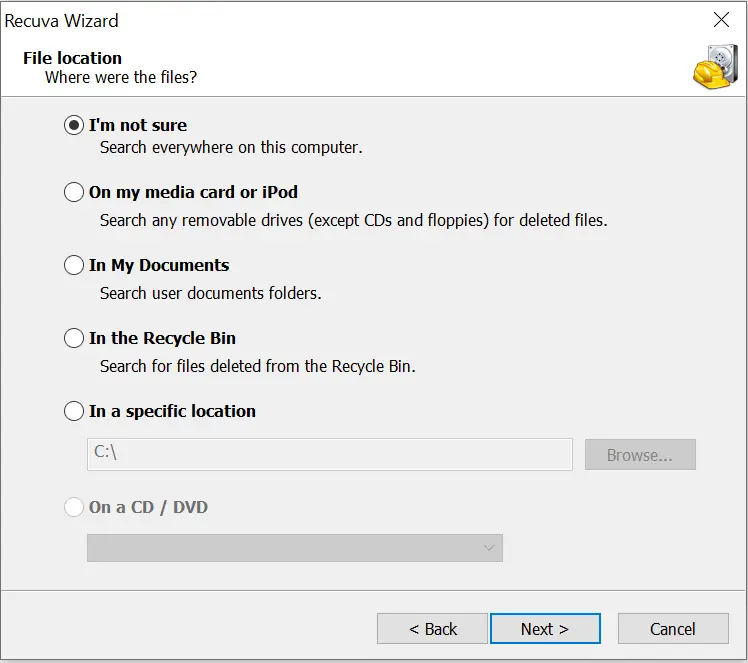
Step 3. After selecting the file location, click Next. Recuva will ask you to choose the type of scan. Use a standard scan for recently deleted files. If the data has been overwritten or formatted, enable the Deep Scan option.
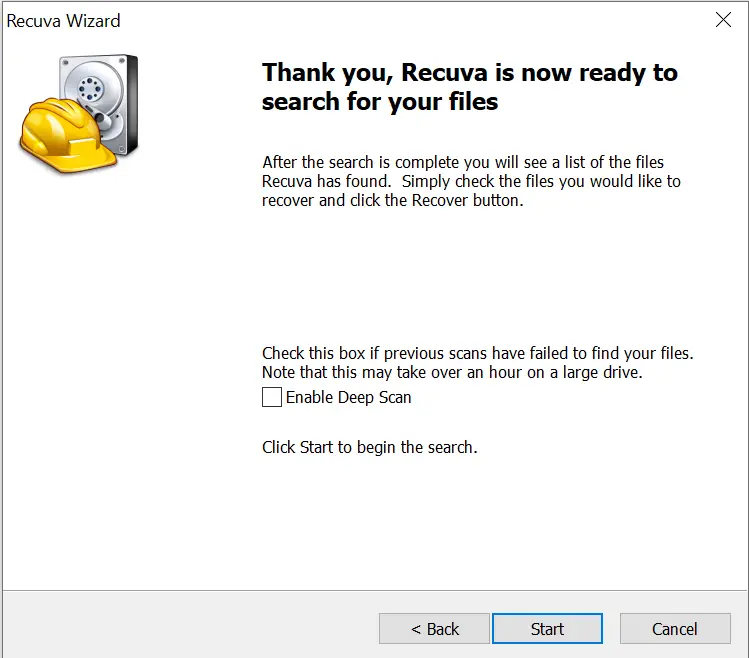
Step 4. Click Start to begin the scan. Recuva will show the scanning progress.
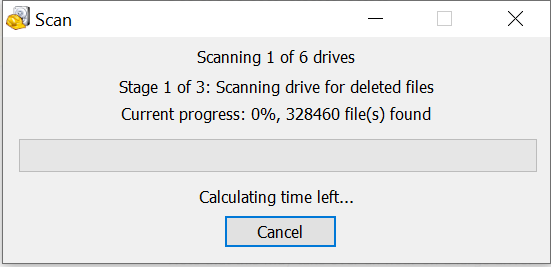
After the scan completes, you’ll see a list of recovered files. You can choose to restore them to your local or external drive.
Advantages of Recuva
- Recover deleted files from your computer – Recuva can restore deleted documents, music, photos, videos, and even emails. It supports media such as USB drives, memory cards, external hard drives, and even iTunes and iPod drives. It also handles Nikon and Canon RAW formats.
- Recovery from damaged or formatted disks – Retrieve data from corrupted or formatted disks, including camera memory cards and USB keys.
- Recover deleted emails – Recuva supports recovery from email clients like Outlook Express, Windows Live Mail, and Mozilla Thunderbird. Recovered messages are saved in a ZIP file in standard .EML format.
- Recover deleted iPod music – Restore lost music from your iPod storage.
- Restore unsaved Word documents – Recover unsaved Microsoft Word files quickly.
- Deep Scan – Thoroughly scan your drive for files that are harder to find.
- Availability of Portable version – Use Recuva on the go without installation.
- Securely delete files – Permanently erase confidential files so they can’t be recovered, protecting sensitive data like passwords or financial records.
- Compatible with Windows 11, 10, 8/8.1, 7, Vista, XP, and Windows Server editions.
You might also be interested in other trusted data recovery tools like Wondershare Recoverit, Disk Drill, MiniTool Power Data Recovery, or Puran File Recovery — all free options for recovering lost data on Windows.
Frequently Asked Questions About Recuva
Is Recuva free to use?
Yes, Recuva offers a free version suitable for most home recovery needs. A paid version adds premium support and advanced features, but the free build is enough for basic recovery.
Where should I save the recovered files?
Always restore to a different drive (for example, recover from C: and save to D: or an external USB). Saving to the same drive can overwrite other deleted data and reduce recovery success.
When should I use Deep Scan?
Use Deep Scan if a quick scan doesn’t find what you need or if the drive was formatted/overwritten. It takes longer but searches more thoroughly for recoverable data.
Can Recuva recover data from formatted or corrupted disks?
Yes, Recuva can often recover from formatted or corrupted media. Results depend on how much data was overwritten after the format or corruption occurred.
How can I prevent data loss in the future?
To avoid accidental data loss, set up a reliable backup plan and keep a recovery tool handy for emergencies.
Download Recuva
You can download the Recuva app directly from the official website.
Conclusion
In conclusion, accidental data loss doesn’t have to be permanent. Recuva is a powerful, beginner-friendly tool that helps recover deleted data from a variety of sources, including formatted or corrupted disks. It also supports email recovery, secure deletion, and offers both deep scan and portable options.
To stay prepared, always use a good backup solution alongside recovery tools like Recuva. Download Recuva now and recover your lost data with confidence.