

Have you recently switched from Mac to Windows 11/10 and missed Mac’s Dock? In this gearupwindows guide, we’ll show you how RocketDock can bring that familiar experience to your PC. RocketDock is the perfect tool to give your Windows desktop a macOS-like Dock.
What is RocketDock?
RocketDock, launched in 2005 by Apple fans, remains a beloved dock solution for Windows users. It offers quick access to frequently used folders and tools, including a fully functional Recycle Bin. Once installed, it pins shortcuts like This PC, Network, Documents, Music, Pictures, Control Panel, and Recycle Bin for easy access.
You can also add your own shortcuts for apps or folders. RocketDock lets you personalize your dock by changing default icons and choosing from over 30 themes.
To add an app, just drag its shortcut to the dock. To remove one, drag it off the dock. You can also use the Lock Items option to prevent accidental deletions.
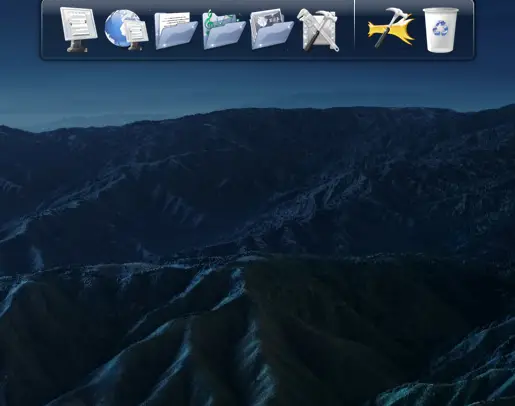
RocketDock is highly customizable. To access its settings, click the Dock Settings icon or right-click on empty space on the dock and choose Dock Settings.
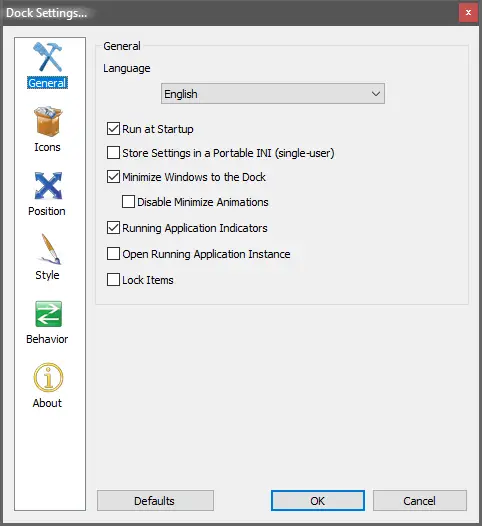
To launch RocketDock with Windows, go to the General tab and check the Run at startup option. You can also enable Lock Items here to protect your layout.
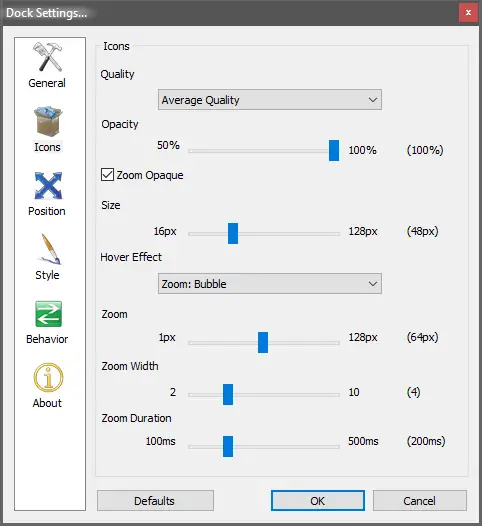
RocketDock also lets you control icon quality (low, average, high), change opacity, adjust hover effects, and set icon sizes for a personalized look.
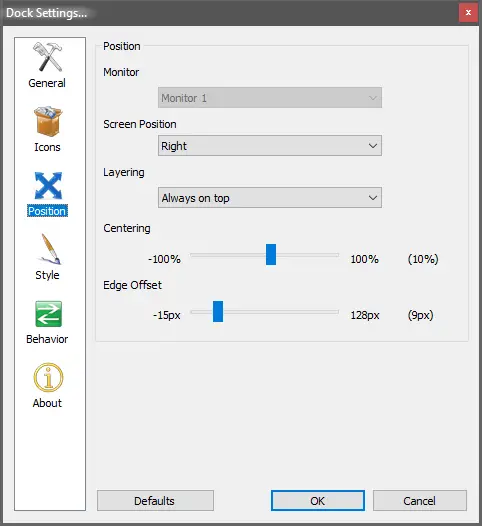
The best part is its flexible positioning. You can place the dock at the top, bottom, left, or right of your screen. You can also fine-tune the Edge Offset and Centering settings.
If you place RocketDock and the Windows Taskbar at the same location (like bottom), you may accidentally click the wrong app. To avoid this, move the dock, enable autohide for the Taskbar, or autohide RocketDock itself.
Download RocketDock
RocketDock is free and runs on Windows 11/10/8/7 (both 32-bit and 64-bit). You can download it from its official website.
Conclusion
In conclusion, RocketDock is a fantastic alternative to the macOS Dock for Windows users. It’s perfect for those who recently switched from Mac and want a similar experience. With customizable icons, themes, and position settings, RocketDock blends style and convenience on your Windows PC. Best of all, it’s lightweight, free, and supports a wide range of Windows versions.
You might also be interested in Winstep Nexus or Aqua Dock if you’re looking for more macOS-style Dock options on Windows.
good them