

Ashampoo Office Free bundles TextMaker, PlanMaker, and Presentations into a fast, familiar suite that opens and saves MS Office files—without a subscription.
Are you tired of paying hefty subscription fees for Microsoft Office? Or maybe you want something simpler that still feels familiar? Ashampoo Office Free delivers a user-friendly, efficient suite for working with documents, spreadsheets, and slides—no credit card, no time limits.
What is Ashampoo Office Free?
Ashampoo Office Free is an easy-to-use desktop suite for Windows 11/10 that’s compatible with Word, Excel, and PowerPoint formats. It includes three focused apps—TextMaker for documents, PlanMaker for spreadsheets, and Presentations for slide decks—designed to run smoothly even on older PCs. You can install it normally or keep it on a USB drive for portable use.
Why Would a Beginner Use Ashampoo Office Free?
If you’re switching from Microsoft Office, the ribbon-style interface and familiar shortcuts make the transition quick. Files you receive from colleagues typically open as expected, and you can send edits back in common formats. Prefer open-source? Check out LibreOffice as another strong, no-cost option. For a community-driven newcomer, see Rizonesoft Office.
Main Features of Ashampoo Office Free
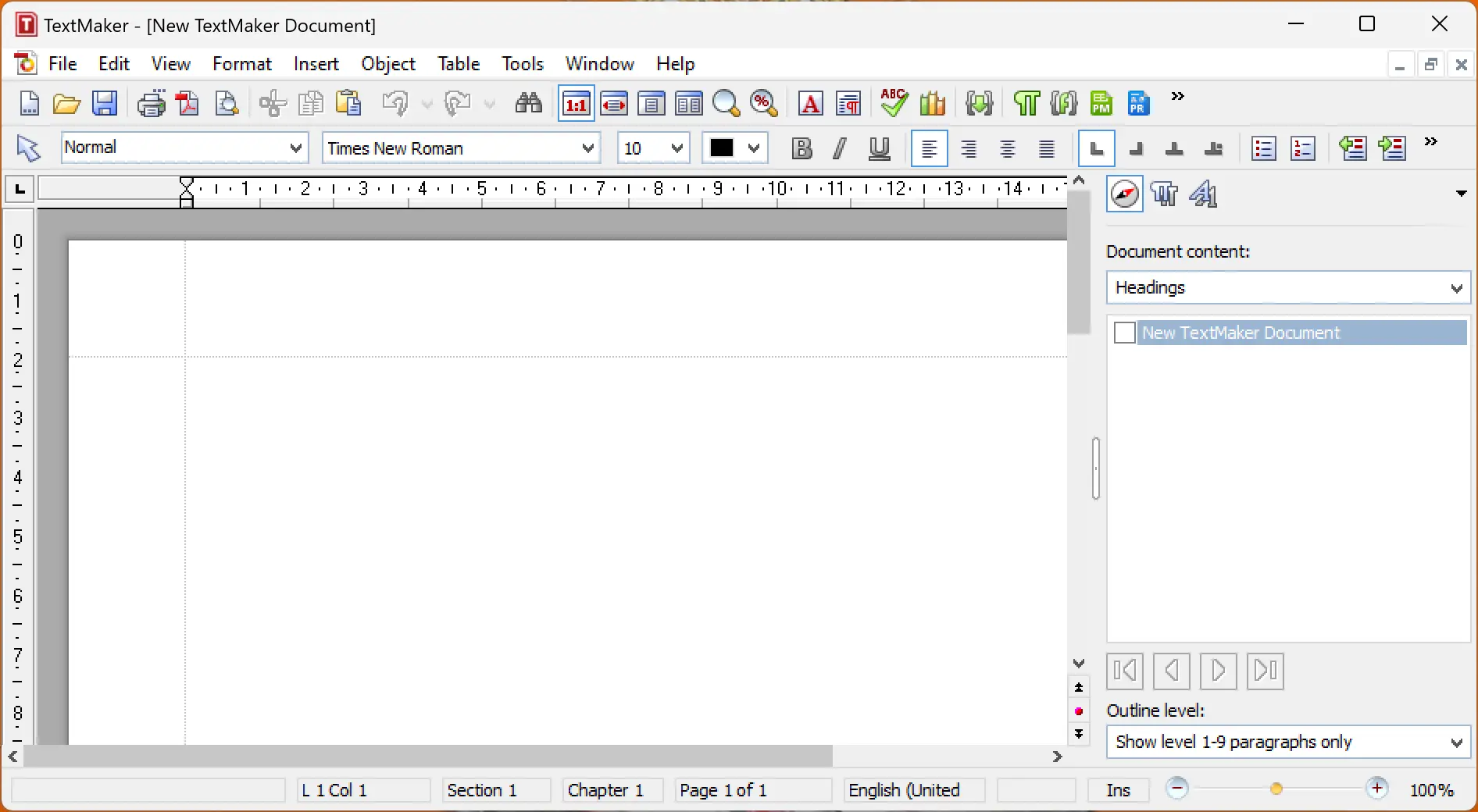
- TextMaker (Word processing): Write letters, reports, and brochures with styles, templates, and PDF export. Open and save DOC/DOCX with strong layout fidelity.
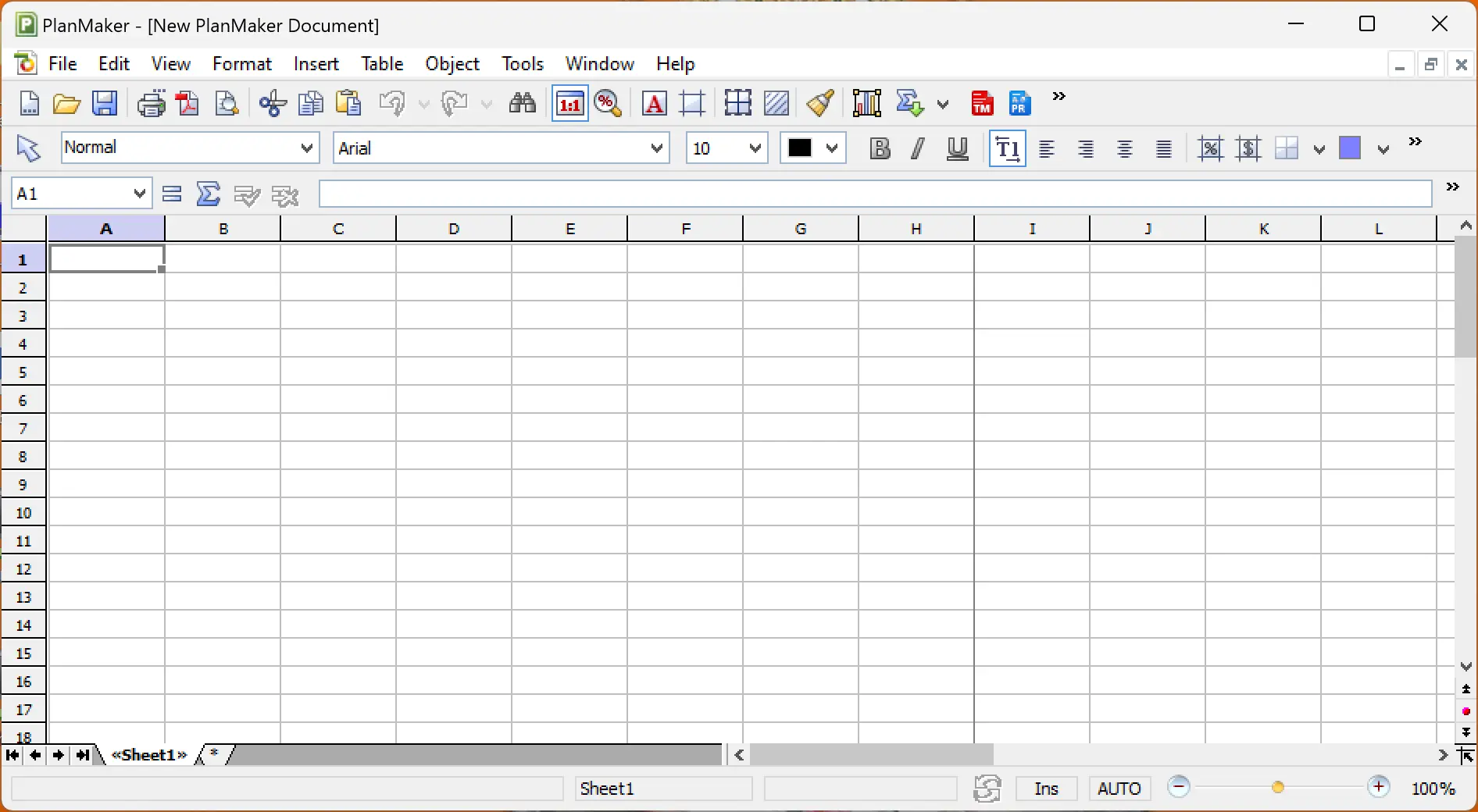
- PlanMaker (Spreadsheets): Over 300+ functions, pivot-style analysis, charts, and conditional formatting for budgets or analytics. Works with XLS/XLSX and CSV.
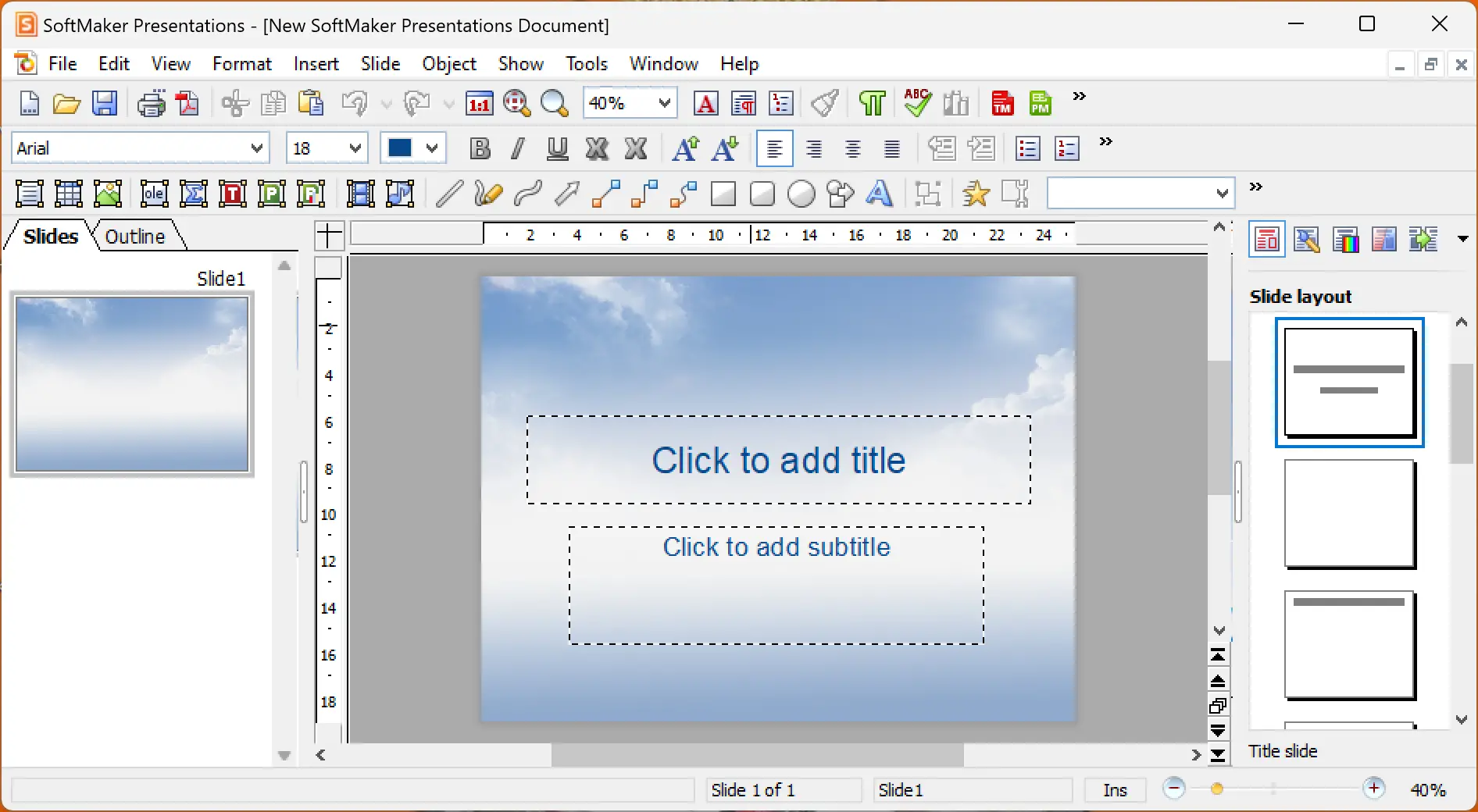
- Presentations (Slides): Build engaging decks with themes, animations, and transitions. Export to PDF or run full-screen presentations comfortably on low-spec PCs.
- Compatibility & portability: Seamlessly exchange files with MS Office users and optionally carry the suite on a USB drive for use on multiple PCs.
- Resource-friendly performance: Lightweight footprint that stays responsive on older hardware or when multitasking.
How to Use Ashampoo Office Free
Step 1. Download the installer and run it. During setup, choose whether to make Ashampoo Office Free your default for DOCX, XLSX, and PPTX or keep your current defaults.
Step 2. Launch TextMaker, PlanMaker, or Presentations. Open existing Office files or start from templates. Use the ribbon tabs to access formatting, styles, and insert tools.
Step 3. Save in your preferred format. For sharing with MS Office users, choose DOCX/XLSX/PPTX. For archiving or emailing, export to PDF. For advanced PDF editing tasks later, you can add Ashampoo PDF Free or the all-in-one PDF24 Creator.
Step 4. Customize the interface (quick access toolbar, theme, and status bar) so your most-used commands are one click away.
Step 5. Optional: keep a portable copy on a USB drive to use on shared or temporary PCs without installing.
Safe Use Tips for Beginners
- Be cautious with macros: Don’t enable macros in untrusted documents. If you must, review the source first.
- Protect sensitive PDFs: When exporting reports, add passwords and restrictions. See our guide on how to password-protect a PDF.
- Use autosave & backups: Turn on autosave and keep versioned copies for critical work.
- Check layout before sending: Use “Print Preview” or export to PDF for consistent sharing.
When Ashampoo Office Free Can Help You
- Everyday work: Drafting letters, invoices, budgets, and presentations on a fast, low-overhead suite.
- Mixed-software teams: Exchange DOCX/XLSX/PPTX with MS Office users reliably.
- PDF workflows: Create and share PDFs instantly; for editing and combining PDFs later, explore free PDF editors.
- Older hardware: Keep productivity snappy on PCs where heavy suites feel sluggish.
Pros and Considerations
Pros: Lightweight performance, strong MS Office file compatibility, familiar UI, portable option, and zero subscription cost.
Considerations: Some advanced enterprise features from Microsoft Office may be absent; complex VBA macros may require Office; real-time cloud collaboration isn’t built in (use PDFs or common formats for sharing).
Download Ashampoo Office Free
Get the latest version from the official Ashampoo Office Free webpage. For scanning to PDF before editing, you might like NAPS2, and for quick PDF creation from any app, try CutePDF Writer.
Frequently Asked Questions About Ashampoo Office Free
Is Ashampoo Office Free really free?
Yes. It’s available at no cost for Windows 11/10. Licensing terms and features can change, so always confirm details on the official download page.
Can it open and save DOCX, XLSX, and PPTX reliably?
Yes—Ashampoo Office Free focuses on compatibility with common MS Office formats. Complex documents generally work well, though niche features or heavy VBA macros may need Microsoft Office.
Does it export to PDF?
Absolutely. All three apps can export PDFs. For editing, merging, or compressing PDFs later, consider PDF24 Creator or Ashampoo PDF Free.
Is there a portable option?
You can keep the suite on a USB drive and run it on different PCs—handy when you work on shared systems.
How does it compare with LibreOffice or Rizonesoft Office?
LibreOffice is a mature open-source suite with deep features; learn more here. Rizonesoft Office is a promising open-source alternative in active development; see our overview here. Ashampoo Office Free shines for its speed, familiarity, and MS Office file handling.
Can I password-protect sensitive documents?
Use PDF export with passwords for safer sharing. Our guide to password-protecting PDFs walks you through it step by step.
Conclusion
Ashampoo Office Free is a practical, no-cost alternative for Windows 11/10 users who want dependable compatibility with MS Office formats, a familiar interface, and fast performance. Whether you’re a student, professional, or small business owner, this suite covers everyday documents, spreadsheets, and presentations—without the subscription overhead.