

Have you set a BIOS password for your Acer laptop and forgotten it? Sometimes, we need to access the BIOS to make hardware changes to our computer, but the BIOS is protected by a password. Before proceeding, it’s a good idea to check your PC BIOS version and update it to the latest available one for better stability and compatibility.
While there are solutions to reset your Windows password, what about the BIOS password? To remove a BIOS password, you need to remove the CMOS battery. This method works for all Windows devices but requires opening the computer hardware, making it unsuitable for those unfamiliar with hardware. First, turn off the computer and unplug its power cord. The CMOS battery is located under the computer case. Remove the case with a screwdriver, take out the CMOS battery, and wait for 10–25 minutes before putting it back. Capacitors can store power even when everything is unplugged.
After plugging everything back in, power up the computer and enter the BIOS. If everything goes well, there should be no more passwords. However, if you have an Acer laptop, you can use an online BIOS password generator to make things easier. Alternatively, you can update BIOS or UEFI safely from Windows without needing external hardware tools.
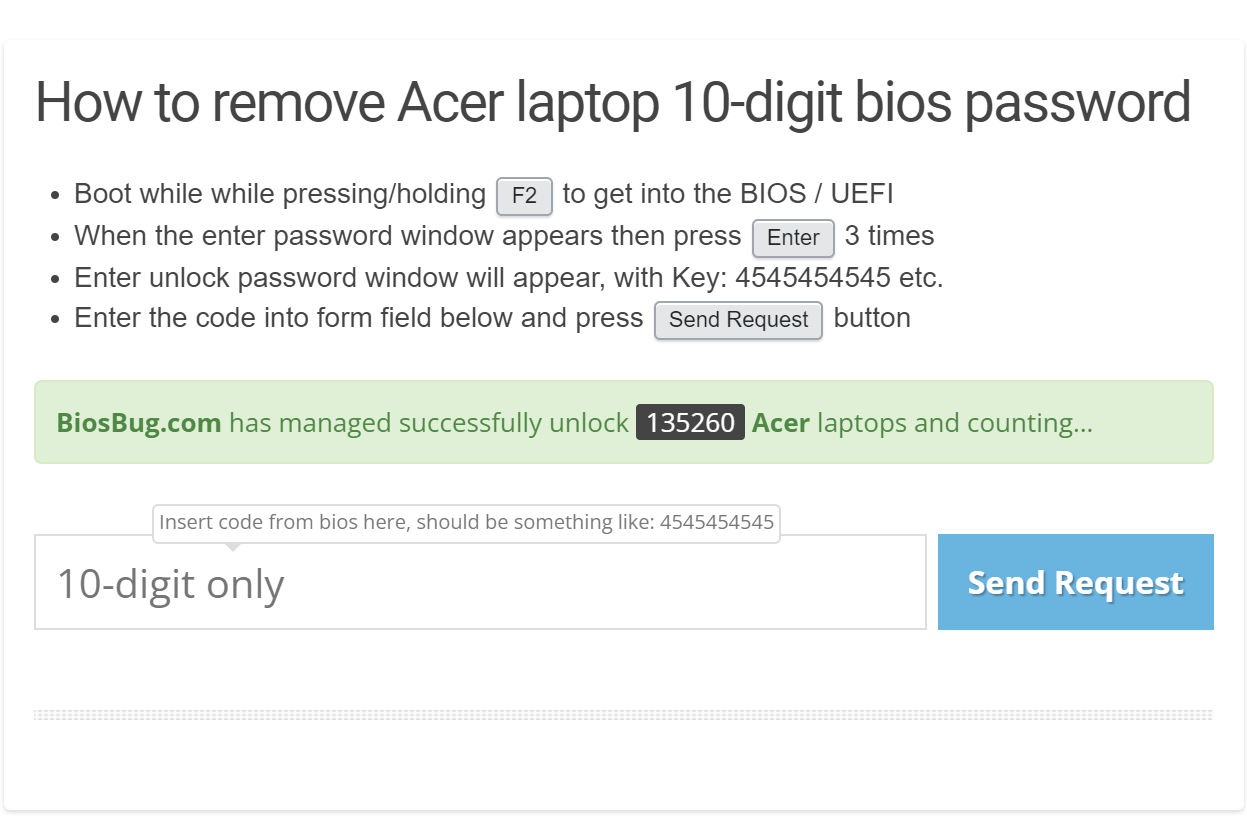
To access your Acer BIOS, turn it on and immediately press the F2 key. If F2 does not work, try Del or Esc. You should now see “Enter Current Password.” Here’s the trick: enter any random number as your password. If you enter the wrong password three times, you should see “Enter Unlock Password.” Click Enter, and your Unlock Key should appear. Write this key down and go to BiOSBUG.com.
Here, you’ll find two types of password generators. If your laptop needs an 8-digit unlock key, generate it here. If you need a 10-digit unlock key, follow this link.
Watch the video tutorial on YouTube.
Write the key in the text box and press the “Send Request” button to get your Acer BIOS unlock key. Then, go back to your laptop and put that key into the “Enter Unlock Password” box. If you are successful, you should have entered the BIOS. You can also check if your PC supports UEFI or legacy BIOS if you wish to configure advanced boot modes.
You’ll see a little box with three password fields in the BIOS when you click the “Set Supervisor Password” button under the Security tab. Enter the unlock key you received from BiOSBUG.com into the current password field, leave the new password field blank, and press the Enter key twice to confirm. After clicking on “Exit Saving Changes,” your laptop should no longer have a BIOS password, and you’ll be able to boot into Windows OS.
Conclusion
In conclusion, forgetting a BIOS password can be frustrating, but there are solutions to remove it, such as removing the CMOS battery or using an online BIOS password generator for Acer laptops. Although removing the CMOS battery requires hardware knowledge and expertise, the online BIOS password generator provides an easy and efficient way to unlock the BIOS. By following the steps provided, you can remove the BIOS password and regain access to your Acer laptop’s BIOS, allowing you to make the necessary changes to your computer’s hardware. You can also enable and use BitLocker drive encryption for extra data security once you regain full access to your system. Additionally, it’s wise to create a recovery USB drive for Windows so you’re prepared for any future password or system-related issues.